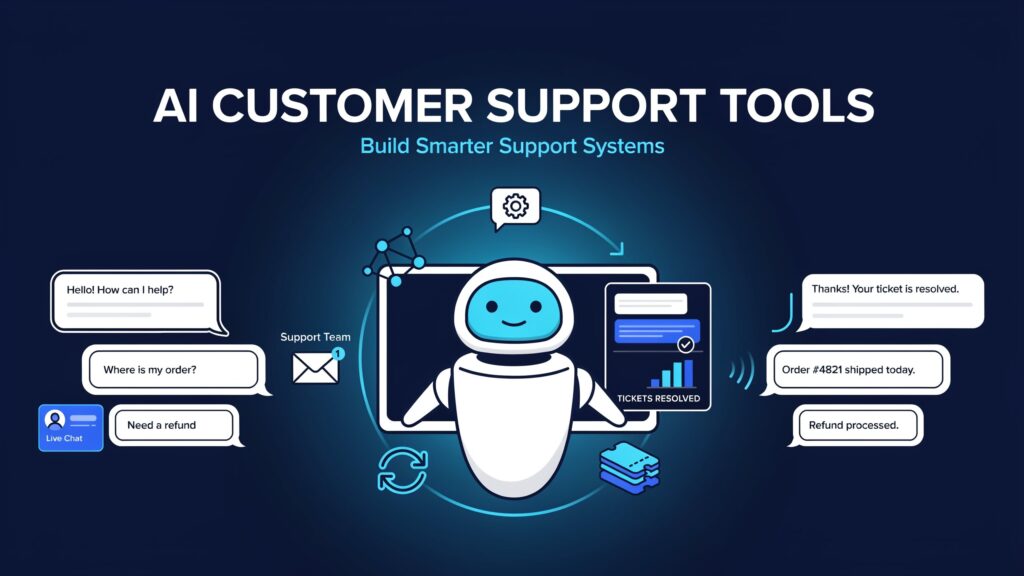
AI-powered customer support in 2026 is no longer about chatbots that answer FAQs. The best tools resolve requests end-to-end, update systems, and escalate cleanly to humans with full context.
Teams that get this right cut resolution time and cost while keeping customer satisfaction high. Teams that pick the wrong tool either overpay for unused seats or end up with an AI that frustrates customers and still dumps everything on agents. This guide recommends the strongest options and shows how to choose based on your setup.
The shift that matters is from deflection to true resolution. A chatbot that answers “Where is my order?” and then hands the conversation to a human has only deflected the question. An AI agent that looks up the order, issues a refund or updates the shipping address when policy allows, confirms the change, and only escalates the exceptions has resolved the request. In 2026 the leading platforms have moved into this territory. They can take actions in connected systems (orders, billing, accounts, subscriptions), follow multi-step procedures, and hand off with the full conversation history and relevant data already attached.
Pricing has also changed. Many vendors now charge per outcome or per resolved conversation rather than pure seat licenses or per-message fees. That model can be cheaper when the AI actually closes work, but the definition of “outcome” matters. Some count assumed resolutions (the customer simply left without saying anything more). Others charge per session whether or not the issue was solved. Copilot features that help human agents draft, summarize, and suggest next steps have become standard on higher tiers. Channel mix still drives fit: chat-first product teams, email-heavy SaaS, Shopify order volume, WhatsApp-heavy markets, and existing helpdesk investments all point to different tools.
The practical test is simple. Run the tool on your highest-volume, lowest-risk tickets for a few weeks. Measure true resolution rate (issues that stay closed), the quality of human handoffs, customer satisfaction on AI-handled conversations, and total cost including usage fees. Feature lists are secondary.
What Actually Matters in AI Customer Support
Resolution rate versus simple deflection is the first filter. Deflection reduces ticket volume on paper. Resolution reduces the work that reaches humans and the number of customers who have to explain the same issue twice. Look for published or measured rates on comparable ticket types, then test on your own data. Marketing numbers (60–80 % resolution) are common; real-world rates on complex or policy-sensitive tickets are usually lower until you invest in procedures, connectors, and knowledge-base quality.
The ability to take actions is the second filter. Can the agent issue a refund within policy limits, update an order or subscription, change an account email, or create a return label without a human? Tools that only answer from a knowledge base still leave the bulk of transactional work on agents. Check which systems it can write to, what approval or confidence thresholds you can set, and whether failed actions escalate cleanly.
Quality of human handoff determines whether the AI creates more work or less. The best handoffs arrive with a concise summary, the customer’s intent, relevant account or order data, what the AI already tried, and the reason for escalation. Poor handoffs force agents to re-ask questions and frustrate customers.
Pricing model is the third filter. Per-outcome or per-resolution pricing aligns incentives better than pure seat or session pricing, but read the fine print. What counts as a billable outcome? Are assumed resolutions charged? Is there a monthly minimum or allowance? Copilot seats for human agents are often separate. Calculate total cost at your expected resolution volume, not just the list seat price.
Integration with your existing helpdesk or CRM matters more than most teams expect. Switching platforms is expensive. Overlay agents or native AI that works inside Zendesk, Salesforce, Freshdesk, or HubSpot usually win when you already have a mature setup. Training ease on your knowledge base and policies, plus governance controls (confidence thresholds, allowed actions, audit logs, and forced human review for sensitive changes), determine how quickly you can go live safely and how much oversight you need early on.
The Recommended Tools
Intercom (Fin AI Agent)
Best for: Product-led and chat-first SaaS teams that want high resolution rates and a polished customer experience, or teams that want to add a strong AI agent on top of an existing helpdesk.
Strengths: Fin is one of the stronger autonomous agents in 2026. It resolves a high percentage of conversations on many customer bases (Intercom cites averages in the mid-to-high 60s to mid-70s percent range across large numbers of customers). It supports Procedures and Data Connectors so it can take actions in external systems, works across Messenger, email, WhatsApp, and other channels, and includes solid testing and simulation tools. It also runs as a standalone agent on Zendesk, Salesforce, and other helpdesks. Handoffs are generally clean. Copilot features exist for human agents.
Limitations: Cost scales with outcomes. Seat prices plus usage can become expensive at high volume. Assumed resolutions (customer leaves without further questions) count as billable outcomes. Complex custom processes still require careful procedure design. Voice is available but custom-priced.
Pricing character: Intercom seats run roughly $29–$132 per full seat per month on annual billing depending on plan (Essential, Advanced, Expert), with lower promotional rates for new customers on Essential. Fin itself is $0.99 per outcome (resolution, configured procedure handoff, certain routing outcomes), charged at most once per conversation. Copilot is an additional ~$29–$35 per agent per month. Standalone Fin on another helpdesk has a modest monthly outcome minimum. Total cost is highly volume-dependent; many teams find the AI line larger than the seat line once resolution volume is meaningful.
When to choose it: You are chat- or messenger-heavy, care about customer experience quality, want strong autonomous resolution plus the ability to take actions, and can absorb outcome-based pricing. Also strong if you want to keep your current helpdesk and simply overlay Fin.
Zendesk AI
Best for: Mid-market and enterprise teams already on Zendesk that want AI agents plus agent copilot features inside a mature, full-featured helpdesk.
Strengths: Native integration means AI agents, Copilot (drafts, summaries, suggestions, triage), workflows, SLAs, and reporting live in one place. Agentic capabilities (multi-step procedures, actions via APIs and connectors) are now available on standard plans rather than a separate advanced add-on. Channel coverage is broad (email, messaging, voice). Recent releases have improved testing, attachment handling, and agent controls. Handoffs stay inside the familiar Zendesk ticket interface.
Limitations: Resolution pricing sits higher than some alternatives once you exceed the small included allowance. Copilot is a meaningful per-agent add-on on higher plans. The overall platform is more complex and expensive than lighter tools if you do not already need Zendesk’s full feature set. Outcome definitions and billing details have evolved; confirm the exact model for your account.
Pricing character: Seat prices on public plans are roughly $19 (Support Team), $55 (Suite Team), and $115 (Suite Professional) per agent per month on annual billing. Each plan includes a small number of automated resolutions per agent per month (typically 5–10). Beyond that, automated resolutions cost about $1.50 on a commitment or $2.00 pay-as-you-go. Copilot is commonly ~$50 per agent per month on Professional and above. Enterprise is quoted. Total cost is seat-heavy plus resolution usage.
When to choose it: You are already on Zendesk and the switching cost is high. You need mature ticketing, reporting, and multi-channel routing alongside AI. You value copilot features for your human agents as much as autonomous resolution.
Freshdesk (Freddy AI)
Best for: Smaller teams and mid-market companies that want solid AI capabilities without high per-seat costs.
Strengths: Entry pricing is accessible. Freddy AI Agent can handle email and (on Omni) chat/messaging, and Freshworks offers vertical workflows and connectors for common actions (including ecommerce-oriented ones such as order updates or refunds when connected). Copilot features (drafts, summaries, triage) are available as an add-on. The platform is relatively straightforward to administer for teams that do not need enterprise-scale complexity.
Limitations: AI is primarily billed per session rather than pure resolution, so you pay whether or not the conversation fully resolves. The included session allowance is one-time, not recurring. Resolution quality and action depth are generally solid but not class-leading for the most complex multi-step processes. Multilingual and advanced routing features sit on higher plans.
Pricing character: Plans are roughly $19 (Growth), $55 (Pro), and $89 (Enterprise) per agent per month on annual billing. Freddy AI Agent includes a one-time pool of 500 sessions; thereafter sessions cost about $49 per 100 (~$0.49 each). A session is a time window (for example 72 hours for email). Freddy AI Copilot is ~$29 per agent per month on Pro and Enterprise. Total cost stays relatively predictable and lower than premium options at modest volumes.
When to choose it: You want a capable helpdesk plus AI at a lower entry price, your volume is moderate, and you are comfortable with session-based rather than pure outcome-based AI pricing. Strong option for budget-conscious or smaller SaaS teams.
Salesforce Agentforce / Service Cloud
Best for: Companies already deep in Salesforce that need AI agents working across service, CRM, and complex processes.
Strengths: Deep native integration with Service Cloud, CRM data, and Salesforce workflows. Agentforce supports autonomous service agents that can take actions governed by permissions, plus Service Assistant-style copilot guidance for human reps (summaries, step-by-step plans, suggested actions). Resolution-based billing options exist alongside action/credit models. Handoffs and context stay inside the Salesforce record. Strong governance, audit, and enterprise controls. Recent releases have expanded contact-center capabilities and self-optimization features with human approval.
Limitations: Complexity and cost. Implementation and configuration require Salesforce expertise or partners. Pricing is often quote-based or credit-based and can be opaque. Best value when you already live in the Salesforce ecosystem; otherwise the overhead is high. Not the fastest path for simple, high-volume FAQ or order-status resolution.
Pricing character: Highly variable and typically custom or credit/Flex Credit based. Resolution-based options are available for service agents. Seat and platform costs for Service Cloud are separate and usually material. Expect enterprise-level total cost of ownership once agents, credits, and implementation are included.
When to choose it: Your customer data, cases, and processes already live in Salesforce. You need AI that can act across CRM objects and complex approval flows, and you have the resources to configure and govern it properly. Less attractive as a greenfield choice.
Gorgias
Best for: Ecommerce and Shopify-heavy brands that need AI tightly tied to orders, returns, and refunds.
Strengths: Purpose-built for ecommerce. The AI Agent has deep Shopify integration and a large library of actions (order tracking, address updates, cancellations, refunds, returns, subscription edits, and more). It can operate as both a post-purchase support agent and a pre-purchase shopping assistant. Pricing is ticket-volume based rather than pure seat-based, which suits seasonal or variable teams. Handoffs occur inside the Gorgias inbox with order context already visible.
Limitations: Strongest on Shopify and related ecommerce stacks; less differentiated for pure SaaS or non-order workflows. AI resolution fees sit on top of ticket fees, so high automation volume still generates dual charges. Phone is limited or add-on. Real-world automation rates vary (published case studies often land in the 25–60 % range depending on ticket mix).
Pricing character: Helpdesk plans are tiered by monthly billable tickets (examples in the tens to thousands of dollars depending on volume). AI Agent is typically ~$0.90–$1.00 per resolved/automated interaction on annual plans, with higher overage rates; those interactions also count toward ticket volume. No traditional per-agent seat fee in the same way as Zendesk or Intercom.
When to choose it: You run a Shopify (or similar) store, a large share of tickets are order-, return-, or product-related, and you want the AI to take actions rather than just answer questions. Excellent fit when Gorgias is already your helpdesk.
HubSpot Service Hub with Breeze Customer Agent
Best for: Teams already living in HubSpot CRM who want AI that can act on contacts, deals, and tickets without a separate platform.
Strengths: Deep native access to HubSpot data means the agent can look up account history, update ticket properties, or trigger workflows with less custom connector work than bolt-on tools. Breeze Customer Agent handles chat, email, and some messaging channels and has moved to roughly $0.50 per resolved conversation (plus Service Hub seats, typically starting around the Professional tier). Copilot features help human agents draft replies and summarize threads. Handoffs stay inside the same record.
Limitations: Stronger for companies whose customer data and processes already sit in HubSpot. Resolution quality depends heavily on the quality of your HubSpot knowledge base and properties. Not the first choice if you run a pure high-volume ecommerce stack or need the most advanced multi-system action orchestration.
Pricing character: Seat-based Service Hub plan + per-resolution AI fee. Total cost is usually more predictable than pure usage tools once volume is known.
When to choose it: Your team is already HubSpot-centric and you want the AI to update CRM records and tickets as part of normal work rather than bolting something on top.
Decagon
Best for: Larger support organizations that want a purpose-built AI agent with strong testing, monitoring, and procedure control, often across chat, email, and voice.
Strengths: Built as an agent platform rather than a helpdesk add-on. Teams write Agent Operating Procedures in relatively natural language, run simulations and evaluations before go-live, and monitor performance closely. It can take actions via integrations with common systems and is frequently chosen by high-volume B2C or subscription businesses. Pricing is typically custom (per-conversation or per-resolution models; enterprise contracts commonly reported in the mid-to-high five figures to low six figures annually depending on volume and scope).
Limitations: Not self-serve. Implementation is more involved than turning on Fin or Freddy. You need internal ownership to define procedures, success criteria, and escalation rules. Public pricing is limited, so total cost requires a quote and careful modeling.
Pricing character: Custom enterprise contracts, usually conversation- or resolution-based with volume commitments.
When to choose it: You have meaningful volume, want rigorous testing and monitoring, and are ready to invest in procedure design rather than just enabling a native helpdesk AI.
Sierra
Best for: Large consumer brands that want a high-performing agent across chat and voice, with outcome-based pricing and vendor support for complex journeys.
Strengths: Designed for brands that need the agent to handle real tasks (order issues, account changes, cancellations, etc.) and hand off cleanly. Outcome-based pricing means you pay when agreed outcomes are achieved (resolved conversations, saved cancellations, etc.); many contracts treat unresolved escalations as free or low-cost. Strong focus on voice alongside digital channels. Implementation often includes more hands-on support from the vendor.
Limitations: Enterprise-oriented with custom pricing (commonly reported starting well into six figures annually for meaningful volume). Not a fit for small or mid-market teams. Longer sales and implementation cycles.
Pricing character: Custom, primarily outcome-based with criteria agreed in the contract.
When to choose it: You are a larger brand with complex multi-channel needs (especially voice), high volume, and the budget and governance to define clear outcome criteria.
Ada
Best for: Teams that want no-code or low-code automation with strong control over conversation flows, especially if they need multi-language coverage and channel breadth.
Strengths: Mature platform for building guided automation and more agentic behavior. Good multilingual support and integrations with common helpdesks. Can handle both simple FAQ deflection and more structured processes. Pricing is typically custom and conversation-oriented (third-party data often places median contracts in the tens of thousands annually).
Limitations: Less “set it and forget it” than some native helpdesk agents if you want sophisticated action-taking. Conversation-based pricing can bill even when the AI does not fully resolve the issue, so you must model carefully. Implementation effort scales with complexity.
Pricing character: Custom, often conversation-based with some resolution options available.
When to choose it: You need structured, controllable automation across languages and channels and are willing to invest in flow design rather than purely open-ended agent behavior.
Other Notable Options
- Help Scout — Strong for email-first or lighter teams. AI resolution pricing around $0.75, with a cleaner, more human-feeling interface. Good when volume is moderate and you want simplicity over deep action libraries.
- Kustomer — Solid for teams that want AI inside a customer timeline/CRM-style helpdesk. Pricing typically seats plus per-conversation AI fees.
- Tidio (Lyro) or similar lighter tools — Reasonable for very small shops or early-stage teams focused mainly on chat and basic FAQs. Lower ceiling for true resolution and system actions.
Decision Matrix: Matching Tools to Your Setup
| Situation | Strong fit | Why | Watch-outs |
|---|---|---|---|
| SaaS / product company, in-app + chat/email | Intercom Fin (or HubSpot if already there) | Strong resolution quality, procedures, clean handoff | Seat + $0.99 outcome costs scale |
| Already on Zendesk | Zendesk AI agents + Copilot | Native workflows, actions, existing data | Higher per-resolution + seat cost |
| Budget-conscious, growing team | Freshdesk Freddy | Lower entry, session pricing, solid basics | Less advanced action depth than leaders |
| Ecommerce / Shopify | Gorgias | Order/refund/shipping actions, channel mix | Ticket-volume + per-resolution fees |
| Salesforce-centric enterprise | Agentforce | CRM actions under Salesforce security | Conversation pricing, complexity |
| High-volume enterprise, multi-channel + voice | Sierra or Decagon | Purpose-built agents, testing, outcomes | Custom contracts, longer setup |
| Small team, mostly FAQs | Freshdesk, Help Scout, or Tidio | Lower cost, faster start | Limited true resolution |
Quick filters most teams use:
- Existing helpdesk or CRM drives the shortlist more than feature lists.
- Channel mix (WhatsApp/messaging vs email vs voice) eliminates options quickly.
- Volume and risk of actions (can the AI issue refunds?) determine how much governance you need.
- Total cost = seats + AI usage. Model 30/60/90-day real ticket samples rather than vendor demos.
Practical Tips for Successful Implementation
Start with your highest-volume, lowest-risk tickets (password resets, order status, simple billing questions, basic product how-tos). Measure true resolution rate and customer satisfaction on those before expanding to anything that involves money movement or account changes.
Keep a strong, current knowledge base. Most of these tools still rely heavily on it. Update it whenever the product or policy changes; stale content is the fastest way to wrong answers.
Define clear rules for when the AI can take actions versus when it must escalate. Use confidence thresholds, specific procedure steps, and human approval for higher-risk actions early on. Review a sample of AI-handled tickets weekly at the start.
Plan for human oversight. Copilot features help agents work faster on the tickets that remain. Make sure handoffs include full conversation context, system data the AI looked up, and any actions already taken.
Calculate total cost, not just seat prices. Run the numbers on expected resolution volume at the vendor’s definition of “outcome” or “resolution.” Factor in the cost of wrong answers (rework, refunds, churn) and the cost of your agents’ time.
Expect an initial period of tuning. Teams that treat this as a one-time setup usually see higher escalation rates and more customer friction. The ones that treat it as an ongoing operations process get better results.
Conclusion
The best tool for AI-powered customer support in 2026 is the one that actually resolves issues in your context without creating more work for your team. Most SaaS companies should start with Intercom Fin or their existing helpdesk’s AI. Ecommerce brands should look at Gorgias. Teams already deep in Salesforce or HubSpot should evaluate the native options first. Larger enterprises with complex needs and voice can look at Sierra or Decagon once the basics are working.
Prioritize resolution quality and clean handoffs over feature count. Measure results on real tickets before scaling. Outcome-based pricing only helps if the vendor’s definition of resolution matches what your customers and your finance team consider a real fix. The tools that take real actions are powerful; they also require clearer rules and better monitoring than the old FAQ chatbots. Get those foundations right and the cost and time savings follow. Skip them and you mostly buy faster frustration.
FAQs
What’s the best AI customer support tool in 2026?
There isn’t one. Intercom Fin is the strongest default for many SaaS and digital teams because of resolution quality and the $0.99 outcome price. Zendesk or Freshdesk make more sense if you’re already on them. Gorgias is the clear ecommerce pick. Larger brands often evaluate Sierra or Decagon. Match the tool to your existing stack, channels, and volume.
Intercom Fin vs Zendesk AI vs Freshdesk — which is better?
Fin generally leads on pure resolution quality and has transparent outcome pricing. Zendesk is stronger if your team, tickets, and workflows already live there and you need mature ticketing. Freshdesk is usually the best value for growing teams that want solid AI without enterprise pricing. Test on your actual tickets.
Can AI agents actually issue refunds or update orders?
Yes, the better ones can. Gorgias has strong ecommerce action libraries. Intercom Fin, Zendesk, Agentforce, and the enterprise agents (Sierra, Decagon) can take actions via connectors, APIs, or procedures. You still need clear rules, confidence thresholds, and monitoring—especially early.
How much does AI customer support really cost?
Expect a base helpdesk or platform cost plus AI usage. Common ranges: Fin at $0.99 per outcome, Zendesk roughly $1.50–$2.00 per extra resolution, Gorgias around $0.90–$1.00, Freshdesk session pricing starting lower. Enterprise tools are custom and often five- or six-figure annual contracts. Model total cost including seats, AI fees, and any rework.
Should we replace our helpdesk or just add an AI agent on top?
Most teams should add AI to their existing helpdesk first. Fin can run on top of several platforms. Switching helpdesks is expensive and disruptive. Only replace if your current tool fundamentally cannot support the actions or workflows you need.
What’s the difference between an AI chatbot and a real AI agent?
A chatbot mostly answers questions or deflects. A real AI agent can look up data, take actions in your systems (update an order, process a simple refund, change an account detail), follow multi-step procedures, and hand off to a human with full context. The 2026 tools that matter do the latter.
Is Salesforce Agentforce worth it if we’re already on Salesforce?
Often yes, if you want actions on Salesforce records under Salesforce’s security model and you’re comfortable with the pricing and complexity. If your support team doesn’t live in Service Cloud, Fin or your current helpdesk’s AI is usually simpler to start with.
What’s good for a small SaaS team vs a larger company?
Small SaaS: Intercom Fin, Freshdesk, or Help Scout. Keep scope narrow and measure closely. Larger companies: native options if you’re on Zendesk/Salesforce/HubSpot, or purpose-built agents like Decagon or Sierra once volume and complexity justify the investment and governance.
How do we stop the AI from giving wrong answers?
Strong, current knowledge base. Clear procedures and confidence thresholds. Start with low-risk tickets. Review samples weekly. Use the tool’s testing/simulation features before go-live. Escalate when the AI is uncertain. Wrong answers usually come from stale content or overly broad permissions, not the model itself.
What’s the biggest mistake teams make when adding AI to support?
Treating it as a set-and-forget chatbot that will “replace support.” The second biggest is optimizing for deflection rate instead of true resolution and clean handoffs. Both create more work for agents and worse experiences for customers. Start narrow, measure real outcomes, and keep humans in the loop until quality is proven.