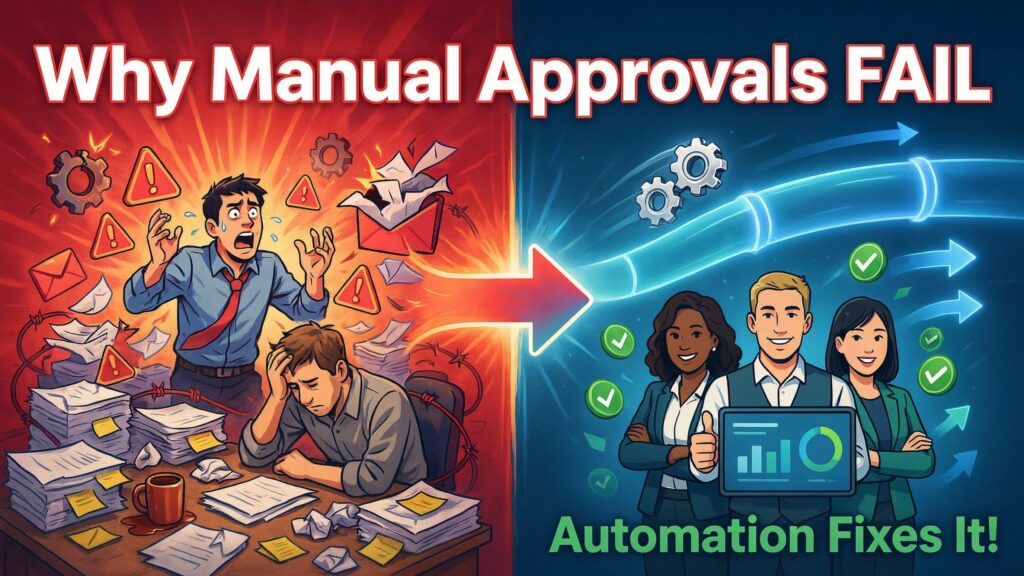
Picture this: your finance team is trying to pay a trusted vendor a $50,000 invoice.
The request is ready, but it needs three levels of approval. One manager is travelling, another is buried in email, and the CFO is in back‑to‑back meetings. By the time everyone finally replies, the vendor deadline has passed, late fees kick in, and the relationship takes a hit.
This is not a rare edge case. More than half of companies say they miss deadlines because approvals get stuck, and employees can waste around 15% of their workweek just waiting for approvals to move. In many organizations, each manual approval — with all the back‑and‑forth, chasing, and documenting — effectively costs between $150 and $500 in lost productivity.
You might still rely on manual approvals because “that’s how we’ve always done it” or because your processes feel too complex to automate. But manual workflows create hidden friction that hurts productivity, compliance, and growth — and those costs grow with every new employee, vendor, or client.
In this article, you’ll see why manual approval workflows fail at seven critical points, what that does to your business in real numbers, and how modern automation tools can give you faster, more accurate, more scalable approvals. You’ll also get a practical step‑by‑step playbook so you can start fixing your worst approval bottlenecks this week.
The anatomy of a manual approval workflow
Let’s walk through what actually happens in a typical manual process you might be running today.
-
Someone needs something approved
A requester fills out a spreadsheet, a form, or even a PDF for a purchase order, expense claim, leave request, contract sign‑off, or some other internal request. -
They send an email or message
The request is emailed to a manager or dropped into a Slack/Teams channel, often with attachments and “please approve” in the subject line. -
The manager replies (eventually)
If they approve, they might reply “approved” in the email thread or chat, or they manually sign and scan a document. If they have questions, more messages go back and forth. -
Second and third approvers join in
For higher‑value items, the manager forwards the chain to finance, a department head, or a director. Each extra layer adds more email, more comments, and more chances to miss something. -
Someone updates a tracking file
A coordinator or finance person updates a shared spreadsheet or internal log to show the status, often based on scattered email replies. -
The process “completes” — kind of
The request is finally approved, but the trail is spread across email, chat, and files. If you ever need to prove who approved what, or when, you end up digging through inboxes.
Everyday processes like expense approvals, travel requests, onboarding, and invoice processing can bog down in this manual system, especially as volume grows. If you drew it on a whiteboard, your “before” diagram would look like a messy tangle of arrows between people, inboxes, spreadsheets, and shared drives — with plenty of room for delays and errors at every step.
Why manual approval workflows fail: 7 critical breakdown points
1. Bottlenecks and delays
In most companies, approvals are the single biggest source of workflow delays. One study found that 83% of workflow delays happen because requests are stuck waiting for someone’s approval, and the average employee loses about 15% of their workweek to this wait time.
When approvers are travelling, offline, or simply overloaded, requests sit in inboxes while teams pause projects, vendors wait for payment, and opportunities slip away. Across a year, those slips add up to missed deadlines, late fees, and slower time‑to‑market.
2. Lack of visibility and accountability
In a manual system, it’s hard to answer simple questions like “Where is this request right now?” or “Who is holding this up?” without checking email threads or pinging multiple people.
Research shows that companies rarely track the true cost of this chasing, but the math is painful: finance teams alone can spend 15–20 hours a month just tracking down approvers, and each manual approval can cost $150–$506 in lost productivity from chasing and documenting. When no one can see a clear status, it’s easy for requests to fall through the cracks — and no one feels fully accountable.
3. Human error and inconsistency
Manual data entry and ad‑hoc routing almost guarantee mistakes. Industry analyses show human error rates of around 1–5% for data entry, and 3–5% for repetitive manual tasks. That might sound small, but if you’re processing hundreds or thousands of approvals a month, those errors stack up into wrong amounts, incorrect GL codes, or approvals sent to the wrong person.
When different managers “do it their own way,” you also get inconsistent handling of similar cases, which makes your process harder to trust and almost impossible to optimize at scale.
4. Poor audit trail and compliance risk
Regulated industries and growing companies need clear records of who approved what, when, and under which policy. Manual approvals scatter that evidence across inboxes, spreadsheets, and shared drives.
Global research suggests that manual approval processes increase compliance risk by 2–3 times, partly because critical steps are easy to skip and hard to prove later. Finance and audit teams then spend huge amounts of time assembling evidence for GDPR, SOX, ISO, or internal audits, when an automated system could generate a complete audit trail automatically.
5. Scalability limitations
Manual workflows might feel “fine” when your team is small, but they crumble as volume grows. Forrester has reported that manual approvals can inflate process costs by about 31% and extend cycle times by more than 2.3 times compared with automated alternatives.
As request volume grows, you either add more headcount to keep up or accept longer delays and higher error rates. Neither option scales well in a competitive market. Automation, by contrast, can handle 10 times the volume without hiring a matching number of coordinators or admins.
6. Employee frustration and productivity loss
Nobody enjoys spending their day chasing approvals or re‑entering the same data in multiple systems. Studies show that 58% of organizations say their IT team alone spends more than five hours a week on repetitive manual tasks, and more than one in five teams spend 10+ hours.
Other research estimates that employees waste up to 30% of operational efficiency because decisions and approvals are slow. Over time, that frustration shows up as lower engagement, burnout, and higher turnover — especially among your most capable people, who feel trapped in low‑value admin work.
7. Hidden costs that don’t show on a dashboard
The price tag of manual approvals is far higher than the visible “admin time.”
CAPS Research data shows the average cost to process a purchase order manually can reach $527, versus about $105 with more automated processing. Another analysis found that a business handling 3,000 invoice and PO approvals a year could be burning over £36,000 annually in wasted time alone, with about an hour of manual effort per request.
On top of that, manual error rates of 1–4% and other inefficiencies can cost businesses 20–30% of their revenue when you include rework, lost discounts, and compliance issues. These are costs you almost never see in a simple P&L line — but they’re very real.
The real‑world impact on business performance
When you zoom out, manual approvals quietly drag down almost every part of your business. Studies suggest that slow decisions and stuck approvals can reduce operational efficiency by up to 30%, with employees spending a big chunk of their time just waiting or chasing rather than doing meaningful work. At the same time, human data‑handling errors in the 1–5% range create constant leakage in the form of duplicate payments, incorrect invoices, and costly corrections.
These issues show up across functions:
-
Finance: Late payments, missed early‑payment discounts, strained vendor relationships, and higher audit overhead.
-
HR: Delays in hiring, onboarding, and leave approvals that hurt candidate experience and team morale.
-
Procurement: Slow purchase approvals that lead to stock‑outs, rush orders, and lost negotiation power with vendors.
-
Legal and Marketing: Contract and content approvals that move so slowly that campaigns miss ideal launch windows or contracts sit unsigned while competitors act faster.
To make this more concrete, here’s what manual vs. automated approvals can look like, using industry data as a guide:
Manual vs automated approvals at a glance
Once you see these numbers side by side, it becomes clear that sticking with manual approvals is not “neutral” — it is actively holding your business back.
How workflow automation transforms approvals
Automation does not just move your existing mess into a tool. Done right, it changes how approvals work at a fundamental level.
Modern workflow tools use routing rules, conditional logic, and integrations to send each request to the right person (or group) automatically based on value, department, project, or region. Approvals can happen in parallel (for example, finance and legal at the same time), with automatic escalations if someone doesn’t respond within a set time. Mobile notifications let managers approve on the go, instead of waiting until they clean up their inbox at night.
Here’s how that translates into real benefits for you:
-
Speed:
Companies that automate approvals often see cycle times drop by 40–70%, with many processes going from days to hours or minutes. Some invoice and purchase workflows show approval cycles shrinking from 3–5 days to same‑day sign‑off, and end‑to‑end processing time cut by over 80%. -
Accuracy and compliance:
Automated workflows can validate fields, enforce approval thresholds, and keep every step in a tamper‑proof audit log. This reduces human error to below 1–2% in many cases and significantly lowers compliance risk. During audits, you can pull complete approval histories in seconds instead of manually piecing them together. -
Visibility and control:
Real‑time dashboards show you how many requests are in progress, who’s blocking them, and how long each step takes. That visibility lets you spot bottlenecks, adjust rules, and prove the value of process improvements to leadership. -
Scalability:
Once your workflow logic is defined, handling more volume is mostly about system capacity, not extra headcount. Automated systems have been shown to cut operating costs by roughly 20–30% while supporting much higher transaction volumes. -
Better employee experience:
When your team can submit requests through a simple form, track status in one place, and get faster decisions, their daily work feels smoother and more fair. This also frees knowledge workers to focus on analysis, strategy, and creativity instead of chasing signatures.
From an ROI perspective, the case for automation is strong. Forrester’s analysis of finance automation found a modeled ROI of around 111% with payback in under six months for a global enterprise. Another study on workflow automation reported that many businesses see ROI within the first year, with some cases showing returns of 240%+ thanks to lower processing costs and error reductions.
Step‑by‑step guide: implementing automated approval workflows
Now let’s move from “why” to “how.” Here’s a practical roadmap you can use to start automating approvals in your own organization.
Step 1: Map and audit your current process
Pick one approval workflow that clearly causes pain — for example, purchase approvals, invoice sign‑off, or employee expense claims.
Sit with the people who actually run it and map every step: who touches it, what tools they use (email, chat, spreadsheets), what inputs they need, and where it usually gets stuck.
Be honest about average timelines and error hot spots. Your goal is to see the real “as‑is” picture, not the idealized one in a policy document.
Step 2: Identify high‑impact workflows to automate first
You don’t have to automate everything at once. Start where you’ll see fast wins. Look for workflows that are:
-
High volume (lots of requests per week or month).
-
High friction (frequent delays, many people involved, lots of chasing).
-
High risk or cost (large amounts of money, tight deadlines, compliance impact).
Use a simple scoring system (for example, 1–5 for volume, friction, and risk) and prioritize the top one or two workflows for your first automation projects.
Step 3: Choose the right tools
For many teams, no‑code or low‑code platforms are a great starting point. Think of tools like:
-
Zapier, Make, or Microsoft Power Automate for connecting apps and routing approvals.
-
Airtable, Asana, Jira, or similar tools for structured, trackable workflows.
-
Enterprise platforms like ServiceNow or dedicated BPM/workflow suites for larger organizations.
When comparing tools, pay special attention to:
-
Integration with your existing stack (email, finance system, HRIS, CRM).
-
Support for conditional logic and multi‑level approvals.
-
Built‑in audit logs and reporting.
-
Security and compliance features.
Pro tip: quick checklist for choosing an automation tool
-
Does it integrate with your core systems without heavy custom code?
-
Can non‑developers update workflows without waiting months for IT?
-
Does it provide clear audit trails and reporting out of the box?
-
Is pricing based on usage that matches your growth plans?
-
Does the vendor share concrete ROI or time‑saving data from similar clients?
Step 4: Design your automated workflows
Translate your process map into clear rules:
-
Who should approve based on amount, department, or category?
-
Which steps can happen in parallel?
-
What happens if someone doesn’t respond in 24 or 48 hours (escalations, reminders)?
Keep your first version simple. You can always add more branching later. Use standard patterns like “if amount > X, add finance approver” or “if vendor is new, add legal review.”
Step 5: Test, train, and roll out
Before rolling out widely, run a pilot with a small group and a limited set of workflows. Ask them to break it, then fix what they find.
Create simple, clear guidance for your users: how to submit, how to track status, and how to get help. Run short training sessions or record a quick video walkthrough. A smooth first experience will build confidence and reduce resistance to change.
Step 6: Monitor, measure, and optimize
Once your workflow is live, track key metrics:
-
Average time to approval.
-
Number of touchpoints per request.
-
Error rate (for example, corrections needed each month).
-
Volume of requests per month.
Compare these numbers to your manual baseline. Look for steps where requests still pile up and tweak your routing rules, SLAs, or escalations accordingly. Remember: automation is not a “set it and forget it” project — it’s a system you improve over time.
Common pitfalls to avoid:
-
Trying to automate every edge case in version one.
-
Skipping user input, which leads to designs that work on paper but fail in real life.
-
Ignoring change management (people need to understand “why” and “what’s in it for me”).
If you treat automation as an ongoing practice, not a one‑time IT project, your workflows will keep getting faster and cleaner.
Overcoming common objections and barriers
You might hear (or think) these objections when you suggest automation. Let’s break them down.
“It’s too expensive.”
On the surface, license costs and implementation time can feel high. But when manual approvals cost hundreds of dollars per PO, tens of thousands per year in wasted time, and 20–30% extra in operational inefficiencies, the “cost” of doing nothing is much higher. Independent analyses have shown automation projects delivering ROI of 100%+ with payback in months, not years.
“Our processes are too complex.”
Modern tools are built for complex, conditional routing. You can define rules like “if amount > X and region = Y, send to approver Z” and chain multiple conditions together. Complexity is actually where automation shines, because humans are bad at following long rule trees consistently.
“The team will resist change.”
People usually resist change that makes their job harder or less clear. If you involve them in design, show them how much chasing and rework will disappear, and start with a painful workflow they already hate, resistance drops quickly.
“What about security and data privacy?”
Leading workflow platforms invest heavily in security, with features like role‑based access, detailed audit logs, and support for major standards and regulations. In many cases, approvals become more secure after automation, because you remove ad‑hoc sharing of documents over email and chat.
Future outlook: AI in next‑gen approval workflows
The next wave of approval automation is already here, powered by AI and data‑driven workflows. Analysts from Gartner and Forrester highlight data‑driven, automated approval routing as a core part of modern enterprise strategies, warning that organizations who fail to adopt them will lag behind by 2025 and beyond.
Here’s what you can expect over 2026–2027 and beyond:
-
Intelligent routing: AI models can learn from past approvals and route new requests to the most appropriate approver, or even suggest simplified routes for low‑risk items.
-
Predictive approvals and auto‑approval: For routine, low‑value, low‑risk requests that always get approved, AI can recommend auto‑approval within predefined thresholds, freeing humans to focus on exceptions.
-
Anomaly detection and fraud flags: AI can scan large volumes of approvals to spot unusual patterns, such as repeated approvals just under a threshold or out‑of‑pattern vendor invoices, and flag them for extra review.
-
Natural language interfaces: Instead of filling detailed forms, employees could submit requests by typing or speaking in plain language, while AI extracts the needed fields and attaches context automatically.
As these capabilities mature, your approval workflows will move from reactive and manual to proactive and self‑optimizing, with humans supervising and handling the truly complex or sensitive cases.
Conclusion
Manual approval workflows might feel familiar, but they are fragile systems that quietly drain time, money, and trust as your business grows. Automation turns those same workflows into fast, visible, auditable processes that support scale instead of fighting it — often with ROI in months and measurable gains in both efficiency and employee experience.
If you do one thing this week, pick a single approval process that everyone complains about and map it honestly from end to end. Use that map to design a simple automated version in a tool you can pilot quickly. Once you see the difference in speed and clarity, it becomes much easier to build a stronger business case and roll automation out across more workflows.
In today’s competitive global market, approval automation is no longer a nice‑to‑have. It is the new baseline for operational excellence — and the sooner you move away from manual approvals, the sooner your team can stop chasing signatures and start focusing on real work.
