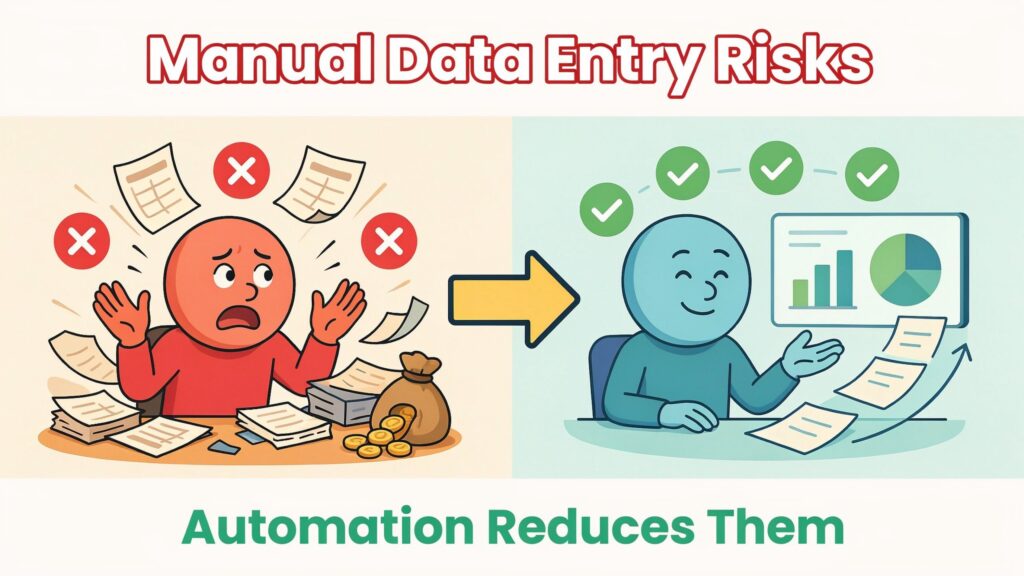
Manual data entry and paper-heavy document workflows look harmless on the surface, but they quietly drain money, time, and trust from your business every single day. One mid-sized distribution company, for example, was keying in around 180 customer orders a day. With a “normal” manual error rate of about 3%, that worked out to roughly 1,400 wrong orders per year, and each mistake cost about 680 in labour, re-shipping, refunds, and corrections. When they finally did the math, those tiny data entry slips were costing close to 952,000 a year—almost a million in pure waste.
If you still rely on people typing invoice numbers into spreadsheets, copying contract terms into CRMs, or re‑keying customer details from one system to another, you’re running the same kind of risk every day, even if you can’t see it yet. Manual data entry and document handling feel “cheap” and familiar, but the hidden costs compound as your volumes grow.
In this article, you’ll see why manual data entry is more than an annoyance: it quietly damages your efficiency, accuracy, compliance posture, security, and profitability. You’ll get a clear breakdown of the eight biggest operational risks, real numbers that show the true cost, how modern automation (OCR, AI document processing, and workflow tools) removes those risks, and a practical step‑by‑step roadmap you can use to move from manual chaos to controlled, automated flows—with clear ROI.
Why manual data entry still dominates
Even in 2026, manual data entry hasn’t gone away. It has simply moved from paper forms to email attachments, PDFs, and spreadsheets.
You’ll still see people typing in data in almost every department: invoices in accounts payable, orders and contracts in sales, customer forms in support, HR onboarding documents, timesheets, inventory counts, and numbers for financial reports. Surveys show that nearly 50% of businesses still rely on manual data entry to some extent, and around 48% of manufacturing companies still handle key documents manually. In manufacturing specifically, about 70% of firms still collect data by hand, and a separate survey found that 84% of companies use manual methods for critical tasks like payment reconciliation. In accounts receivable, about 35% of mid-sized firms are still fully manual, and 37% of AP professionals say manual data entry is their top daily pain point.
So why do companies cling to these processes? First, manual work feels “free” because you’ve already hired the people, while software licences and implementation look like a new cost line. Second, teams are used to their spreadsheets and email habits; changing them feels risky and uncomfortable. Third, many leaders underestimate the true cost of errors, delays, and rework, because those costs are scattered across departments and never show up as a single number on a report.
The result is a strange situation in 2026: while the intelligent document processing (IDP) market is growing more than 30% per year and reaching several billion dollars in size, a large share of organisations still enter critical data by hand and patch together half‑manual workflows around their “digital” systems. That gap between what’s possible and what you actually run every day is where your hidden operational risk lives.
8 major operational risks of manual data entry
Below are eight risks you expose yourself to when you keep manual entry and document processing at the heart of your operations.
1. Human error and data inaccuracy
Human beings make mistakes, even when they are careful and experienced. Studies consistently show manual data entry error rates between 1% and 4%, meaning 1–4 wrong fields for every 100 entries. In real‑world settings, many teams only reach 97–98% accuracy, not the 99% we like to assume. At scale, that “small” error rate can result in 18–40% of records containing at least one error.
Those mistakes include typos, transposed digits, wrong dates, missing fields, and values copied into the wrong columns. One wrong digit in an account number can send a payment to the wrong place; one missing negative sign can turn a small discount into a massive loss; one incorrect birth date can break a customer’s KYC check. The painful part is that you often don’t see these errors at the moment of entry—they surface later as disputes, failed reports, or customer complaints.
2. Compliance and regulatory violations
If you process personal, financial, or health data, manual handling increases your exposure to regulations like GDPR in Europe, HIPAA in healthcare, SOX in finance, and industry‑specific quality rules. Under GDPR, for example, you must know where personal data lives, how it’s processed, and be able to correct or delete it on request within strict timelines. Manual processes make this very hard at scale because they rely on scattered spreadsheets, email threads, and humans remembering steps instead of systems enforcing them.
GDPR fines can reach up to 20 million euros or 4% of your global annual turnover, whichever is higher, and similar penalties exist in other regimes. In regulated life sciences environments, manual transcription is seen as a structural weakness because it breaks the traceable chain required by rules like 21 CFR Part 11 and EU Annex 11. One missing log entry or undocumented manual step can turn into an audit finding or even a product hold.
3. Security and data breach risks
When your core “system” is a collection of Excel files passed around by email, shared drives, and messaging apps, you make data exposure much more likely. Spreadsheets with customer details, salaries, contract terms, or health information sit on laptops, in personal cloud folders, or in inboxes that are never cleaned up. A lost laptop, a mis‑addressed email, or a disgruntled employee can leak sensitive data in seconds.
Manual GDPR and security processes also break down as you grow, because the number of requests, apps, and data stores grows faster than any team’s ability to coordinate them by hand. Without central control and audit trails, you cannot reliably prove who accessed which document, when, and why. That makes incident response slow and painful when something goes wrong.
4. Operational inefficiency and wasted time
Manual entry is slow. Typing values from PDFs or paper takes time, and then you lose more time fixing mistakes. One analysis found that employees lose about 240 hours a year—six full work weeks—just to repetitive data entry tasks. Another source reports that knowledge workers waste around 58% of their working day on low‑value coordination and manual processes instead of strategic work.
On top of that, companies spend about 12 hours per week per employee correcting data entry errors. This is time your team could spend on vendor negotiations, customer support, analysis, or process improvement, but instead they are chasing missing fields, reconciling mismatched numbers, and manually cleaning spreadsheets.
5. Poor decision making from bad data
You can’t make good decisions with bad data. Yet one classic study of data quality found that only about 3% of companies meet high data quality standards and that 47% of newly created data records contain at least one critical error. When you base forecasts, pricing decisions, or risk models on those records, you get misleading results.
Executives may think sales are higher than they truly are, compliance teams may underestimate risk, and operations may over‑ or under‑order stock. Because manual errors often remain hidden, you might never know that your slide deck or dashboard is built on a shaky foundation until a crisis exposes it.
6. Financial losses and compounding costs
Bad data is expensive. Gartner estimates that poor data quality costs organisations an average of 12.9–15 million per year in wasted resources, missed opportunities, and extra operational costs. That number includes manual rework, duplicated effort, failed campaigns, write‑offs, and the cost of dealing with unhappy customers.
At a micro level, studies suggest each data error costs between 50 and 150 to resolve once you add up investigation, correction, revised invoices, updated reports, and follow‑up communication. The distribution company mentioned earlier was processing 180 orders per day at a 3% error rate, creating roughly 1,400 errors per year. With each error costing about 680 when you include labour, shipping, and credits, the annual cost approached 952,000.
There’s also the classic “1–10–100” rule of data quality: on average, it might cost 1 to prevent an error at the point of entry, 10 to fix it later, and 100 if you ignore it and let the damage spread. Manual processes keep you stuck on the expensive side of that curve because prevention is hard when humans are re‑keying data under time pressure.
7. Scalability limitations
Manual workflows don’t scale. When your document volume doubles, you either double headcount, push your existing team into overtime, or accept that errors and delays will rise. Manual GDPR processes, for example, start to break when the volume of requests and systems outgrows the team that tries to track everything in spreadsheets and email.
This becomes a hard cap on your growth. You might hesitate to sign new customers or expand into new markets because you know your back office can’t handle the extra paperwork without chaos. That’s not a technology limit—it’s a process limit caused by manual work.
8. Employee burnout and turnover
Finally, nobody joined your company to spend their days copying numbers between windows. Manual data entry is repetitive, boring, and mentally draining, especially at high volume. AP and finance teams repeatedly cite manual entry as their top pain point, even above issues like late payments.
This kind of low‑value work drives disengagement. Skilled people feel underused, and top performers leave for roles where they can focus on analysis and problem‑solving instead of pure typing. That turnover then increases your training costs and error rates, because new staff have to learn complex manual rules from scratch.
Risk impact overview (Likelihood × Severity)
Here’s a quick view of how these risks stack up.
The true cost of manual data entry: numbers that shock
When you see the full picture, manual data entry is one of the most expensive “cheap” processes in your business.
Across multiple studies, the typical manual error rate ranges from 1% to 4%. In practice, that means for every 1,000 fields you type, 10–40 are wrong. For a simple 20‑field invoice form, that can be 0.2–0.8 errors per document, and at 500 invoices a month, you’re looking at 100–400 erroneous invoices every month. Each error then costs 50–150 to fix, often more when you factor in shipping, refunds, and staff time.
Gartner’s research puts the average cost of poor data quality at 12.9–15 million per organisation per year, once you include wasted marketing spend, operational inefficiencies, missed sales, and reputational hits. A separate analysis showed that knowledge workers waste 58% of their workday on coordination and low‑value manual tasks, rather than on the work they were hired to do. Another survey found that companies spend around 12 hours per week correcting data entry errors.
To make it more concrete, consider this before‑and‑after snapshot of manual vs automated document processing.
Manual vs automated data processing (typical patterns)
When you put these numbers into your own volumes, the “cheap” manual workflow quickly turns into one of your biggest hidden P&L drains.
How automation eliminates these risks
The good news is that you don’t need futuristic technology or a massive IT team to fix this. Modern document automation builds on a few core ideas:
-
OCR + AI data extraction: Optical Character Recognition (OCR) turns scanned or PDF documents into text, and AI models then identify fields like invoice numbers, dates, totals, names, and addresses, even when layouts vary.
-
Automated validation rules: The system checks each field against rules you define: totals must match line items, tax rates must be within allowed ranges, dates must be valid, IDs must match known patterns, and so on.
-
Workflow routing: Once data is extracted and validated, workflows route documents automatically for approvals, exceptions, or downstream systems (ERP, CRM, accounting, HR). Only the outliers land on a human’s desk.
-
Centralised secure storage: Documents and their extracted data live in controlled systems rather than in email or shared drives, with role‑based access controls and encryption.
-
Real‑time audit trails: Every change, approval, and exception is logged automatically, giving you a clear trail for audits, disputes, or investigations.
Done well, this delivers several key benefits:
-
Dramatically reduced error rates
AI‑powered IDP platforms now report extraction accuracy of 99–99.9% in production, compared to around 80–85% for older OCR systems and 96–99% best‑case accuracy for humans. Because validation is built in, many errors are caught instantly rather than weeks later in a reconciliation exercise. -
Built‑in compliance and security
Automation makes it much easier to enforce GDPR principles and similar rules because access, retention, and consent logic are encoded into the system instead of living in people’s heads. Logs show exactly who accessed or changed each record, and you can configure data retention policies to avoid storing data longer than necessary. -
Faster processing at lower cost per document
IDP tools can process thousands of documents per hour, with large banks reporting that they handle hundreds of thousands of documents per hour while cutting processing costs by around 85%. For you, that means shorter cycle times, fewer backlogs, and the ability to handle peak periods without panic hiring. -
Better data for better decisions
When data is captured accurately and consistently, your reports, dashboards, and models finally reflect reality instead of a messy mixture of typos and missing fields. You can trust your numbers when you’re deciding on pricing, budgets, or risk exposure. -
Improved employee experience
Instead of spending days copying data, your team reviews exceptions, handles complex cases, and works on improvements. That shift away from low‑value, repetitive tasks reduces burnout and makes it easier to attract and keep good people.
The broader market signals this shift. The intelligent document processing market has reached several billion dollars and is projected to more than double over the coming years, growing at above 30% annually in some reports. That growth is driven by exactly the benefits you care about: accuracy, compliance, speed, and ROI.
Step‑by‑step: moving from manual to automated processing
To actually lower your risk, you need a practical migration path—not just ideas. Here’s a concrete, low‑jargon roadmap you can follow.
Step 1: Audit your current manual processes and quantify costs
Start by mapping where manual data entry happens today: which documents, which systems, and which teams. Look at invoices, purchase orders, expense claims, contracts, onboarding forms, support forms, lab records—anything that gets typed or re‑typed.
For each process, estimate:
-
Monthly document volume
-
Average fields per document
-
Rough manual time per document (including corrections)
-
Observed error rate (even if it’s a rough guess)
-
Downstream impact when things go wrong
Use the 1–10–100 rule as a lens: it is far cheaper to prevent errors than to fix or ignore them later. If you see repeated corrections and reconciliations, that’s a sign you’re on the expensive side of that curve.
Step 2: Identify high‑risk, high‑volume documents
You don’t have to automate everything at once. Focus first on processes that are both high‑volume and high‑impact when they go wrong, such as accounts payable invoices, order forms, payroll inputs, or regulated records.
Ask yourself:
-
Where do errors cause the biggest financial or compliance damage?
-
Which teams complain most about manual work?
-
Which processes slow down cash flow or customer onboarding?
These will be your first automation candidates, giving you the highest ROI and the quickest wins.
Step 3: Choose the right tools (OCR, IDP, RPA, no‑code)
At a high level, you’ll be choosing between:
-
Cloud OCR / document AI APIs from providers like Google Cloud Document AI, AWS Textract, and Azure AI Document Intelligence.
-
Dedicated IDP platforms such as ABBYY Vantage, Hyperscience, Rossum, Tungsten Automation, Doxis AI.dp, Nanonets, Docsumo, Parseur, and others.
-
RPA platforms with document understanding like UiPath (with Document Understanding), Automation Anywhere, and Microsoft Power Automate.
Key selection criteria to use:
-
Supported document types (invoices, IDs, contracts, forms, handwritten notes).
-
Accuracy benchmarks (aim for 98–99%+ on your document types).
-
Ease of setup (no‑code configuration vs heavy IT projects).
-
Integrations with your ERP, CRM, HR, and storage tools.
-
Deployment model (cloud, on‑premises, or hybrid) and data residency.
-
Security and compliance features (encryption, access controls, audit logs, certifications).
-
Pricing (per page, per document, per user) that matches your volumes and budget.
Step 4: Design automated workflows with validation and exception handling
Automation is not just about reading documents—it’s about what happens next. For each process, design a flow like this:
-
Document arrives (email, upload, scanner).
-
OCR + AI extraction identifies fields.
-
Validation rules check totals, codes, dates, and required fields.
-
Clean records go straight into your system (ERP, CRM, database).
-
Exceptions go to a human review queue with clear context and suggested corrections.
Make sure your design respects any regulatory needs: for example, dual approvals for payments over a threshold, or segregation of duties in finance.
Step 5: Implement security, access controls, and compliance features
From day one, treat security and compliance as built‑in, not add‑ons. Configure:
-
Role‑based access (who can see which documents and fields).
-
Encryption in transit and at rest.
-
Data retention rules (how long to keep documents and metadata).
-
Detailed logging so you can answer “who did what, when” during an audit.
Confirm that your vendors support your regulatory needs (GDPR, HIPAA, SOX, industry audits) and can provide evidence such as certifications or third‑party assessments.
Step 6: Pilot, train teams, and measure results
Start with a small but meaningful pilot—one or two processes and a few weeks of real documents. Involve the people who currently do the manual work; make them co‑owners, not victims, of the change.
During the pilot, measure:
-
Error rate (before vs after)
-
Average processing time per document
-
Number of documents processed per person per day
-
Time spent on corrections and reconciliations
-
User satisfaction and perceived workload
Many organisations find that the full cost of manual work is 2.8–3.5 times higher than they thought once they count supervision, rework, and “hidden” coordination time. Use these new numbers, plus the pilot results, to build a strong internal ROI case and plan your wider rollout.
To keep yourself on track, you can use a simple implementation checklist:
-
Mapped all manual document flows
-
Prioritised top 3–5 high‑risk, high‑volume processes
-
Selected tool(s) based on clear criteria
-
Designed and documented automated workflows
-
Implemented security and compliance controls
-
Ran pilot and captured baseline + post‑pilot metrics
-
Created rollout and change‑management plan
Best tools and technologies for 2026
The good news is that you have strong options at every scale and budget. Here’s a simplified view of the landscape.
Leading categories and examples
If you’re a smaller company with a few core document types, simple IDP tools like Parseur, Nanonets, or Docparser can give you quick, no‑code wins. If you’re a mid‑sized or large company with many processes and systems, enterprise IDP suites such as ABBYY Vantage, Hyperscience, Rossum, or Tungsten Automation—or RPA‑centric stacks like UiPath with Document Understanding—make more sense.
If you already have a strong cloud strategy, using Google, AWS, or Azure document AI services often gives you the fastest and most integrated path because they plug into your existing data and AI tools.
Overcoming common implementation challenges
You might be thinking, “This sounds great, but in my world we have budget limits, messy legacy systems, and people who hate change.” That’s normal.
On budget, remember that manual work is already expensive—you’re just not seeing the full number. Once you count salary, supervision, rework, errors, and missed opportunities, some studies show the real cost is around 3× what you see in basic headcount calculations. At the same time, data quality problems alone are costing organisations around 12.9 million per year on average. A focused IDP project that removes a slice of that waste can pay for itself quickly.
On integration, start by automating at the “edges”—documents coming in and out—without touching your core systems too much at first. Many IDP tools integrate via APIs, flat files, or RPA, so you can slot them into your existing stack gradually. On change resistance, involve frontline users early, show them how much dull work automation will remove, and use a pilot to prove that their jobs become more interesting, not less. Finally, on data security fears, choose vendors with strong security certifications, encryption, and clear compliance stories, and configure access rules carefully.
Future outlook: AI and intelligent document processing
Over the next few years, document automation will move from “extracting data” to “understanding documents and acting on them.”
The IDP market is already growing much faster than typical enterprise software, with estimates putting it at several billion dollars in 2026 and projecting strong double‑digit growth for years ahead. Generative AI is being built into new products like Mphasis DeepInsights Doc AI and others, enabling systems to summarise long documents, classify them, ask and answer questions about their content, and even draft responses or next steps automatically.
In practice, that means your future workflows could include autonomous agents that read incoming contracts, flag unusual clauses, route them to the right people, and update your systems without you having to design every rule by hand. Companies that reduce their manual footprint now will be better placed to plug into these capabilities later; companies that stay stuck in spreadsheets and email will struggle to catch up.
Conclusion & action plan
If you zoom out, the story is simple: manual data entry and document processing look cheap, but they hide high error rates, compliance exposure, security weaknesses, wasted time, bad decisions, financial losses, scalability limits, and employee burnout. Automation—OCR, AI‑based document processing, and smart workflows—offers a clear path to reduce those risks while giving you faster processing, better data, and happier teams.
To turn this into action, don’t wait for a huge transformation project. This week, pick your top three document processes—maybe invoices, customer onboarding forms, and one regulated workflow—and run a simple risk audit: map the steps, count how many times people touch each document, estimate your volume and error rate, and attach rough costs. Then shortlist one or two tools that fit your size and tech stack, and commit to a 30‑day pilot. If you do that, you’ll move from invisible risk to visible ROI—and you’ll be far ahead of the many businesses still living in spreadsheet land.
