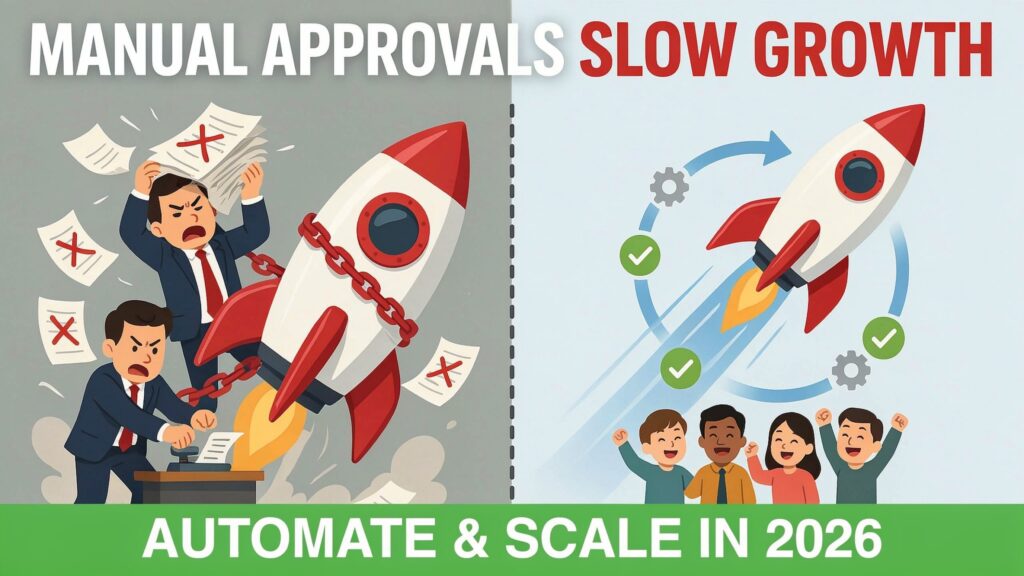
Picture this: your company doubles headcount and revenue in 18 months. Sales is closing bigger deals, marketing is launching new campaigns, finance is processing more spend, and HR is hiring non‑stop. On paper, you are winning. In reality, work keeps getting stuck because one manager, one director, or one finance approver is overloaded and buried in requests.
This is not a rare story. A recent poll found that 46% of employees say slow approval processes hurt their productivity. At the same time, research based on Microsoft’s Work Trend Index shows that 80% of workers feel they do not have enough time or energy to get through their work, and 60% of their time goes to “work about work” — chasing status, clarifying ownership, and getting sign‑off. Approvals sit right at that intersection of low visibility and high frustration.
The hard truth for 2026: manual approvals that might have been “good enough” when you were small now act like a brake on your growth. Automated approval systems are not just about saving a few clicks; they are about protecting your ability to move fast as you scale in headcount, revenue, and complexity. If you want to grow without drowning in delays, you need a system that routes, tracks, and audits decisions for you.
In the rest of this article, you’ll see exactly why automated approvals are essential, how to measure the ROI, which features matter, and a clear implementation roadmap you can follow.
The scaling challenge: why manual approvals become a liability
Manual approval flows usually grow the way cities do: messy and unplanned. Someone adds a new approver “just in case”. A director wants visibility, so they ask to be cc’d on every deal above a certain amount. Finance wants tighter control, so they ask for manual checks on every invoice. It works at 30 or 50 employees because the volume is still small and people know each other personally.
Once you cross 150–200 people, everything changes. The number of requests multiplies, your managers’ calendars are full, and the same old routing logic now creates long queues. Decision latency — the time your team spends waiting for approvals — quietly becomes one of your biggest hidden costs. In one procurement case, a company discovered that a 9.2‑day average approval cycle created over 430,000 dollars in annual productivity loss per 10 million dollars of spend, simply because of manual routing and delays. Another study of manufacturing showed that even a single day of approval‑driven production delay can mean an average 250,000‑dollar revenue loss.
You see the symptoms everywhere:
-
Deals slip into next quarter because legal or finance approvals came late.
-
Projects get blocked because one leader is the approver for everything and is always in meetings.
-
Teams start bypassing the process—asking for “urgent exceptions” over chat or email—creating risk and chaos.
-
Compliance and audit teams lose track of who approved what and based on which rules.
Meanwhile, your employees are already stretched. Microsoft’s research shows 68% of workers lack enough uninterrupted focus time, and 62% say they spend too much time searching for information. If an approval request arrives incomplete, or scattered across email threads and chat messages, approvers procrastinate, needing to rebuild the context from scratch. That delay spreads through your entire company as follow‑ups, reminders, and status checks.
This is why manual approvals are not just “annoying admin”. Past a certain size, they become a genuine scaling risk.
7 critical reasons automated approval systems are essential for scaling
1. Speed and agility in decision‑making
Automated approval systems cut cycle times by routing requests instantly, enforcing rules, and making it easy for approvers to decide from any device. In one Salesforce‑based example, a company reduced quote approval time from 14 days to 4 hours after simplifying and automating its rules. Another organization dropped procurement approval times from 9.2 days to 1.8 days by automating routing and using risk‑based paths instead of treating every request the same.
When you remove waiting time from routine approvals, you free up days or even weeks in project timelines and sales cycles. That speed advantage compounds into more deals closed per quarter, faster launches, and better customer experience.
2. Reducing bottlenecks as team size grows
In most growing companies, a handful of senior people become approval bottlenecks: everyone wants their sign‑off, and only they can “green‑light” spend or exceptions. Automated approval systems help you design smarter paths: low‑risk items can go to team leads, mid‑risk to department heads, and only the edge cases reach senior leadership.
In the procurement case mentioned earlier, leaders were spending almost 5 hours a week on low‑value approvals before redesigning the workflow to route routine cass away from them. Once they did, they got that time back for strategy and leadership work — and your leadership team needs exactly that as you scale.
3. Maintaining compliance and audit readiness
As you grow, auditors and regulators care more about your controls: who approved what, under which policy, and with which evidence. Ad‑hoc approvals via chat, email, and spreadsheets are almost impossible to audit cleanly.
Automated approval systems create structured records: they log every request, every decision, and every data point used at the time of approval. Tools like Adobe Workfront, Kissflow, and Nintex highlight audit trails and policy enforcement as core strengths for large teams and regulated industries. When your approvals are centralized and logged, compliance checks become faster, cheaper, and less stressful.
4. Improving visibility and accountability
With manual approvals, no one really knows where a request is stuck. Is it sitting in a manager’s inbox? Did legal send it back? Did someone forget to attach the right document? That lack of visibility creates endless follow‑ups, status meetings, and Slack pings — what Asana’s Anatomy of Work calls “work about work”, which already consumes about 60% of knowledge workers’ time.
Automated systems can show you where every request is in real time, who owns the next action, and how long each step typically takes. Leaders get dashboards instead of guessing; teams get clear expectations instead of chasing. Some modern platforms provide real‑time visibility dashboards that restored sales team confidence and cut contract cycle time by more than 50% in one case study.
5. Lowering operational costs at scale
Delays cost money: you pay for people’s time while they wait, you miss early payment discounts, and you lose opportunities because approvals slipped. In one procurement transformation, automating approvals eliminated 94% of manual steps and unlocked 1.2 million dollars in early payment discounts, on top of the productivity savings.
And it is not just procurement. A 2026 analysis of automation use cases reports that approval workflow automation across ERP and chat tools consistently delivers positive ROI within 90 days for mid‑market companies with 200–2,000 employees. When the same pattern exists across invoices, expenses, purchasing, HR, and IT requests, the cost advantage becomes significant.
6. Enhancing employee experience and retention
Your best people hate wasting time on avoidable friction. Studies show that 80% of employees feel they lack time or energy to do their actual work, and 62% say they spend too much time searching for information. Slow, unclear approvals drag morale down, especially for high performers who want to move fast.
Automated approvals help by:
-
Reducing the need to chase managers for sign‑off
-
Making criteria clear (what gets approved, what does not, and why)
-
Providing predictable service‑level expectations for decisions
When people feel the system is fair, fast, and transparent, they are far more likely to stay and do their best work.
7. Enabling seamless cross‑department scaling
Scaling is rarely linear. You may double headcount in sales, then finance, then operations. Each function brings new tools and workflows. If approvals live inside each tool separately, your organization fragments: no one has a full picture.
Modern approval systems integrate with CRMs, ERPs, HRIS platforms, and collaboration tools, giving you a central brain for decisions while letting teams work where they are comfortable. Platforms like Microsoft Power Automate, ServiceNow Flow Designer, and Workato are often used specifically to standardize approvals across Microsoft 365, enterprise IT, and multiple departments. That consistency is what lets you scale functions in parallel without losing control.
Manual vs automated approvals at a glance
Quantifying the ROI of automated approval systems
To justify an automated approval system, you need to translate time saved into money and growth. The easiest way is to look at three areas: cycle time, labor cost, and revenue impact.
Cycle time: automation and better routing can compress approval cycles dramatically. The quote approval example we saw went from 14 days to 4 hours, alongside a 35% increase in win rate. The procurement case cut approval times from 9.2 days to 1.8 days and unlocked 1.2 million dollars in early payment discounts while eliminating 94% of manual steps. A Fortune 500 energy firm reduced approval cycles from 12 weeks to 4 weeks and delivered a verified ROI of 220% by tightening governance and measuring ROI during implementation, not after.
Labor cost: if senior managers are spending several hours per week on low‑value approvals, that is expensive time. One company identified about 5 hours per week of leadership time being spent on minor procurement approvals before redesigning routing logic. Multiply that across a leadership team and a full year, and the cost is obvious. Add to this the “work about work” overhead — which Asana’s research puts at around 60% of knowledge workers’ time — and you see how much capacity you can reclaim by standardizing and automating approval flows.
Revenue impact: in manufacturing, a single day of production delay due to approvals can cost an average of 250,000 dollars in lost revenue. In sales, shorter approval cycles mean fewer deals slipping into the next quarter and higher win rates. In mid‑market scenarios, approval workflow automation is one of the use cases that repeatedly delivers positive ROI within 90 days of go‑live for companies with 200–2,000 employees.
Payback period: when you combine these effects, many organizations see payback on their approval automation investment within 3–9 months, especially when they target high‑volume workflows in procurement, expenses, sales, and HR first. Startups that automate early tend to add headcount and revenue without needing to double their operations staff, while companies that keep approvals manual often hit a “complexity wall” where hiring more people no longer fixes the delays.
Key features every scaling business needs in an automated approval system
When you shop for an approval system in 2026, it is easy to get lost in marketing claims. Focus on a small set of must‑have capabilities that actually support scaling.
-
Multi‑level and parallel approvals
You need the ability to route approvals through multiple levels (team lead → department head → finance) and in parallel where it makes sense (legal and finance at the same time). This is crucial for speeding up complex deals and large purchases without losing control. Many leading tools for 2026 explicitly support multi‑step and parallel approvals as core features. -
Conditional logic and dynamic routing
Not every request should follow the same path. You want rules like “under 1 lakh, only manager approves; above that, finance also approves”, or “low‑risk vendor, fast track; new vendor, full review”. Tools such as Kissflow, Nintex, and Power Automate are designed for conditional routing based on fields like amount, category, and risk level. This is how you keep speed without opening the door to uncontrolled spend. -
Mobile access and notifications
Your approvers are often travelling, in meetings, or away from their desks. Mobile‑friendly approval interfaces and push notifications let them review, comment, and approve quickly from anywhere. In several real‑world case studies, mobile‑enabled approvals were a key reason cycle times dropped sharply. -
Integration capabilities
Approvals should live where work happens: inside your CRM, ERP, HR system, or collaboration tools like Slack and Microsoft Teams. Platforms such as Microsoft Power Automate, ServiceNow Flow Designer, Zapier, Make, and Workato are widely used in 2026 to connect these systems and orchestrate cross‑app approval flows. When your approval system plugs into your existing stack, adoption and data quality both improve. -
Analytics and reporting dashboards
You cannot improve what you cannot see. Look for dashboards that show cycle time, first‑response time, stuck approvals, exception rates, and SLA compliance. A 2026 report on approval workflows highlights metrics like cycle time, reroutes, reminder volume, and completion within SLA as the most useful starting point for optimization. When you can see where decisions are slowing down, you can redesign paths with confidence. -
Audit trails and compliance tools
Your system should log every action: who submitted, who approved, what data they saw, and any comments they made. Tools like Adobe Workfront and Nintex emphasize robust audit trails and compliance controls for enterprise teams, especially in regulated sectors. This makes audits, investigations, and policy enforcement far easier. -
Escalation rules
Not all approvals can wait. You should be able to define automatic escalations if a request sits untouched beyond a certain SLA, or if the amount or risk level is high. This keeps important work moving without relying on manual chasing. -
Bonus: AI features for 2026
AI is now starting to play a real role in approvals, but you do not need to buy into hype to benefit. Useful AI capabilities include:-
Suggesting risk levels or routing paths based on past approvals
-
Flagging anomalies or policy violations in requests
-
Summarizing long request histories so approvers can decide faster
-
Predicting cycle times and highlighting likely bottlenecks
Several AI‑enabled workflow tools available in 2026, including n8n, Zapier, and others, already combine automation with AI‑driven insights to help teams design and monitor better approval flows. Use these as helpers to support human judgment, not as black boxes replacing it.
-
Step‑by‑step guide: implementing automated approval systems for scaling
This section is where you can turn ideas into a real plan. Use it as a rough playbook and adapt it to your context.
Step 1: Audit your current approval bottlenecks
Start with mapping, not tools. For 2–3 weeks, track a few representative workflows:
-
How long does each step take from request to final approval?
-
Where do requests usually stall?
-
Which approvers are overloaded?
-
How many times does a request bounce back for missing information?
Use simple metrics like cycle time, first‑response time, and completion within SLA — the same metrics experts recommend as the foundation for improving approval workflows. Talk to your teams; your frontline employees know exactly where things get stuck.
Step 2: Prioritize workflows by impact
You cannot automate everything at once. Prioritize based on:
-
Volume (how many times this workflow runs each month)
-
Business impact (revenue, risk, cost)
-
Pain (how much frustration and delay it creates today)
Typical high‑impact candidates include:
-
Purchase requests and purchase orders
-
Expense approvals
-
Customer discounts and special pricing
-
Contract approvals
-
New vendor onboarding
-
Leave and HR requests
Remember: a 2026 study of workflow automation ROI found that approval workflows across ERP and chat tools are among the use cases that reliably deliver positive ROI within 90 days. Start where that kind of quick win is realistic for you.
Step 3: Choose the right solution (no‑code vs low‑code vs enterprise)
Use a simple decision matrix to narrow down your options:
Shortlist 3–5 tools that match your size, stack, and skills. Look for clear documentation, strong support, and real‑world case studies, like those highlighted in 2026 buyer guides.
Step 4: Design scalable approval workflows
Work backwards from policy and risk:
-
Define thresholds (amounts, types of spend, risk levels).
-
Decide which paths can be fast‑track, and which must be strict.
-
Limit the number of approvers; every extra step adds delay.
Use conditional logic and parallel approvals to keep things fast but safe. Aim for the smallest number of steps that still protects the business. Use the metrics from your audit to set target SLAs (for example, “most expense approvals decided within 24 hours”).
Step 5: Pilot, train, and roll out
Do not roll out to the whole company at once. Run a 4–8 week pilot with one or two high‑impact workflows and a motivated team. The most successful automation programs measure ROI during implementation — not a year later — and adjust based on adoption and real usage.
During the pilot:
-
Train both requesters and approvers on how to use the system.
-
Keep a feedback loop open (weekly check‑ins are ideal).
-
Adjust forms, rules, and notifications based on real behavior.
Only after the pilot works should you roll out to more teams. Tie go‑live to clear success criteria: cycle time reduction, SLA adherence, and user satisfaction.
Step 6: Monitor KPIs and continuously optimize
Once live, treat your approval system like a product, not a one‑time project. Track:
-
Median and 90th‑percentile cycle times
-
First‑response time
-
Approvals completed within SLA
-
Exception rates and reroutes
-
Reminder volume (how often people need to be nudged)
These are exactly the metrics experts recommend when diagnosing approval flow health. Review them monthly with stakeholders. Over time, you can tighten SLAs, simplify flows, and introduce AI‑powered suggestions as your data set grows.
Suggested implementation timeline template
You can adapt this rough structure:
-
Weeks 1–2: Audit and mapping
-
Weeks 3–4: Tool selection and initial design
-
Weeks 5–8: Pilot build, training, and go‑live
-
Weeks 9–12: Pilot optimization and extended rollout planning
-
Month 4 onwards: Broader rollout and continuous improvement
Common mistakes to avoid
-
Automating a broken process without simplifying it first.
-
Adding too many approvers “just to be safe”.
-
Ignoring adoption and change management; then blaming the tool.
-
Not defining metrics upfront, so you cannot prove ROI later.
Best tools for automated approval systems in 2026
There is no single “best” tool; the right one depends on your size, tech stack, and how complex your approvals are. Still, some platforms stand out in 2026 for approval‑heavy workflows. Buyer guides and expert reviews frequently highlight the following options:
Curated snapshot for 2026
*Check vendor sites for current pricing; these ranges change frequently.
As a simple guideline:
-
Early‑stage startup or small business: monday.com, Kissflow, or Smartsheet.
-
Growing mid‑market company: Power Automate, n8n, Zapier, or Make.
-
Large or regulated enterprise: Adobe Workfront, Nintex, ServiceNow, or Workato‑class tools.
Overcoming implementation challenges
Even when the business case is obvious, implementation can feel risky. The usual fears are budget, resistance to change, integration complexity, and security.
On budget, the key is to start small and target high‑ROI use cases. Evidence from 2026 shows that carefully chosen approval automations often pay for themselves within about 90 days in mid‑market environments. If you prove value on 1–2 workflows first, it becomes much easier to justify a broader rollout.
Resistance to change is usually about fear and habit, not tools. Involve frontline users early in the design, co‑create forms and rules with them, and show them concrete benefits: fewer follow‑ups, clearer expectations, less time searching for information. For integration concerns, lean on platforms with strong connectors for your existing systems — tools like Power Automate, ServiceNow, and leading iPaaS platforms exist precisely to reduce integration pain.
Security worries are valid, but mature platforms now offer enterprise‑grade access control, audit logs, and data protection features. Vendors that serve regulated industries make these controls a central part of their product story. Ask hard questions, review certifications, but do not let vague fear block a change that can dramatically improve how your organization works.
Future outlook: AI‑powered approval systems
Looking beyond 2026, AI will not replace approvals, but it will change how they feel. Instead of static rules, you will see systems that learn from past decisions, predict bottlenecks, and propose routing and risk assessments automatically.
We already see early versions of this in AI‑enabled workflow tools like n8n, Zapier, and others, which blend rule‑based workflows with AI steps for classification, summarization, and anomaly detection. In parallel, research on decision latency and approval bottlenecks is pushing vendors to focus not just on automating tasks, but on the decision layer itself: making sure the right person sees the right information at the right time.
By 2027 and beyond, you can expect:
-
Approvals that come with AI‑generated summaries and risk scores
-
Systems that automatically highlight inconsistent decisions or policy drift
-
Closer links between approvals and real‑time data (usage, spend, performance)
-
More self‑service, guided design tools that let non‑technical teams build safe workflows
If you lay the foundation now — with clear policies, good data, and solid automated workflows — you will be in a great position to adopt these AI enhancements without chaos.
Conclusion and action plan
If you are trying to scale in 2026, manual approvals are not just a nuisance; they are an operational risk. They slow your deals, damage your employee experience, hide compliance gaps, and quietly drain money from your P&L. Case studies across procurement, sales, and operations show that companies that automate approvals early unlock faster cycle times, happier teams, and verified ROI within months, while those that keep stacking manual steps hit a painful complexity wall.
Here is a simple checklist you can use as your “approval system audit” starting this week:
-
List your top 5 approval workflows by volume and impact.
-
Measure current cycle time and first‑response time for each.
-
Identify the top 3 bottlenecks (people or steps) across them.
-
Shortlist 3–5 tools that match your size and tech stack.
-
Design and run a 4–8 week pilot for one workflow with clear success metrics.
-
Use the results to build your broader rollout plan.
If you follow this path, you will not just “install a tool”. You will build a decision engine that supports your growth instead of slowing it down — and that might be one of the most important scaling moves you make between now and 2027.
