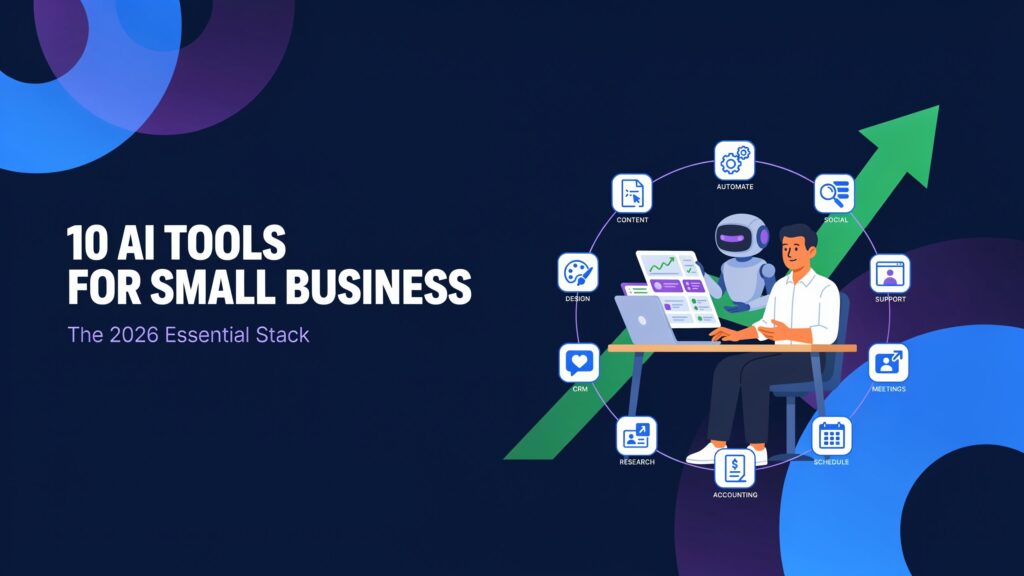
In 2026, AI has shifted from “nice-to-have” to “basic infrastructure” for small businesses that want to keep up with larger competitors. Used well, it quietly handles routine questions, drafts content, qualifies leads, summarizes meetings, and keeps your operations moving without adding headcount. Used badly, it’s another set of half-adopted apps and forgotten subscriptions.
The good news: you don’t need a huge budget or a technical co-founder to benefit. Most of the strongest general-purpose AI assistants (like ChatGPT and Claude) cost roughly 20 USD per month for an individual plan, with free tiers that are genuinely usable for light workloads. Specialized tools for design, meetings, or automation typically start between 10 and 30 USD per user per month, which is still far less than the cost of a part‑time hire.
Across multiple independent 2026 reviews, the same pattern keeps showing up: small businesses that adopt a focused stack of 3–5 AI tools report saving 5–6 hours per employee each week and seeing 3–7× ROI within the first six months. Those wins usually come from three areas: drafting and editing content, automating repetitive workflows, and taking the first pass on support or sales conversations.
This guide is written for busy owners and operators, not AI hobbyists. You’ll get practical recommendations, honest price ranges, concrete use cases, and clear limitations so you can choose tools that fit your current stage instead of chasing hype. We’ll start with how to think about AI in 2026, then walk through ten categories of tools that consistently deliver value for small teams, and end with a simple “starter stack” you can implement over the next 30–60 days.
How Small Businesses Should Approach AI in 2026
If you treat “adopting AI” as a project, you’ll end up with a shelf full of tools and very little impact. The businesses that see real results start with a single painful job and pick the one tool that removes most of that pain.
Typical high‑leverage starting points include:
-
Repetitive content drafting (blogs, emails, proposals, product descriptions).
-
Support tickets that repeat the same 30–50 questions.
-
Leads slipping through the cracks because follow‑up is inconsistent.
Start with 1–2 high‑impact use cases
Most 2026 guides recommend the same phased approach: begin with one general‑purpose AI assistant (ChatGPT or Claude), add a category‑specific tool (like Canva for design or an AI helpdesk), and only then layer in automation. This keeps your stack affordable (often 40–100 USD per month total) while you prove ROI on each layer.
Use clear evaluation criteria
When you evaluate any AI tool, focus on:
-
Ease of use: Can a non‑technical teammate use it in under an hour? Reviews of tools like ChatGPT, Canva, Zapier AI, and Tidio consistently highlight low setup friction as a key advantage for small businesses.
-
Integration with your existing stack: For example, Gemini is strongest for Google Workspace users, and Copilot is the obvious choice for Microsoft 365 shops because they run inside tools you already use.
-
Pricing transparency: Look for clear plans and predictable billing. Many automation and support tools now charge per “task” or “outcome,” which can surprise teams if they don’t model volume in advance.
-
Data privacy and control: Modern AI vendors usually offer clear data‑handling policies, but some features (like email assistants or CRM integrations) require deep access. Shortlist vendors that support workspace‑level controls and explain how your data is used for training.
Common mistakes to avoid
Operators who’ve rolled out AI across multiple small businesses report a familiar set of mistakes:
-
Buying too many tools at once: Many reviews explicitly warn against stacking a general assistant, a writing tool, a design tool, and a full automation suite before you’ve proven ROI on any of them.
-
Expecting perfection: AI support agents and copy tools routinely hit 60–80% “good enough,” not 100%. Teams that treat AI output as a draft for a human editor see far better results than those who expect it to “set and forget.”
-
Ignoring human oversight: Automation experts stress adding approval steps for anything customer‑facing or financially sensitive and treating AI steps as 10–20% of a workflow, not the entire system.
If you remember nothing else from this section, remember this: pick one bottleneck, solve it with one tool, then move on to the next.
The Top 10 AI Tools Small Businesses Should Use in 2026
Below are ten categories of AI tools that consistently deliver a strong return for small teams, with example products, typical pricing, real‑world use cases, and key limitations.
1. ChatGPT / Claude – General AI Assistants
Best for: Everyday thinking, drafting, editing, and problem‑solving across the business.
Multiple 2026 rankings put ChatGPT and Claude at the top of any small‑business AI stack, recommending that most teams start with one of these as their “AI brain.” Both tools handle drafting content, summarizing documents, brainstorming campaigns, answering questions, and even helping with basic analysis or code.
Key capabilities
-
Drafting emails, blog posts, proposals, and social content on demand.
-
Summarizing long documents and extracting key points or action items.
-
Assisting with spreadsheets, light coding, and data interpretation.
-
Acting as a “thinking partner” for strategy, product, or operations decisions.
Pricing snapshot (2026)
-
Individual paid tiers for ChatGPT Plus and Claude Pro are around 20 USD per month each, with free tiers offering limited but useful access.
-
Team or business plans typically start around 30 USD per user per month and add collaboration and governance features.
Real small‑business use cases
-
A marketing‑led business uses ChatGPT daily to draft campaigns, outline articles, and repurpose content into emails and social posts.resources.
-
A service business uses Claude to review contracts, summarize client call transcripts, and draft proposals, relying on its strength with long documents and careful reasoning.
Limitations
-
Output can sound generic without clear prompts and a defined brand voice; reviewers note this especially with ChatGPT.
-
Both tools can produce plausible but incorrect answers; operators stress the need for human review on anything high‑stakes.
2. Customer Support AI (Intercom Fin, Tidio, Freshdesk, etc.)
Best for: Handling common customer questions, deflecting tickets, and reducing support load.
AI customer service tools plug into live chat, email, or helpdesk systems to answer routine questions automatically and escalate the rest to humans. Tools like Tidio Lyro, Freshdesk Freddy, Intercom Fin, and others are now tuned specifically for small teams.
Key capabilities
-
24/7 chatbots that answer FAQs from your knowledge base and policies.
-
AI agents that resolve a significant share (often 40–70%) of incoming chats before they reach human agents.
-
Agent assist features that draft replies for human review inside your helpdesk.
Pricing snapshot (2026)
-
Tidio with Lyro AI starts around 29 USD per month, with free or low‑cost tiers for smaller volumes.
-
Intercom’s Fin AI Agent charges around 0.99 USD per resolved conversation, on top of Intercom’s seat plans that start at roughly 29 USD per agent per month on annual billing.
-
Freshdesk and similar tools often bundle AI features into agent‑based plans starting around 15–29 USD per user per month.
Real small‑business use cases
-
A small ecommerce store uses Tidio’s AI chatbot to answer “Where is my order?”, return policy questions, and basic product queries, reducing live‑chat load by 60–70%.
-
A SaaS startup uses Intercom Fin on their in‑app messenger to handle onboarding questions and basic troubleshooting before routing complex issues to a human agent.
Limitations
-
Outcome‑based pricing (like 0.99 USD per resolution) can get expensive at higher volumes if you don’t monitor resolution rates and ticket peaks.
-
AI agents depend heavily on a clean, up‑to‑date knowledge base; many vendors emphasize that 8–10 hours of initial training and regular updates are critical to maintain accuracy.
3. AI Writing & Content Tools (Jasper, Copy.ai, etc.)
Best for: Marketing copy, blogs, product descriptions, and social content at scale.
While general assistants can write, specialized AI copy tools like Jasper and Copy.ai add brand voice controls, templates, and workflow features built for marketing campaigns.
Key capabilities
-
Templates for ads, landing pages, product descriptions, emails, and social posts.
-
Brand‑voice training that lets teams enforce a consistent tone across all channels.
-
Collaboration features for marketing teams (workspaces, approvals, campaign views).
Pricing snapshot (2026)
-
Jasper Pro’s public entry pricing is around 59–69 USD per seat per month (annual vs monthly), with no permanent free tier.
-
Copy.ai offers a genuinely useful free tier (around 2,000 words per month) and paid plans starting roughly from 29–49 USD per month.
-
Budget options like Rytr start near 9 USD per month for unlimited output, but with fewer governance features.resources.
Real small‑business use cases
-
A small marketing agency uses Jasper to keep multiple writers on the same brand voice and generate consistent campaigns across email, blog, and ads.
-
A product‑led business uses Copy.ai to rapidly generate variations of product descriptions and outbound sales copy, plugged directly into their CRM workflows.
Limitations
-
Many reviewers note that long‑form output still needs a human editor for structure, claims, and originality—especially for SEO content or regulated niches.
-
Entry‑level pricing (often 40–70 USD per month per seat) can be overkill for solo founders when a 20 USD general assistant plus a good style guide gets them 80–85% of the way.
4. AI Scheduling & Meeting Assistants
Best for: Calendar management, focus time, meeting summaries, and follow‑ups.
AI scheduling tools move beyond simple booking links. Products like Motion and Reclaim automatically plan your day, protect focus time, and help coordinate meetings across teams.
Key capabilities
-
Automatically scheduling tasks and meetings based on priority and deadlines.
-
Protecting focus blocks and preventing over‑booking.
-
Syncing with project tools and calendars so work, not just meetings, gets scheduled.
Pricing snapshot (2026)
-
Motion’s individual Pro AI plan is around 19 USD per month per seat on annual billing (roughly 34 USD monthly), with higher tiers for teams.
-
Reclaim.ai offers a usable free plan, with paid plans starting around 10 USD per user per month.
Real small‑business use cases
-
A founder uses Motion to automatically rebuild their daily schedule when new meetings arrive, balancing client work, internal tasks, and admin.
-
A remote team uses Reclaim to coordinate focus time and recurring routines (like weekly reporting) across calendars, reducing scheduling conflicts.
Limitations
-
These tools require access to your calendar and sometimes project tools; privacy‑conscious teams need to review permissions carefully.
-
AI scheduling systems can frustrate teams if they’re not configured with clear working hours and meeting rules; success depends on initial setup and guardrails.
5. AI Sales & Lead Tools
Best for: Lead research, outreach personalization, and basic qualification.
AI‑powered sales tools sit on top of your CRM or inbox to research accounts, score leads, and draft personalized outreach. Breeze (by HubSpot) is a representative example in 2026.
Key capabilities
-
Automatically researching target accounts and detecting buying signals (funding rounds, job posts, website behavior).
-
Drafting personalized outreach sequences that reference specific events and pain points, using your CRM data and signals.
-
Scoring and qualifying leads, with options to require human approval before sending.
Pricing snapshot (2026)
-
Tools like Breeze are usually add‑ons inside a CRM (HubSpot), with pricing tied to existing hubs and usage; entry costs for AI‑augmented CRMs commonly start in the low‑tens of dollars per user per month.
-
Some all‑in‑one “AI team” platforms bundle marketing, sales, and support agents for a flat monthly fee in the hundreds of dollars, aimed at small teams running most operations through a single platform.
Real small‑business use cases
-
A B2B service firm uses HubSpot Breeze to monitor funding and hiring signals, then trigger personalized outreach when target accounts show intent.
-
A small sales team uses AI‑drafted email sequences as first drafts, with reps reviewing and tweaking before sending to high‑value prospects.
Limitations
-
AI‑generated outreach can quickly veer into spam if you don’t enforce strict guardrails and review processes; most tools now offer clear controls for approvals and daily limits.
-
These tools deliver the most value when you already have a functioning CRM and basic segmentation; they don’t fix a messy or incomplete database on their own.
6. AI Image & Creative Tools (Canva, Midjourney, etc.)
Best for: Social graphics, ads, thumbnails, simple videos, and other visual content.
Canva’s AI‑powered “Magic Studio,” Midjourney, and similar tools let non‑designers create on‑brand visuals quickly, often cheaper than hiring a designer for simple assets.
Key capabilities
-
Text‑to‑image generation for social posts, ads, blog headers, and thumbnails.
-
AI‑assisted layout, background removal, resizing, and brand‑kit enforcement (logos, colors, fonts).
-
Basic video and presentation creation for small businesses that need multi‑format content.
Pricing snapshot (2026)
-
Canva Pro with AI features typically starts around 13–15 USD per month, with a limited free tier.
-
Image‑generation tools like Midjourney often use subscription models starting around 10 USD per month.
Real small‑business use cases
-
A local service business uses Canva AI to produce weekly social posts, ad creatives, and simple videos without hiring a designer.
-
An ecommerce shop uses AI‑generated lifestyle images and banners for seasonal campaigns, then refines winning visuals with a designer later.
Limitations
-
Users report that generic prompts yield generic visuals; the best results come from clear brand guidelines and examples.
-
Licensing and usage rights still matter—especially for stock‑style images or client work—so teams should review each vendor’s terms carefully.resources.
7. AI Email & Inbox Assistants
Best for: Sorting, triaging, drafting replies, and staying on top of high‑volume inboxes.
AI email assistants plug into Gmail or Outlook to prioritize messages, draft replies in your voice, and track follow‑ups so leads and invoices don’t slip.
Key capabilities
-
Auto‑triaging incoming mail into priority buckets, newsletters, low‑importance, and so on.
-
Drafting replies in your tone based on examples and templates, often without leaving your inbox client.
-
Extracting tasks and follow‑ups from emails and pushing them to your calendar or task manager.
Pricing snapshot (2026)
-
Suite‑native AI: Gemini in Gmail and Microsoft Copilot in Outlook are included or add‑on options inside Google Workspace and Microsoft 365, with AI‑enhanced plans commonly starting from around 18–20 USD per user per month.
-
Dedicated AI email clients like Superhuman and Shortwave typically start around 20–33 USD per user per month.
-
Third‑party assistants (like alfred_, Fyxer, or others) often charge in the 20–30 USD per month range per user.
Real small‑business use cases
-
A solo founder uses Copilot in Outlook to summarize long email threads, draft replies, and keep track of open items directly within the Microsoft 365 suite.
-
A small support team uses a Gmail‑based assistant to triage shared inboxes and generate draft replies that agents quickly approve and send.
Limitations
-
These tools require deep access to your inbox; you need to be comfortable with their security model and data policies.
-
Over‑reliance on AI drafts can produce robotic replies; teams that invest in training examples and clear style rules see better results.
8. AI Analytics & Business Insights
Best for: Turning raw data (subscriptions, revenue, bookkeeping) into simple reports and recommendations.
Analytics and finance tools are weaving AI into dashboards and reporting, particularly for subscription businesses and bookkeeping. Products like Baremetrics and QuickBooks Intuit Assist are common examples.quickbooks.
Key capabilities
-
Automatically summarizing key metrics (MRR, churn, ARPU, cash flow) and trends.quickbooks.
-
Explaining anomalies or changes in plain language—for example, why revenue dipped or which customer segments are growing fastest.quickbooks.
-
Suggesting basic actions, such as chasing overdue invoices or adjusting pricing.quickbooks.
Pricing snapshot (2026)
-
Baremetrics revenue analytics starts around 58 USD per month for smaller subscription businesses.
-
QuickBooks with Intuit Assist builds AI into existing accounting subscriptions rather than charging separately.quickbooks.
Real small‑business use cases
-
A SaaS founder uses Baremetrics to monitor subscription metrics and rely on AI summaries to highlight churn drivers.
-
A service business uses QuickBooks Intuit Assist to automate categorization, flag anomalies, and generate simple financial summaries.quickbooks.
Limitations
-
AI summaries are only as good as the underlying data; messy books or missing integrations will limit usefulness.quickbooks.
-
These tools are advisors, not accountants; compliance and strategic decisions still require professional judgment.quickbooks.
9. AI Workflow Automation with AI Steps (Zapier, Make, etc.)
Best for: Connecting tools and adding “intelligent” decision steps between them.
Workflow automation platforms like Zapier and Make have added AI‑powered steps—summarization, classification, extraction—that live inside automations. This is where many businesses unlock the biggest time savings.
Key capabilities
-
Triggering workflows when events happen (form submissions, payments, new tickets, calendar events).
-
Using AI steps to summarize, classify, or extract data before routing it to other tools (like CRMs, support systems, or Slack).
-
Adding branching logic and human approval steps for high‑risk actions.
Pricing snapshot (2026)
-
Zapier’s free plan offers around 100 tasks per month—enough for testing, not production.
-
Professional plans start around 29.99 USD per month for 750 tasks, with team tiers and add‑on task packs increasing cost; annual billing brings the effective cost to about 240 USD per year (~20 USD per month).
-
Make.com’s Core and Pro plans are often significantly cheaper per operation than Zapier at similar volumes, with entry plans under 10–15 USD per month on annual billing.
Real small‑business use cases
-
A lead intake workflow that stores new submissions, uses an AI step to classify and summarize the lead, then routes high‑value leads to Slack and lower‑value leads into a standard email sequence.
-
A support process that summarizes tickets, tags them by category, and pushes them into the right queue or escalation path automatically.
Limitations
-
Task‑ or operation‑based pricing means costs scale with volume; teams need to model expected volume and choose tools accordingly.
-
Automation experts stress that AI steps should remain a minority of total workflow steps (Zapier reports AI accounting for roughly 18% of steps in real workflows) to keep systems reliable and debuggable.
10. Industry‑Specific or Niche AI Tools
Best for: Vertical needs like accounting, recruiting, local services, or “AI team” platforms.
Beyond horizontal tools, there’s a growing ecosystem of niche AI products: AI‑assisted bookkeeping, recruiting automation, “AI team” dashboards, and sector‑specific platforms.quickbooks.
Examples and use cases
-
Bookkeeping and accounting: Tools like QuickBooks Intuit Assist, Botkeeper, and others focus on automating categorization, reconciliation, and basic reporting for small businesses.
-
All‑in‑one “AI team” platforms: Products like Sintra or Marblism bundle AI agents for marketing, support, and operations into one tool, often pitched as an alternative to stacking many single‑purpose tools.
-
Video and media: AI video tools like Synthesia create product videos or explainer content from scripts, useful for ecommerce or SaaS demos.
How to evaluate niche tools
-
Most 2026 guides recommend adding niche tools only after you’ve implemented a general assistant and at least one core specialized tool (design, support, or automation).
-
Look for clear “job to be done” alignment (e.g., bookkeeping or recruiting), integration with your existing stack, and transparent pricing rather than vague “AI platform” pitches.quickbooks.
Limitations
-
Vendor stability varies; many niche AI startups are young and still evolving features and pricing.quickbooks.
-
You can end up recreating the “too many tools” problem if you add vertical tools before stabilizing your core stack.
How to Build a Simple AI Stack for a Small Business
You don’t need all ten categories on day one. A realistic small‑business AI stack in 2026 typically costs 40–100 USD per month and grows in phases.
Recommended starting combination (2–4 tools)
For most small teams, a practical starting stack looks like:
-
One general AI assistant (ChatGPT or Claude) for daily drafting, analysis, and problem‑solving.
-
One support or content tool depending on your biggest bottleneck:
-
If you’re drowning in support: an AI customer service tool (Tidio, Freshdesk, or similar).
-
If content is the bottleneck: an AI writing tool (Jasper/Copy.ai) or a stronger process around your general assistant.
-
-
One automation platform (Zapier or Make) to connect everything and add AI steps into your workflows.
Optional add‑ons include an AI design tool (Canva) for visual assets and an AI email assistant if you face heavy email volume.
Implementation order
Multiple practitioners recommend a phased rollout over 3–4 months:
-
Month 1: Adopt a general assistant and use it heavily for drafting and analysis across the team.
-
Months 2–3: Add one specialized tool (support or content) that directly addresses your biggest time sink, and run a two‑week trial to validate ROI.
-
Month 4: Layer in automation with AI steps to connect existing tools and remove repetitive manual work.
Budget guidelines
-
Shoestring / early stage (0–50 USD per month): Use free tiers of ChatGPT/Claude and built‑in AI in Google Workspace or Microsoft 365; test a single low‑cost specialized tool if needed.resources.
-
Lean team (50–150 USD per month): One paid general assistant (20 USD), Canva (15 USD), and either a support or writing tool (30–70 USD).
-
Growing team (150–400 USD per month): General assistants for 2–3 people, one or two specialized tools, and a paid automation platform like Zapier Professional or Make Pro.
Measuring ROI
To avoid “AI tourism,” define specific metrics before you roll out each tool:
-
Time saved: Track hours per week on drafting, support tickets, or admin tasks before and after adoption; studies report average savings of around 5.6 hours per week per employee.quickbooks.
-
Response speed: Measure response times for support or sales emails; AI tools often cut these significantly when used as draft assistants.
-
Conversion impact: For sales and marketing tools, track lead response rates, campaign performance, or checkout conversions after adding AI‑enhanced copy or follow‑ups.
If a tool doesn’t show measurable benefits in 30–60 days, downgrade or cancel it and redirect budget to what’s working.
Risks & Best Practices
AI tools can save a lot of time—but they can also create new risks if deployed carelessly. Operators, vendors, and analysts emphasize a few consistent best practices.
Data privacy and customer information
AI email assistants, CRMs, and support tools often need access to customer data, inboxes, or financial information. Before connecting anything, check:quickbooks.
-
Whether data is used to train global models or kept within your tenant.
-
How long data is stored and where (especially important for regulated markets).
-
What controls you have over access, export, and deletion.
Maintaining brand voice and quality
AI writing tools are powerful but can drift into generic or off‑brand language if left unchecked. Experts recommend:
-
Investing in brand‑voice definitions, style guides, and examples to train tools like Jasper or to prompt general assistants.
-
Keeping a human editor in the loop for all public‑facing content, especially in regulated or sensitive industries.
Avoiding over‑automation
It’s tempting to automate everything, but over‑automation can damage customer relationships. Automation experts and vendors repeatedly stress:
-
Keeping humans in the loop for high‑stakes actions (refunds, discounts, escalations, major account changes).
-
Reserving AI for interpretation and drafting steps, while letting traditional automation and humans handle final decisions and execution.
-
Starting with one workflow and expanding gradually as you gain confidence, rather than rolling out a dozen AI agents at once.
If you treat AI as a co‑worker, not a replacement, you’ll get better outcomes and avoid most of the horror stories.
Conclusion
The small businesses winning in 2026 aren’t the ones with the longest list of AI tools; they’re the ones that picked a few critical jobs and used AI to remove the friction. Across dozens of real‑world reviews, the same pattern shows up: start with a strong general assistant, then add one tool for your biggest bottleneck and one for automation.
Your goal is not to “do AI,” it’s to respond faster, ship more content, close more deals, and run more predictable operations—without burning out your team. Pick one clear pain point, run a 30‑day experiment with a well‑chosen tool, measure the impact, and double down only when you see tangible results. The next 12 months will reward small businesses that move deliberately: not the loudest adopters, but the ones that quietly build a focused, resilient AI stack around their real‑world workflows.
FAQs
What’s the single best AI tool for a small business just getting started?
If you can only pick one, choose a general AI assistant like ChatGPT or Claude and commit to using it daily for drafting, editing, and problem‑solving. These tools touch every part of the business—content, support replies, internal docs, even basic analysis—so they quickly reveal where AI saves you the most time.
How much should a small business budget for AI tools in 2026?
Most operators and reviews converge on a baseline of 40–100 USD per month for a practical AI stack: one paid general assistant (~20 USD), plus one or two specialized tools (design, support, or automation) in the 10–30 USD per user per month range. As you grow and add more seats or automation volume, budgets in the 150–400 USD per month range are common for multi‑person teams.
Can AI really handle customer support without upsetting customers?
AI support agents can safely handle a large share of routine queries—many tools report 40–70% resolution rates—when they’re trained on a good knowledge base and supervised by humans. The key is using AI for FAQs, order tracking, and basic troubleshooting, while keeping humans available for complex, emotional, or high‑value cases.
Which AI tools work well together without creating chaos?
A robust but simple combination is: one general assistant (ChatGPT/Claude), one design or support tool (Canva or Tidio/Freshdesk), and one automation platform (Zapier or Make) to connect everything. Many AI‑ready CRMs (like HubSpot) and support tools integrate directly with these platforms, so you can add intelligence without rebuilding your stack.
Are free AI tools good enough or do I need paid plans?
Free tiers are great for experimentation—especially with ChatGPT, Claude, Copy.ai, and tools inside Google Workspace or Microsoft 365—but most reviewers say serious business use eventually requires at least one paid subscription. Paid plans unlock higher limits, better reliability, and governance features that matter once your team depends on them.
How do I keep my brand voice consistent when using AI for content?
Start by documenting your brand voice with examples, then either train a specialized tool like Jasper or build detailed prompt templates for general assistants. Always run AI‑generated content through a human editor who checks tone, claims, and compliance before publishing.
What’s the biggest mistake small businesses make with AI?
The single biggest mistake is buying too many tools too quickly and expecting them to run themselves. Operators and reviewers consistently warn that stacking tools without clear use cases, training, and ownership leads to wasted spend and inconsistent customer experiences. Start with one workflow, assign an owner, and only add new tools once the previous ones are delivering measurable value.
Do I need technical skills to use these tools effectively?
Most of the tools in this guide are built for non‑technical users, with no‑code interfaces and strong documentation. You don’t need to code—but you do need to understand your own processes, be willing to experiment, and learn how to write clear prompts and rules.
How quickly can I expect to see results after implementing AI?
For drafting and email‑based tools, teams often see time savings within the first week; for support AI and automation, realistic guidance is to run a 2–4 week pilot before judging impact. Many small businesses report noticeable productivity gains within one to six months once they commit to a focused stack.quickbooks.
Should I choose specialized tools or stick with general ones like ChatGPT?
Start with a general assistant because it covers the widest set of tasks for the lowest cost. Add specialized tools only when you hit a specific ceiling—for example, you need strict brand governance (Jasper), deep support automation (Tidio/Intercom), or heavy‑duty automation (Zapier/Make) that general tools can’t handle well on their own.