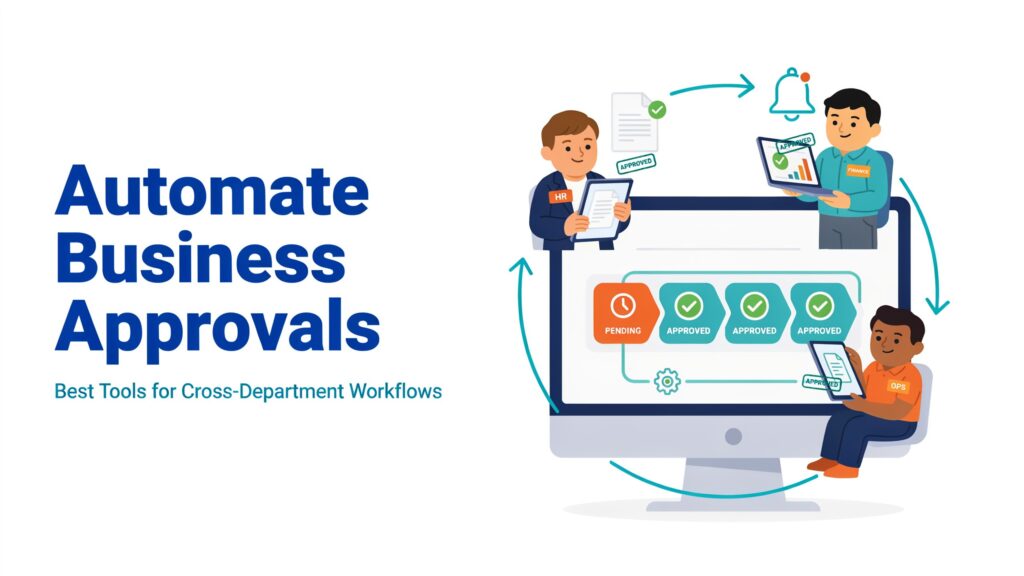
A purchase request that should clear in a few hours routinely sits for days because it moves through email threads, Slack messages, and shared spreadsheets with no single owner or visible status. Someone has to remember to chase it. Someone else has to reconstruct what was already approved. By the time finance, legal, or the department head finally signs off, the original requester has already lost a week. Multi-department approvals are one of the most reliable sources of delay in growing companies precisely because they cross ownership boundaries that email and basic project tools never enforce.
The right automation tools change that without requiring custom software or a long IT project. They route requests based on amount, department, request type, or risk level. They keep every participant notified of the current status. They generate an automatic audit trail of who approved what and when. And they do it with no-code or low-code builders that operations and process owners can maintain themselves.
In 2026 the practical options have matured around human-in-the-loop steps. Most platforms now let you pause a workflow, send a clear approval request into Teams, Slack, email, or a dedicated inbox, and resume only after a named person responds. The difference that still matters is whether you need simple sequential sign-offs or conditional multi-department routing—and whether your company already lives inside Microsoft 365 or runs a broader SaaS stack.
This guide covers the best tools for automating multi-department approvals and shows which ones fit different team sizes, existing tech stacks, and levels of routing complexity. The goal is fewer stalled requests and clearer accountability, not more process for its own sake.
Why Multi-Department Approvals Are Hard to Automate
Requests that cross teams almost always involve either sequential approvals (legal must finish before finance sees it) or parallel ones (several department heads can review at the same time). Conditional routing is usually required as well: under a certain dollar amount one path applies; above it, or when the request touches a regulated area, a different set of approvers is needed. Without the tool enforcing those rules, people improvise in email and the rules slowly erode.
Visibility is the second persistent problem. Once a request leaves the requester’s hands, no one can easily see where it sits or who is responsible for the next step. Reminders become manual. Escalations happen only when someone gets frustrated enough to complain. External parties—vendors or clients who need to approve a change—add another layer of friction if they are forced to create accounts just to click Approve.
Pure email fails at scale because there is no routing logic, no enforced sequence, and no reliable record once threads are archived or people leave. Basic project or task tools can track that something is “in review,” but they rarely handle conditional branching, automatic reminders tied to business rules, or a clean audit trail that satisfies finance or compliance later. The result is work that feels tracked but still stalls between teams.
Best Tools by Approach
Microsoft Power Automate
Best for: Companies that already run on Microsoft 365 and want approvals to appear where people already work—in Teams and Outlook.
Strengths: Power Automate’s Approvals capability is native. You can start an approval from a SharePoint list, a form, or another trigger, then use “Start and wait for an approval.” Approvers respond from an Outlook actionable message, a Teams adaptive card, or the Approvals app. Supported patterns include everyone must approve, first to respond, sequential chains, and custom response options. Parallel branches are straightforward. The full history of responses is stored and can be written back to SharePoint or other systems, giving you a clear audit trail without extra work. Standard connectors for SharePoint, Teams, and Outlook often require no premium license, so many teams can implement the first flows with little or no IT involvement beyond initial environment setup.
Limitations: Cloud flows have a practical wait limit of about 28–30 days; longer-running approvals need design workarounds. Guest users cannot always use the richest email actions. Complex multi-system routing outside the Microsoft ecosystem still requires additional connectors or work. Governance (environments, data policies, who can create flows) becomes important once many people start building.
Pricing character: Included with many Microsoft 365 plans for standard connectors; premium connectors and advanced capacity are extra. Cost is usually per user or capacity rather than per action.
When to choose it: Your company already lives in Teams, Outlook, and SharePoint, and most approvers will respond inside those tools. You want strong, automatic auditability with minimal new software.
Zapier
Best for: Teams that want simple, fast no-code automation and already use (or are willing to connect) many different SaaS apps. Ideal when the primary need is a reliable human-in-the-loop approval step rather than highly branched multi-department logic.
Strengths: Zapier’s Human in the Loop step lets you pause a Zap, send an approval request, and continue only after the reviewer responds. Setup is fast, the app catalog is the broadest of any major platform, and non-technical process owners can build and maintain the flows. It works well for sequential approvals or light conditional logic (for example, route by amount or department using filters). Status updates and notifications back to Slack, email, or the original system are straightforward. Because it is pure no-code, most implementations require no IT beyond initial account connections.
Limitations: Deep, multi-branch conditional routing across many departments becomes harder to visualize and maintain than on a visual canvas tool. Pricing is task-based and rises quickly with volume. Free and lower plans are limited in multi-step capability and user seats. Audit-trail quality depends on what you log in subsequent steps; it is not as automatic as a dedicated approval system or Power Automate’s native Approvals store.
Pricing character: Free tier is limited; Professional plans start in the low tens of dollars per month for a few hundred tasks and scale with usage. Higher volume gets expensive relative to some alternatives.
When to choose it: You need something running this week across a mixed SaaS stack, the approval paths are mostly sequential or only lightly conditional, and the people who will own the workflows are not technical.
Make
Best for: Teams that need visual, multi-branch workflows and more sophisticated conditional routing than basic Zapier, without writing code.
Strengths: Make’s scenario canvas makes branching, filters, and routers easy to see and debug. You can build conditional paths by amount, department, request type, or any other field, then send approval requests (via email, Slack, Teams, or custom modules) and wait for responses. It handles more complex multi-department logic cleanly than linear Zap builders. Pricing is generally more favorable at higher volumes, and most plans allow unlimited users. Human-in-the-loop patterns are fully supportable by assembling wait-and-resume steps. Non-developers who are comfortable with visual logic can own and maintain the scenarios.
Limitations: The learning curve is steeper than Zapier’s for pure beginners. App coverage is broad but not quite as extensive as Zapier’s. You are responsible for designing a solid audit trail (what gets logged where); it is not as turnkey as a dedicated approval platform. Some advanced human-in-the-loop features have historically been more prominent on higher or enterprise plans.
Pricing character: Free plan allows limited multi-step scenarios; paid Core plans start low (often under $20/month billed annually for substantial credits) and remain cost-effective as volume grows.
When to choose it: Your routing rules are conditional and multi-department (different paths for different amounts, risk levels, or owning teams), you want to see the whole flow on one canvas, and someone on the team is comfortable with visual logic. You are not locked into a pure Microsoft stack.
n8n
Best for: Teams that want maximum flexibility, the option to self-host, or deeper control over approval logic and data.
Strengths: n8n supports sophisticated branching, custom code nodes when needed, and reliable send-and-wait patterns for human approvals (including via chat tools). Self-hosting gives you full control over data residency and cost at scale. It is particularly useful when approval rules are complex, change frequently, or need to integrate with internal systems in ways that pure SaaS connectors struggle with. You can build clear audit logging into the workflow itself.
Limitations: It requires more technical comfort than Zapier or Make. Hosted versions exist, but the full power and cost advantage often come with self-hosting, which implies some IT or ops involvement. The app ecosystem is solid but smaller than Zapier’s.
Pricing character: Community Edition is free to self-host; cloud plans are usage-based and competitive.
When to choose it: You have (or can access) someone comfortable with workflow tools, you want self-hosting or fine-grained control, and your multi-department routing is complex enough that visual no-code tools start to feel limiting.
Kissflow / Pipefy
Best for: Teams that want a dedicated no-code (or low-code) platform built specifically for structured multi-step approval processes, complete with forms, routing rules, and clear ownership—rather than assembling the process from general automation tools.
Strengths: Both platforms treat approvals as first-class processes. Kissflow is stronger for governed, multi-department work that sits alongside systems of record (SAP, Oracle, Salesforce, Workday). Business users design forms and visual workflows with conditional routing by amount, department, role, or risk; sequential and parallel steps; SLAs; escalations; and full timestamped audit logs. IT retains publishing and integration controls. AI Builder (generally available since mid-2026) can generate a working app from a prompt or requirements document. Pipefy is more approachable for a single department that wants a kanban-style “pipe” running quickly. Cards move through phases that represent approval steps; automations handle conditional routing (AND/OR logic on amount, cost center, vendor, etc.), notifications, and phase ownership. Free and lower plans exist, and non-technical owners can maintain the flows. Both give every requester and approver a single place to see status instead of hunting through email.
Limitations: These are dedicated platforms, so they add a system rather than living entirely inside tools you already pay for. Complex dynamic delegation matrices (especially multi-entity or highly hierarchical) can still require careful design or workarounds. Pricing is typically contact-sales or seat/usage-based once you move past free tiers. They are overkill if you only need one or two simple sequential approvals.
Pricing character: Pipefy offers a free plan and affordable paid tiers for smaller teams. Kissflow is generally mid-to-enterprise pricing, often starting higher and quoted.
When to choose them: Your approval processes are becoming more structured and multi-department, you want forms + routing + audit trail in one place without writing code, and you are ready for a purpose-built tool rather than bolting approvals onto general automation.
Formstack Workflows or Jotform
Best for: Approvals that begin with a form and need document collection, e-signatures, and routing in one place.
Strengths: Both excel when the request starts as structured data entry (purchase request, content submission, access request, client intake). Conditional routing is driven by form fields (amount, department, type). Document generation, file collection, and e-signature steps sit in the same flow. Status is visible to the requester, reminders are automatic, and the completed form plus signatures create a natural audit trail. Setup is fast for form-centric processes, and non-IT staff can own the forms and basic routing.
Limitations: They are less ideal when the approval logic is highly dynamic, involves many parallel department branches, or must live deep inside an existing ERP/HR system without form intake. Advanced multi-department matrix routing is possible but becomes harder to maintain than in a pure workflow platform. External parties can approve via links in many cases, but the experience is still more form-oriented than a full collaboration portal.
Pricing character: Jotform has a free tier and relatively low entry paid plans. Formstack Workflows is typically higher-priced and aimed at more established teams.
When to choose them: The majority of your multi-department approvals start with someone filling out a form, and you also need document collection or signatures as part of the same process.
ApprovalMax
Best for: Finance-heavy multi-level approvals—invoices, bills, purchase orders, expenses, and new suppliers—especially when those documents already live in Xero, QuickBooks Online, or NetSuite.
Strengths: Routing is purpose-built for spend: rules by amount, department, cost center, vendor, or line item; sequential or parallel multi-level chains; budget checks before approval; and automatic escalation. Bills and POs sync from the accounting system, are matched and coded, then route to the right people. Approvers act from email or mobile without needing full accounting-system access. Every decision is timestamped and written back, creating a clean audit trail that finance and auditors actually use. In 2026 it also covers capture/OCR, duplicate and anomaly flagging, and (for eligible regions and systems) the ability to approve and pay in one controlled flow with separation of duties. Little process redesign is required if you already have a delegation-of-authority matrix.
Limitations: It is specialized. Non-finance approvals (marketing content, IT access, HR exceptions) are better handled elsewhere. Pricing is typically usage- or document-based rather than pure seat-based, and advanced features sit on higher plans.
Pricing character: Starts with a free trial; paid plans scale with approved-document volume. Contact for larger or NetSuite deployments.
When to choose it: The approvals that hurt most are invoices, POs, and expenses, and you want those rules enforced and audited inside (or tightly beside) your accounting system.
Moxo (or similar process platforms built for external parties)
Best for: Multi-department approvals that regularly involve external parties—clients, vendors, partners, or outside counsel—who should not need full accounts.
Strengths: External participants receive a secure magic link (no password, no new account) and can review, comment, or approve from any device. Internal teams still get structured sequential or parallel routing, conditional logic by risk or amount, automatic reminders and escalation, and a single consolidated record. AI agents can prep packets, check completeness, or flag issues before a human decides. Everything stays in one branded process rather than scattering across email and shared drives. Audit trails cover both internal and external actions.
Limitations: It is a process platform, not a general automation tool or a finance specialist. If almost all approvers are internal employees already in Teams or Slack, a lighter tool may be faster. Pricing is generally higher than pure no-code automation tools.
Pricing character: Typically seat- or process-based; enterprise-oriented.
When to choose it: A meaningful portion of your approvals require a client or vendor signature or review, and forcing those people to create accounts has been a consistent source of delay.
How to Choose for Multi-Department Use Cases
Start with your primary stack and the complexity of the routing rules, not with a feature checklist.
- Mostly Microsoft 365 (Teams, Outlook, SharePoint as the system of work) → Power Automate. Native approvals, automatic auditability, and little new software.
- Mixed SaaS stack and the need for something running this week with mostly sequential or lightly conditional paths → Zapier.
- Mixed stack plus genuinely multi-branch conditional routing (different paths by amount, department, risk, or request type) and someone comfortable with visual logic → Make.
- Same complex routing but a desire for self-hosting, deeper control, or lower cost at high volume → n8n.
- Processes are becoming structured, multi-department, and you want forms + rules + visibility + audit trail as the product itself → Kissflow or Pipefy.
- Approvals almost always start from a form and include document collection or signatures → Formstack Workflows or Jotform.
- The pain is concentrated in invoices, POs, and expenses that already live in Xero, QuickBooks, or NetSuite → ApprovalMax.
- External parties must approve without accounts → Moxo or a similar external-friendly process platform.
A simple decision matrix:
- Microsoft-heavy + simple-to-moderate routing → Power Automate
- Any stack + fast/simple → Zapier
- Any stack + complex conditional → Make or n8n
- Want a dedicated approval system → Kissflow / Pipefy / Formstack
- Finance-specific → ApprovalMax
- External parties central → Moxo-style platform
Most companies do not need the most sophisticated tool on day one. The right first choice is the one that removes the biggest source of delay with the least new process.
Practical Tips for Implementing Multi-Department Approvals
Start with one high-volume request type—purchase requests, content approvals, access requests, or invoice routing—rather than trying to automate every process at once. Define the actual routing rules on paper or in a simple table before you open any builder: under $X the department head alone; between $X and $Y add finance; above $Y or when the request touches legal/risk add those teams; sequential versus parallel; what happens on rejection or request for changes. Involve the real approvers in that conversation so the workflow matches how decisions are actually made.
Build reminders and escalation paths from the start. An approval that can sit forever is only half-automated. Make sure every approval action (approve, reject, comment, reassign) writes to a visible audit trail the requester and later auditors can see without hunting. Automatically notify the requester of status changes so they stop pinging people for updates.
Keep the first version narrow. Add complexity only after the basic path is working and cycle time has improved. Measure cycle time (request submitted to final decision) before and after so you can show the reduction in friction rather than just the presence of a new tool.
Conclusion
The best tools for automating multi-department approvals depend on your existing stack and how complex your routing rules really are. For many companies, Power Automate (when already on Microsoft 365) or Zapier/Make provide the fastest path to fewer stalled requests and automatic visibility. Dedicated platforms such as Kissflow, Pipefy, or Formstack become more valuable as the processes grow more structured and cross more departments. Finance teams usually get the cleanest results from a specialist like ApprovalMax; processes that regularly involve clients or vendors benefit from platforms designed for external participants who never create accounts.
In every case the goal is the same: faster decisions with clear accountability, automatic status for the requester, and an audit trail that does not require reconstructing email threads. The tools exist. The practical work is choosing the one that removes the most friction with the least new process.
FAQs
What’s the best tool to automate approvals across departments?
It depends on your stack and routing complexity. Microsoft 365 environments usually start with Power Automate. Mixed SaaS stacks with simple needs start with Zapier; those with multi-branch conditional rules often prefer Make. Structured, multi-department processes lean toward Kissflow or Pipefy. Finance-heavy work points to ApprovalMax.
How do I stop approval requests from getting stuck in email?
Move the request into a system that owns the routing and status. The tool (not a person) should decide the next approver, send the request, remind them, and update everyone. Email becomes a notification channel, not the system of record.
Can I automate multi-department approvals without IT?
Yes for most of the tools above. Power Automate (standard connectors), Zapier, Make, Pipefy, Jotform, and Formstack are routinely owned by operations or process teams after initial connections. More complex or self-hosted setups (advanced Power Automate governance, n8n) benefit from light IT involvement.
Is Power Automate good for approvals?
Yes, especially inside Microsoft 365. Native approvals in Teams and Outlook, sequential/parallel/custom response options, and automatic history make it one of the strongest choices when the company already lives in Microsoft tools.
Zapier vs Make for approval workflows?
Zapier is faster to start and has broader app coverage for simple sequential or lightly conditional approvals. Make is better when you need visible multi-branch conditional routing and want lower cost at higher volume.
How do I set up conditional approvals based on amount or department?
Define the rules first (thresholds, departments, risk flags). Then use the tool’s filter, router, or conditional step to send the request down the matching path. Power Automate, Make, n8n, Kissflow, Pipefy, and ApprovalMax all support this; the difference is how visually clear and maintainable the branching is.
What tools work well with Slack or Teams for approvals?
Power Automate is native in Teams. Zapier, Make, and n8n all have strong Slack and Teams actions so approvers can respond without leaving the chat tool. Dedicated platforms can usually notify into Slack or Teams as well.
Do I need a dedicated approval platform?
Not always. If you have a handful of request types and your stack already includes Power Automate or a general automation tool, start there. A dedicated platform (Kissflow, Pipefy, Formstack, ApprovalMax) becomes worth it when the number of processes, the need for consistent forms/routing/audit trails, or compliance requirements grow.
How do I create an audit trail for multi-department approvals?
Choose a tool that records every action (who, when, decision, comments) automatically and keeps that record with the request. Power Automate Approvals, ApprovalMax, Kissflow, and most dedicated platforms do this by default. In Zapier or Make you must deliberately log the outcomes to a system of record (SharePoint list, database, spreadsheet, or the platform’s own history).
What’s the biggest mistake companies make when automating approvals?
Automating the current messy process without first clarifying the real routing rules and involving the actual approvers. The second biggest is trying to boil the ocean—automating every request type at once instead of starting with one high-volume process and measuring the reduction in cycle time.