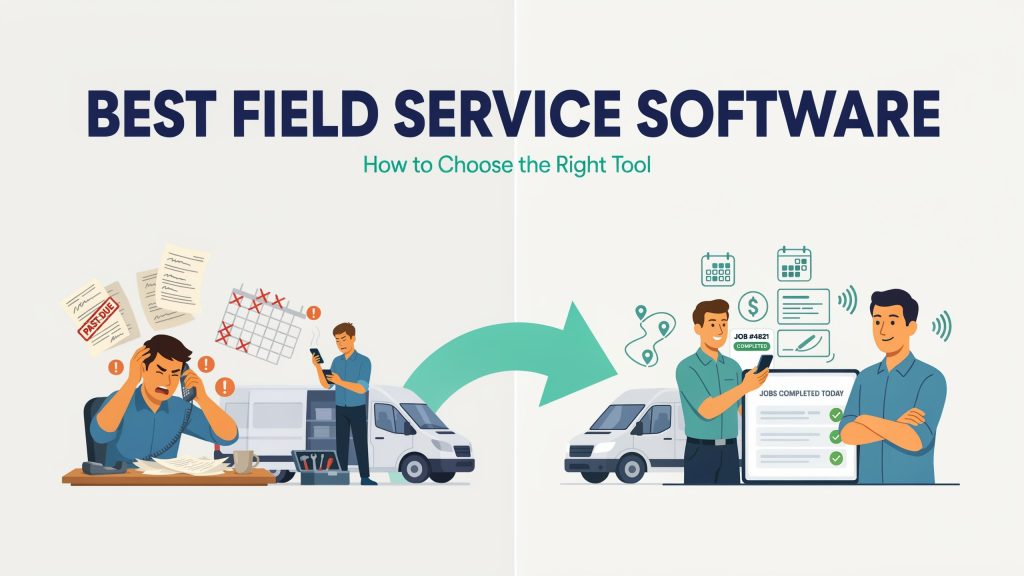
Choosing field service software comes down to one test: does it make an ordinary workday easier for the people who do the jobs? First write down how a job moves from the first call to a paid invoice. Then trial two or three tools against that exact path, with a technician using the mobile app on a real job. Weigh the real monthly cost, setup time and contract terms alongside the features, and pick the tool your team will actually open every morning. The longest feature list rarely passes that test.
Why the “Best” Software Depends on How Your Service Team Works
No single tool wins for everyone, because a plumbing business with four vans and an HVAC company with 30 technicians need very different things. One software developer that builds job and invoicing tools for contractors in HVAC, plumbing, electrical and other trades compared eight platforms in its guide to the best field service management software. It scored each one on features, pricing, setup time, mobile experience and user reviews. The guide includes the developer’s own product among the eight and is open about where other tools fit better. It doesn’t crown a single winner. Enterprise platforms with deep reporting and flat-rate pricebooks pay off for large operations, while lighter tools win on price and on how fast you can start.
So before you pick the best field service management software for your business, map how work actually flows. Who takes the call, who books it, who goes out, and who sends the bill? That one page will narrow your shortlist faster than any field service software comparison you’ll find online.
The Mobile App Matters More Than the Dashboard
During a demo, you mostly see the desktop version. Your technicians will live in the phone app. If it’s slow, takes too many taps, or stops working in a basement with no signal, people go back to texting the office and writing on paper.
A tool can look like the best field service management software in a sales call and still sit unused on everyone’s phones. The same guide suggests a blunt test: log in as a technician and complete one job from start to finish. When you judge mobile field service management software, check whether it runs on both iOS and Android, whether it works offline, and whether photos, signatures and payment happen in one flow. Adoption by the people in the field is the real measure of the software. Everything else depends on it.
Field Service Scheduling and Invoicing: Test the Daily Path
A drag-and-drop calendar is standard now. What separates tools is whether a schedule change reaches the technician’s phone right away, without a call from the office.
Invoicing deserves the hardest look, because it’s where cash flow starts. A good benchmark is being able to turn a finished job into an invoice in under two minutes, with the customer able to pay by card on site or through a link. Check the processing fees as well. The guide puts them anywhere from 2.5% to over 3.5%, which adds up quickly on high-ticket jobs. If you use QuickBooks, confirm whether the tool supports Online, Desktop or both, and whether the sync is two-way in real time or just a manual export.
Card payments also bring security rules. The PCI Data Security Standard, set by the PCI Security Standards Council, applies to every company that accepts, processes, stores or transmits card information. So ask which processor the software uses and whether it’s PCI-compliant.
Price, Setup Time and Contract Terms
Pricing is where field service management software for small businesses gets tricky. In that eight-tool comparison, entry prices run from a free plan for up to two users (Workiz) and $29 a month up to an estimated $250 a month for ServiceTitan, which only shares pricing after a sales call. The entry price often isn’t what you’ll pay, though. Housecall Pro starts at $59 a month, but most teams end up on the $149 tier, and paid add-ons can push the bill past $200. Four of the eight platforms don’t publish pricing at all, so you can’t learn the real cost without a sales call.
Setup time varies just as much: from the same day to several weeks or months. FieldEdge, for one, needs a five-week implementation before you go live. A tool you can run by Friday may serve a growing business better than the best field service management software on paper that needs a month of onboarding. Also check how pricing scales. Per-user plans get more expensive with every hire, while flat-fee plans with unlimited users keep costs predictable.
Before signing, ask two questions directly: how long until we send our first invoice, and what happens if we cancel? Annual contracts that are hard to leave show up even among top-rated field service management tools, so read the cancellation terms before you sign.
A Field Service Software Evaluation Checklist for Your Trial Week
Most vendors offer a free trial, so use it on real jobs, not sample data. Whatever ranking claims to name the best software for field service management, put every candidate through the same week:
- Can a technician finish a full job on the phone, including photos and payment, without help?
- Does a schedule change show up in the technician’s app without a phone call?
- Can the office turn a completed job into an invoice in under two minutes?
- Does the accounting sync match your version of QuickBooks, and does it run both ways?
- What is the full monthly cost for your headcount, including add-ons and card fees, and how do you cancel?
Any tool that stumbles on the first question will likely stumble everywhere else too.
How to Choose the Best Field Service Management Software: The Verdict
If you mostly need jobs, estimates, invoices and payments in one place, start with a lighter tool that has public pricing and same-day setup. If you run recurring routes, or you’re adding technicians every quarter, weigh scheduling depth, route optimization and how pricing grows per user. As a rule of thumb from the same comparison, enterprise platforms such as ServiceTitan rarely make sense until you’re running 15 or more technicians with dedicated office staff. Choose the tool that passes your checklist on real jobs, at a monthly cost you’ve calculated for your full headcount, on a contract you can walk away from.