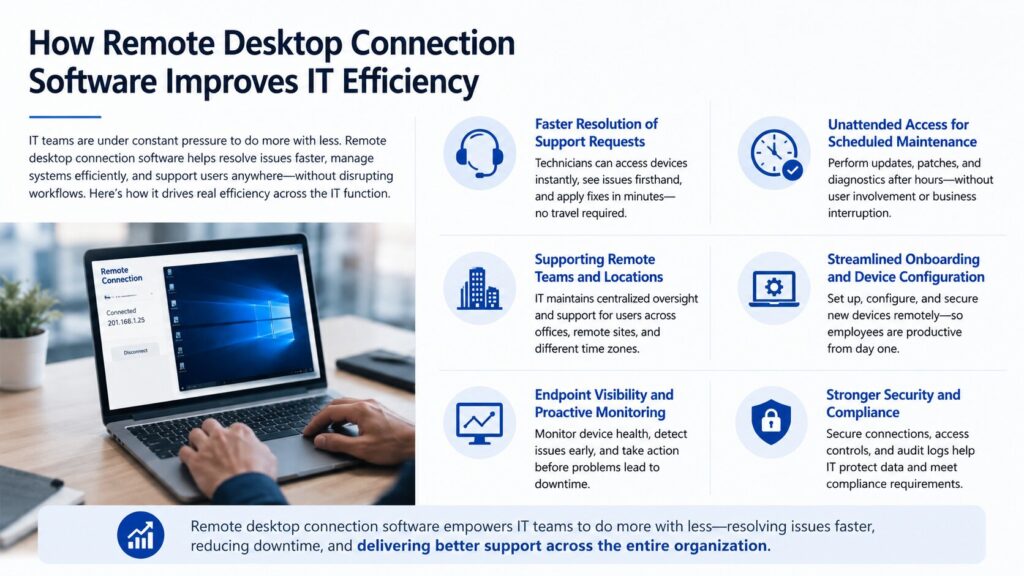
IT teams are under constant pressure to do more with less. Support tickets come in faster than they can be resolved, users in different locations need help without the luxury of an on-site technician, and the tools that power the organization have to work reliably regardless of where employees are sitting. Remote desktop connection software has become one of the most effective ways to address all three of these pressures simultaneously, reducing the time IT staff spend on routine tasks while expanding their ability to support a distributed workforce without disrupting their own workflows.
This article examines the specific ways remote desktop connection software contributes to IT efficiency, from helpdesk operations and device management to onboarding and endpoint oversight.
Faster Resolution of Support Requests
The single most impactful efficiency gain that remote desktop software delivers for IT teams is the ability to resolve support issues without being physically present. When a user in a different office, at home, or working from another location encounters a problem, a software crash, a misconfigured application, a locked account, the traditional response requires either a phone call with limited diagnostic capability or a site visit that could take hours. Neither approach scales.
With remote desktop connection software, a helpdesk technician can take control of the affected machine directly. They can see exactly what the user sees, access the relevant system logs, run diagnostics, install patches, or reconfigure settings as if they were seated at the workstation. What might otherwise require a two-hour round trip becomes a ten-minute resolution. Repeated across dozens or hundreds of tickets per month, the cumulative time savings are substantial.
This capability also reduces the cognitive load on users, who no longer need to accurately describe what they are seeing in technical terms. The technician can observe the problem firsthand and apply the correct fix. First-call resolution rates improve, and follow-up tickets for the same issue become far less common.
Unattended Access for Scheduled Maintenance
One aspect of remote desktop connection software that is particularly valuable for IT teams is the ability to connect to devices outside of normal working hours without requiring the user to be present. This unattended access functionality allows IT staff to perform scheduled maintenance, apply operating system updates, run diagnostic scans, and push software deployments during off-hours when the impact on users is minimal.
The alternative, coordinating with individual users to find a window when they can step away from their machine, is time-consuming and creates a fragmented maintenance schedule. When updates have to be performed during the workday, they compete with the user’s own work and create friction. Unattended access eliminates that friction entirely.
For organizations managing hundreds of endpoints, the ability to batch routine maintenance tasks and run them overnight or on weekends without scheduling conflicts directly translates into fewer disruptions during business hours and more consistent system health across the organization.
Supporting Remote Desktop Connection Software for Businesses
For IT teams operating in environments where employees are spread across multiple offices, remote sites, or working from home, remote desktop connection software for businesses provides the infrastructure needed to maintain centralized oversight and support without requiring IT staff to be physically co-located with the users they serve.
This is particularly important as distributed work models have become the standard rather than the exception. An IT department that once supported a building full of co-located employees now has to support the same number of endpoints spread across city neighborhoods, suburbs, or entirely different time zones. Remote desktop connection software scales to meet this challenge in a way that on-site-only support models simply cannot.
Streamlined Onboarding and Device Configuration
Setting up a new employee’s workstation used to require that IT either received the physical device in advance or met the employee on their first day to configure it manually. Either approach creates delays and logistical challenges, especially when new hires are in different locations or when the IT team itself is distributed.
Remote desktop connection software enables IT staff to access and configure a device as soon as it is connected to the internet, regardless of where it is physically located. Applications can be installed, security policies applied, network drives mapped, and user accounts configured without the device ever needing to enter the IT department. The result is a faster, more consistent onboarding experience that reduces the number of setup-related issues users encounter during their first days.
This remote configuration capability also makes it easier to standardize device environments across the organization. Rather than relying on users or local IT staff to follow setup documentation, a central IT team can ensure that each new machine is configured identically, reducing the variability that leads to support issues downstream.
Endpoint Visibility and Proactive Monitoring
IT efficiency is not just about resolving problems quickly, it is also about preventing them before they occur. Remote desktop connection software that includes monitoring capabilities gives IT teams visibility into the health and status of devices across the organization without waiting for a user to report an issue.
Proactive monitoring allows IT staff to identify devices running outdated software, approaching storage limits, or showing signs of hardware stress before those conditions result in downtime. A technician can connect to investigate and resolve issues that the user may not even be aware of yet. This shifts the IT team’s posture from reactive to proactive, which is a fundamental shift in how efficiently IT resources are used.
The broader trend toward more sophisticated IT operations tools reflects how seriously organizations are taking infrastructure investment. Research into the trajectory of enterprise software spending illustrates how businesses are allocating more of their IT budgets toward tools that improve operational visibility and efficiency, a pattern documented in enterprise software market trends as enterprise SaaS investment recovered across multiple categories.
Reducing the Cost of IT Support
Every remote resolution that avoids a physical site visit reduces costs directly. But the efficiency gains extend beyond the immediate cost of travel. When IT technicians can resolve more issues per day because they are not spending time in transit between locations, the organization effectively gets more support capacity from the same team size. This is particularly valuable in environments where IT headcount is constrained and the volume of support requests is growing.
Remote desktop software also reduces the frequency of escalations. When a Level 1 technician can visually inspect a problem on the affected machine rather than relying solely on a user’s description, they are more likely to resolve the issue at the first level without escalating to a more senior engineer. Reducing escalations improves resolution speed and frees senior IT staff to focus on more complex work.
Security and Compliance Considerations
Expanding the reach of IT support through remote desktop connection software does introduce security considerations that organizations need to manage carefully. Any remote access tool that connects to internal systems from external networks must be configured with appropriate controls to prevent unauthorized access.
IT security professionals and compliance teams look to established frameworks to guide their evaluation and deployment decisions. The growing complexity of cybersecurity program management and the standards that govern it are captured in resources like NIST’s documentation of its own IT security program standards, which outlines the breadth of considerations organizations face when managing secure IT infrastructure at scale.
For remote desktop deployments, the key controls include strong authentication for all access sessions, detailed audit logging, role-based access restrictions, and encryption of all session data. Organizations subject to compliance requirements should verify that their chosen solution supports the relevant standards and that access policies are enforced consistently across all users.
Frequently Asked Questions
How does remote desktop connection software reduce IT response times?
Remote desktop software allows IT technicians to access and control a user’s device directly, without traveling to their location. This means issues that previously required a site visit or extended phone troubleshooting can be diagnosed and resolved in minutes. The visual access to the affected machine also reduces the back-and-forth that slows down text or phone-based support.
What is unattended access and why is it valuable for IT teams?
Unattended access allows IT staff to connect to a device even when the user is not present. This is especially useful for scheduling maintenance, running updates, deploying software, and performing diagnostics during off-hours. It eliminates the need to coordinate schedules with users and allows IT teams to perform maintenance without interrupting the workday.
What security measures should be in place when using remote desktop software?
At minimum, organizations should require multi-factor authentication for all remote access sessions, enforce role-based access controls that limit which devices each technician can reach, and ensure all session data is encrypted in transit. Comprehensive audit logging that records who accessed which device and when is also essential for both security monitoring and compliance purposes.