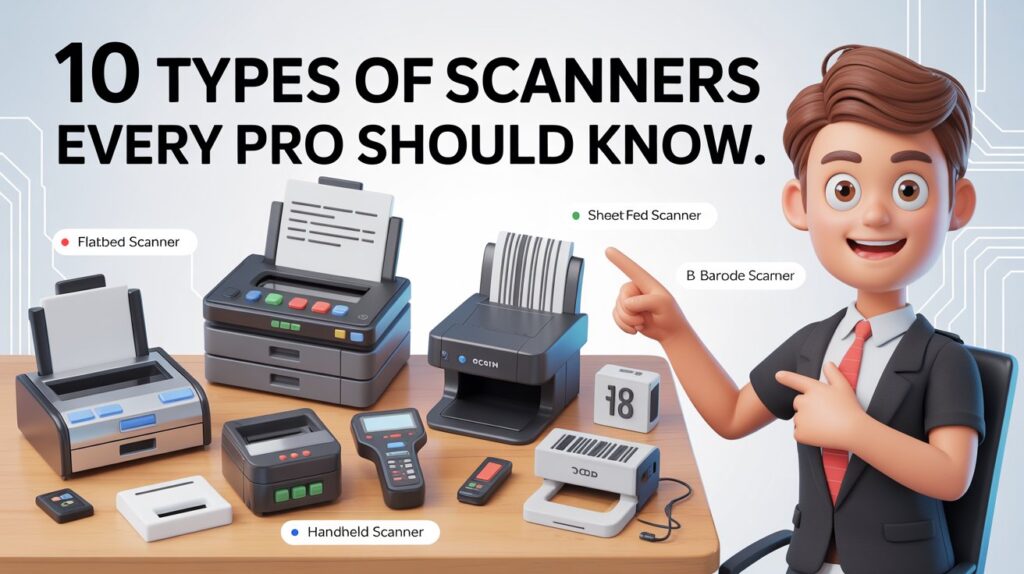
If you’ve ever tried scanning an important document or photo and ended up frustrated with unclear results, you already know that not all scanners are made equal. And when you work in a professional setting—whether it’s design, engineering, photography, business, or even retail—you need the right kind of scanner, not just any machine that can digitize a page.
In this guide, I’ll walk you through the 10 types of scanners every professional should know, why each one matters, and how you can choose the best one for your work.
Let’s keep everything simple, practical, and useful—so you walk away knowing exactly what’s right for you.
What Is a Scanner?
Before we jump into the different types, let’s get on the same page.
A scanner is basically a device that uses a light source and a sensor to convert a physical object—like a paper, photo, ID card, barcode, or even a 3D object—into a digital file. That file could be a PDF, JPEG, PNG, TIFF, STL, OBJ… honestly, whatever you need for your work.
Most scanners work by:
-
Shining light on the object
-
Capturing the reflected light
-
Sending the information to your computer or cloud system
-
Producing a clean digital copy
But the way scanners capture your data varies a lot. That’s why choosing the right type is so important.
Why Choosing the Right Scanner Matters
Here’s the thing: the wrong scanner can slow you down, cost you money, and even ruin your accuracy—especially if you’re handling important work.
The right scanner helps you:
-
Save time
-
Improve workflow
-
Protect your documents
-
Capture better detail
-
Reduce errors
-
Stay organized
-
Maintain professional standards
A photographer’s needs are not the same as a business owner’s. And a 3D engineer definitely won’t use the same scanner as a librarian or a researcher.
That’s why understanding the different types matters so much.
The 10 Types of Scanners Every Professional Should Know
Let’s break them down one by one—what they are, how they work, who needs them, plus their pros and cons.
1. Flatbed Scanner
A flatbed scanner is the classic one you see in offices and homes. It has a flat glass surface where you place documents or photos. The sensor moves underneath to capture the image.
Why Pros Love It
-
Great for scanning documents, photos, books, artwork, and even thick items
-
High-quality results
-
No bending or feeding issues
Best For
-
Office professionals
-
Designers
-
Students
-
Photographers
-
Artists
Pros
-
High resolution
-
Accurate color reproduction
-
Works with fragile items
Cons
-
Takes up more desk space
-
Slower for bulk scanning
2. Sheet-Fed Scanner
This scanner pulls documents through it—just like a printer does—but in reverse. You place your sheets in a tray, and the machine feeds them one by one.
Why Pros Love It
Because it’s fast. Like… really fast.
Best For
-
Offices that scan daily
-
Businesses processing paperwork
-
Anyone handling bulk documents
Pros
-
High speed
-
Automatic Document Feeder (ADF)
-
Duplex (double-side) scanning available
Cons
-
Not ideal for photos or fragile items
-
Can jam if papers are wrinkled
3. Handheld Scanner
A handheld scanner is literally something you hold and move across the object you want to scan. It’s small, portable, and perfect when you’re working away from your desk.
Best For
-
Field workers
-
Warehouse staff
-
Inspectors
-
Travelers
-
Students
Pros
-
Portable
-
Easy to use
-
No power outlet needed (many)
Cons
-
Quality depends on how steady your hand is
-
Not ideal for high-detail scans
4. Photo Scanner
A photo scanner is built specifically for one thing: high-quality image scanning. It captures colors, shadows, and details better than normal scanners.
Best For
-
Photographers
-
Graphic designers
-
Artists
-
Anyone restoring old photos
Pros
-
High color accuracy
-
Excellent DPI
-
Good for archiving photos
Cons
-
Expensive
-
Not ideal for documents
5. Film & Slide Scanner
This type handles old-school negatives, slides, and 35mm film. Instead of scanning prints, it scans the original film—giving you higher-quality results.
Best For
-
Photographers
-
Archivists
-
Film studios
-
Photo labs
Pros
-
Amazing detail
-
Great dynamic range
-
Best for old film scanning
Cons
-
Niche use
-
Slow process
-
Expensive models
6. High-Speed Document Scanner (Duplex)
Think of this as the “office beast.” It’s built for scanning hundreds or even thousands of sheets per day. Duplex models scan both sides at once.
Best For
-
Law firms
-
Hospitals
-
Corporate offices
-
Banks
-
Government agencies
Pros
-
Very fast
-
High volume support
-
Strong OCR (text extraction)
Cons
-
Not for photos
-
Pricier than basic models
7. Barcode Scanner
A barcode scanner reads barcodes using laser or imaging sensors. You’ve definitely seen these everywhere—from supermarkets to warehouses.
Types of Barcode Scanners
-
Laser
-
CCD (Charge Coupled Device)
-
2D Imaging
Best For
-
Retail
-
Warehousing
-
Logistics
-
Healthcare
-
Inventory management
Pros
-
Fast identification
-
Helps track inventory
-
Easy to use
Cons
-
Only scans barcodes
-
Some models have range limits
8. 3D Scanner
A 3D scanner captures the shape of an object and turns it into a 3D model. This is a game changer for engineering, animation, and manufacturing.
How It Works
-
Uses lasers or structured light
-
Maps the object’s geometry
-
Creates a digital 3D model
Best For
-
Engineers
-
Architects
-
Animators
-
Product designers
-
3D printers
Pros
-
Highly accurate
-
Saves time in design
-
Great for prototyping
Cons
-
Expensive
-
Requires skill to use and edit data
9. Portable OCR Pen Scanner
This scanner looks like a highlighter pen. You drag it across text, and it instantly converts printed words into digital text using OCR (Optical Character Recognition).
Best For
-
Students
-
Journalists
-
Researchers
-
Office workers
Pros
-
Super portable
-
Fast text capture
-
Great for notes and highlights
Cons
-
Not for photos
-
Depends on hand stability
10. Mobile Scanner Apps (QR & Document Scanners)
Your smartphone can act like a scanner now. Apps like Adobe Scan, Microsoft Lens, and built-in QR code scanners can do a lot more than people think.
Best For
-
Quick scans
-
Travel situations
-
Freelancers
-
Students
-
Small businesses
Pros
-
Always with you
-
Converts images to PDF
-
Good for receipts and small docs
Cons
-
Lower accuracy
-
Poor lighting = poor scans
-
Not ideal for professional photos
Which Scanner Fits Your Needs?
Here’s a simple snapshot to help you decide:
| Scanner Type | Best Use | Speed | Resolution | Portability |
|---|---|---|---|---|
| Flatbed | Photos, documents | Medium | High | Low |
| Sheet-Fed | Office docs | High | Medium | Low |
| Handheld | Fieldwork | Medium | Low | High |
| Photo Scanner | Photography | Low | Very High | Low |
| Film Scanner | Negatives/Film | Low | Very High | Low |
| High-Speed Doc | Bulk scanning | Very High | Medium | Low |
| Barcode Scanner | Retail/Warehouse | Very High | N/A | Medium |
| 3D Scanner | Engineering | Medium | Very High | Low |
| OCR Pen | Text | Medium | Low | Very High |
| Mobile Scanner | Basic scans | Medium | Medium | Very High |
Key Features to Look For Before Buying a Scanner
When you’re ready to buy, here are the things that actually matter:
1. DPI (Dots Per Inch)
Higher DPI = sharper image
For photos: 2400 DPI or more
For documents: 300 DPI is enough
2. Color Depth
Important for photo pros and designers
Higher depth = richer tones
3. OCR Capability
If you want editable text from scanned pages, strong OCR is a must.
4. Connectivity
-
USB
-
Wi-Fi
-
Ethernet
-
Cloud sync
Choose what fits your workflow.
5. Software Support
Look for scanners that offer:
-
Automatic cleanup
-
OCR
-
PDF creation
-
Cloud upload
6. Speed
Measured in PPM (pages per minute).
Busy offices should look for 30+ PPM.
7. Portability
If you travel or work in the field, pick something light and compact.
8. Brand Reliability
Top brands include Epson, Canon, Fujitsu, Brother, Kodak, and HP.
Common Mistakes People Make When Choosing a Scanner
Let’s save you from trouble:
❌ Mistake 1: Buying a scanner that’s too advanced
Many people buy expensive models and never use half the features.
❌ Mistake 2: Not checking software compatibility
Sometimes the hardware is fine, but the software is clunky.
❌ Mistake 3: Choosing a low DPI scanner for photos
Photos need sharpness. Documents don’t.
❌ Mistake 4: Forgetting about OCR
Without OCR, every document becomes an image—not editable text.
❌ Mistake 5: Overlooking maintenance needs
Dusty scanners = poor scans.
Simple, but often ignored.
Tips to Get Better Results Every Time You Scan
These small steps make a big difference:
-
Clean the glass before scanning
-
Scan at the proper DPI
-
Use color mode wisely
-
Choose the right file format
-
Photos → PNG or TIFF
-
Documents → PDF
-
-
Align your documents properly
-
Avoid scanning in dim rooms (for mobile scans)
Future of Scanning Technology
Scanning tech is changing fast. Here’s what’s coming:
1. AI-Powered Image Fixing
Automatic cleanup, color correction, and background removal.
2. Real-Time OCR Enhancements
Instant text detection with fewer mistakes.
3. 3D Scanning for Everyone
Soon your smartphone may become a powerful 3D scanner.
4. Cloud Automation
Your documents will upload, sort, tag, and store themselves.
5. Better Portability
Ultra-thin, lightweight scanners are on the rise.
Final Thoughts
You don’t need to be a tech expert to choose the right scanner. You just need to understand your work and pick a device that fits your needs.
If you deal with documents daily, go for a sheet-fed or high-speed scanner.
If you’re into photos, choose a photo or film scanner.
If you’re always on the move, a handheld or mobile scanner works best.
And if you’re in engineering or design, the 3D scanner is your best friend.
The right scanner doesn’t just digitize—it helps you work smarter.
