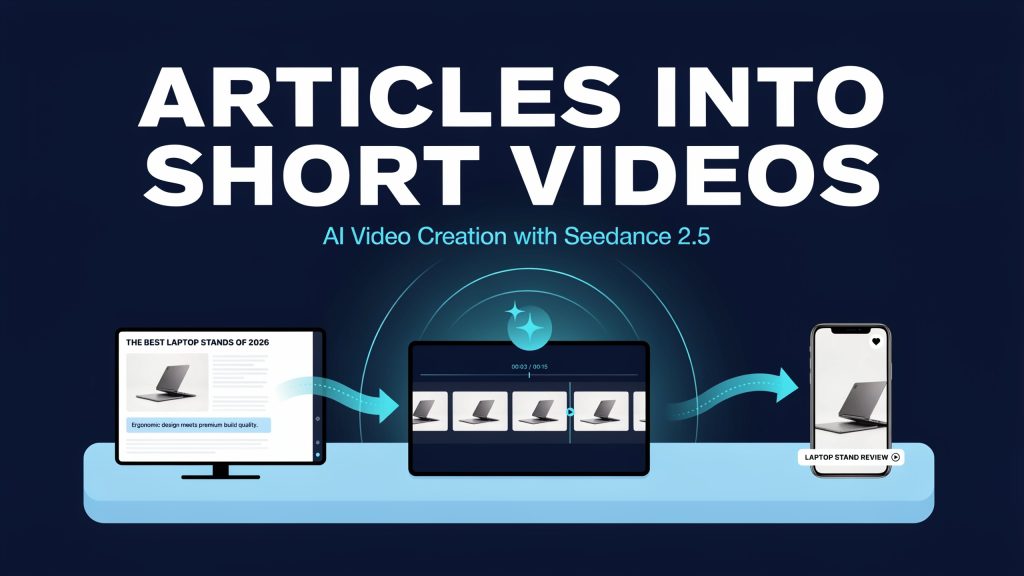
A good tech article usually contains one idea strong enough to stand alone: a finding, a fix, a comparison result, a product detail readers keep asking about. Short clips give that idea a second audience on social feeds and inside the article page itself. This guide sets out an article to video workflow for writers, bloggers, and media creators who want that second life without inventing anything new. The rule throughout is conservative: the clip may illustrate the article, but only the article can make claims.
The production side uses Seedance 2.5 to animate an authorised still image, and an external editor to finish the job. Generation supplies motion; the editor supplies verified words. Used that way, image to video for blogs is a republishing method, not a shortcut around reporting, and it suits AI short-form video precisely because a short clip has room for only one takeaway.
Extract one publishable takeaway
Start with the published text, not with the video tool. Read the article and choose the single claim the clip will carry, then copy the exact source sentence into your production notes. If the article makes three points, the clip still gets one; the rest belong to the page the clip links back to. A takeaway is publishable when it is substantiated in the article itself, by a test the writer ran, a document the writer read, or a specification the writer verified. If you cannot point to the sentence that supports the claim, it does not go in the clip.
For the laptop-stand example, map the source to three editing beats: the article’s statement that the stand raises the screen becomes a wide desk view; the supporting photograph becomes a restrained motion shot showing the visible stand; the article link becomes an editor-made closing card. Use only the supported statement as the caption. Do not turn it into a claim about posture, comfort or productivity.
Build the reference packet
Before generating anything, assemble a small reference packet and keep it with the project. It contains the source sentence, the image file, a note of who granted permission to use that image and for what, and a list of visual details that must remain accurate: product shape, colour, port layout, screen content, logo placement. This packet is the standard the draft will be judged against, and it protects the editor as much as the reader, because it makes disagreements about a frame answerable in seconds.
Prepare a clean reference image with room for captions. Use 9:16 for a vertical full-screen social cut, 1:1 for a square feed layout, or 16:9 for a landscape article embed. These are composition choices, not a promise that every model offers every ratio. Select an available setting and finish the crop in an editor without cutting off the product.
Generate and caption the clip
In Seedance 2.5, choose the available image-to-video workflow and upload the authorised laptop-stand photograph. Confirm the selected model and output settings, then paste the motion prompt below. Generate one draft and compare the stand shape, laptop position and visible details with the source. If the stand gains a hinge or the camera reveals invented surfaces, reduce movement or use the still instead.
Copyable prompt
Example (hypothetical): suppose a blog post explains that a laptop stand raises a screen, and the writer holds an authorised desk photograph of that stand. The prompt for an eight-second illustrative draft could read:
Use the supplied laptop-and-stand photograph as reference. Create an eight-second illustrative desk scene, slow lateral camera move, steady rhythm, soft daylight. Retain the visible stand shape and laptop position; no new ports, accessories, logos or generated text. Leave clear space above the desk for captions added later.
Captions outside generation
Add the verified takeaway and all captions in an external editor, never inside the generated frames. Take the caption wording from the source sentence in the packet, trimmed for length but not strengthened: if the article says a stand raises a screen, the caption says that and nothing about posture, health, or performance. Generated text inside a video is hard to correct and easy to misread, so words belong in the editor, where they can be checked, respelled, and removed.
Repurposing a Black Friday Tech Buying Guide
A Black Friday buying guide can supply one short clip about the laptop stand already discussed here. Select a supported product detail from the article, animate the authorised stand photograph, and add that takeaway in the editor. Keep the product model and visible design consistent with the source. Before adding a price or offer, verify the seller, eligible variant, campaign dates and conditions against the current listing. Black Friday is November 27, 2026, but individual offers may follow different schedules. Link the clip back to the maintained guide and update or remove promotional captions when the source information changes.
Run the publishing checklist
References guide a generation; they do not guarantee object fidelity. A stand can gain a hinge, a laptop can grow a port, a logo can soften into a smudge. Check logos, product details, and every captioned claim against the source article and the authorised still, and reject any frame that misleads, however attractive it looks. Label the finished frames as illustrative AI imagery, so no reader mistakes them for recorded product evidence.
Before the clip is published or embedded:
- Each caption is paired with the source sentence that supports it.
- The image permission in the packet covers this use, on this platform.
- The AI label is present wherever the site requires one.
- Mobile cropping keeps the product and the captions inside the frame.
- Caption text is readable at phone size, over the moving image.
- The site embed plays the finished, captioned version, not the raw draft.
Keep the packet with the published clip. Articles get corrected, products get revised, and a clip built from an older version can quietly become wrong while still looking polished. If the source sentence changes, the packet tells the editor exactly which caption has to change with it, and the clip can be re-exported or withdrawn before a reader finds the mismatch.
None of this promises an audience. Done carefully, though, the workflow gives a tech publication a repeatable way to turn reporting it already trusts into short clips it can stand behind, one verified takeaway at a time.