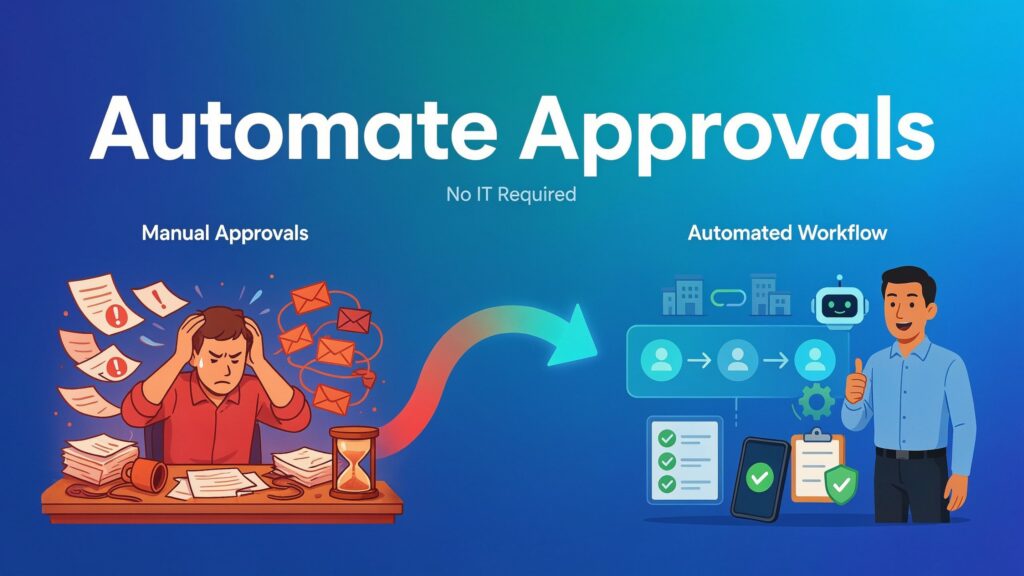
Last quarter a mid-sized manufacturing company watched a $47,000 purchase order sit in email limbo for twelve days. The requester in operations filled out a Word template and emailed it to her manager. The manager forwarded it to finance with a quick “looks good.” Finance asked for a revised quote, then routed it to procurement. Somewhere along the chain two people were out of office, one reply landed in spam, and no one could see the current status. By the time the order was finally approved the supplier had raised prices and the production window had slipped. That single delay cost more than the annual license fee of most modern workflow tools.
Sound familiar? If you work in operations, finance, HR, or procurement, you have lived some version of this story. Multi-department approvals still break the same way they did five years ago: email chains, unclear ownership, missing escalations, and zero real-time visibility. The traditional fix has always been the same: open an IT ticket, wait in the backlog, accept a rigid solution that takes months to deliver, then discover it does not handle the next exception.
In 2026 that model is no longer necessary. Business users can design, launch, and own multi-level approval flows themselves in hours or days using no-code and low-code platforms that already include governance, audit trails, mobile approvals, and AI-assisted routing. The goal is straightforward: free teams from bottlenecks so decisions move at the speed of business while keeping compliance and control intact. This article shows you exactly how.
Why Multi-Dept Approvals Still Break Down (and Why IT Dependency Hurts)
Most approval processes fail in predictable places. An expense claim or contract request starts in email or a shared drive. Ownership is fuzzy—does the department head or the budget owner sign first? Escalations depend on someone remembering to chase. When the request finally reaches the last approver, the original context is buried under reply-all threads. Visibility is nonexistent; managers cannot answer the simple question “Where is this stuck?” without sending more emails.
The cost is real and cumulative. Lost deals, late vendor payments that damage relationships, frustrated employees who stop submitting requests properly, and finance teams that spend more time chasing signatures than analyzing spend. One delayed hire can mean a project slips a quarter. One stalled purchase order can idle a production line. These are not theoretical risks; they are daily operational drag.
The traditional response makes the problem worse. Business teams submit a requirements document to IT. The ticket joins a long queue of higher-priority system work. Months later a rigid workflow appears that works for the original scenario but collapses under the first exception or organizational change. Updating it requires another ticket. Business users remain dependent, and the process stays brittle.
The 2026 shift is already underway. Platforms designed specifically for cross-functional processes now put visual builders, conditional logic, and mobile-ready approvals in the hands of the people who actually live the process. IT still sets guardrails, but the day-to-day design and iteration no longer require a developer. That single change removes the biggest source of delay.
Core Principles of IT-Independent Approval Automation
Successful multi-department automation rests on a handful of practical principles that any operations, finance, or HR manager can apply.
First, the builder must be visual and drag-and-drop. Non-technical users need to see the flow: form fields, decision diamonds, parallel branches, and notification steps. If the interface looks like code or requires scripting for basic routing, adoption dies. Modern platforms let you drop a form, connect it to approval steps, and set conditions without writing a line of logic.
Second, routing must be conditional and flexible. Amount thresholds, department codes, risk scores, or contract type should automatically direct the request to the right people. A $500 office-supply order goes to the manager only. A $50,000 capital request routes manager → finance → procurement → CFO. The same platform handles both without separate processes.
Third, support both sequential and parallel paths. Some approvals must happen in order (manager before finance). Others can run simultaneously (legal and compliance reviewing a contract at the same time). Parallel paths cut cycle time dramatically when the decisions are independent.
Fourth, build in the operational details that email never handles well: automatic reminders after 24 or 48 hours, escalations to a backup approver, and mobile access so executives can approve from a phone while traveling. These features turn a passive chain into an active system that keeps moving.
Fifth—and this is the part that keeps IT comfortable—governance does not require gatekeeping. Role-based access controls who can publish or change a live process. Every action is logged with timestamp, user, and decision. Version history lets you roll back if needed. Audit trails satisfy internal controls and external regulators. The business owns the process; IT owns the standards and the platform security.
When these principles are present, you can design a flow that is both fast for users and safe for the organization. The before-and-after contrast is stark: twelve days of email ping-pong versus a structured process that completes in two or three days with full visibility at every step.
The 2026 Toolkit: Platforms That Actually Work Without IT
Not every no-code tool is equal when the process spans departments, carries financial or compliance weight, and needs to survive organizational change. The platforms that work well in 2026 share a few traits: business users can build and iterate independently, conditional logic is deep enough for real multi-level routing, mobile experience is reliable, audit and compliance features are native, and integrations cover the systems you already use.
Several purpose-built options stand out for multi-department approvals. Kissflow, Cflow, and Zoho Creator were designed from the start for business process workflows. Their visual builders are intuitive, routing rules are powerful, and mobile apps handle approvals cleanly. They include form design, notifications, escalations, and audit logs out of the box. Many mid-market teams run purchase requests, contract reviews, and hiring approvals on these platforms with minimal IT involvement after initial setup.
If your organization already lives in Microsoft 365, Power Automate is often the pragmatic choice. It connects natively to SharePoint, Teams, Outlook, and Excel. Conditional logic and approvals are mature, and the mobile experience through the Power Apps or Teams apps is solid. The learning curve for business users is manageable, especially with the growing library of templates. Governance can be tightened through environment controls and Data Loss Prevention policies that IT already manages.
For lighter or more flexible needs, Make (formerly Integromat) or Zapier paired with a form tool such as Typeform, Jotform, or Microsoft Forms can cover simpler sequential flows. These are excellent for quick wins—expense claims under a certain threshold, for example—but they require more careful design when parallel branches, complex conditions, or strict audit requirements appear. They work best as a starting point rather than the long-term home for core processes.
Enterprise teams dealing with highly complex or regulated processes sometimes still turn to Nintex or Workato. These platforms offer deeper orchestration and stronger enterprise connectors, but they typically involve more IT partnership for initial configuration and ongoing governance. Pure no-code is enough for the majority of multi-department approval scenarios; light IT partnership becomes smart when you need deep ERP integration, advanced security configurations, or highly customized exception handling that exceeds the visual builder.
When evaluating any platform, test five practical criteria with real users:
- Can a non-technical process owner build and modify a multi-step flow in under a day?
- How cleanly does conditional routing handle amount, department, and risk variables?
- Is the mobile approval experience fast and reliable for executives on the move?
- Are audit logs, version control, and role-based publishing built in and easy to review?
- Does the platform connect to your existing ERP, HRIS, or finance systems without custom code for the common use cases?
The right choice is the one that lets business teams move quickly while still satisfying the control requirements your auditors and IT security team already expect. In 2026 that combination is no longer rare.
Step-by-Step Playbook to Launch Your First Multi-Dept Flow
You do not need a six-month project plan. Most teams can take a high-pain process from idea to live in two to four weeks if they follow a disciplined sequence.
Start by mapping the current process exactly as it happens today. Sit with the people who submit and approve. Write down who initiates the request, what information they provide, every decision point, the order of approvals, and the exceptions that regularly appear. Capture the pain: average cycle time, number of email follow-ups, and how often requests get lost or reworked. A simple swim-lane diagram on a whiteboard or in a shared document is enough. For a purchase request the map might look like this: Requester submits form → Manager reviews amount and need → Finance checks budget and coding → Procurement validates supplier and terms → Final release. Note the parallel opportunities (Finance and Procurement can sometimes review at the same time) and the escalation paths that currently rely on someone remembering to chase.
Next, choose the platform and assign clear ownership. Pick the tool that already fits your environment and that business users can actually master. Appoint a process owner from the department that feels the pain most—usually operations, finance, or procurement—and give that person authority to design and iterate. IT should provide the platform, security standards, and a sandbox environment, then step back from day-to-day building.
Build the form and the routing rules together. Keep the form short: only the fields that decision-makers actually need. Then configure the conditions. Example for a purchase order:
- Under $2,000 → Manager only.
- $2,000–$25,000 → Manager then Finance.
- Over $25,000 → Manager → Finance → Procurement → Department Head.
Add parallel branches where decisions are independent. For a new-hire request you might run HR screening and hiring-manager approval at the same time before the offer is generated. For contracts, legal and finance can review simultaneously once the commercial terms are set.
Layer in the smart features that remove manual chasing. Turn on automatic reminders after 24 or 48 hours. Set escalations to a backup approver or the next level if no action occurs. Connect notifications to Microsoft Teams or Slack so approvers see the request in the tools they already live in. Many 2026 platforms now offer light AI assistance that suggests the next approver based on past patterns or flags unusual amounts for extra scrutiny. Use these features; they are no longer experimental.
Test with real users before you go live. Run five to ten actual requests through the new flow in a pilot group. Watch where people get stuck, where the mobile experience feels clumsy, and where exceptions still require workarounds. Fix those points immediately. Only then open the process to the wider team.
Finally, measure and iterate. Track cycle time from submission to final approval, completion rate, number of exceptions, and user feedback. Most teams see cycle times drop 50–80 % within the first month. Share those numbers. When people see the before-and-after, adoption accelerates and resistance fades.
Governance, Security & Change Management Essentials
Independence does not mean isolation. Keep IT comfortable by agreeing on shared standards up front: naming conventions, required audit fields, data-retention rules, and which environments are available for business users. Provide a sandbox so experiments stay separate from production. Give IT read-only access to every audit log and the ability to pause a process if a serious compliance issue appears. This arrangement turns IT from bottleneck into partner.
Compliance must-haves are non-negotiable. Confirm the platform holds SOC 2 Type II (or equivalent), maintains complete immutable audit trails, and supports the data-residency requirements your regulators or customers demand. Role-based access should prevent unauthorized publishing of live workflows. Version control must let you restore a previous working version in minutes.
Training and adoption determine whether the system is actually used. Run short, role-based sessions: one for requesters on how to submit cleanly, one for approvers on mobile and exception handling, and one for process owners on building and iterating. Appoint champions in each department. Celebrate early wins publicly—cycle-time reductions and fewer lost requests—so momentum builds.
Watch for the common pitfalls. Over-complicating rules creates a system no one trusts. Ignoring mobile users leaves executives approving on laptops they rarely open. Weak exception handling forces people back to email the moment something unusual appears. Keep the first version simple, mobile-first, and exception-aware.
Real Impact & Future Outlook
Organizations that move multi-department approvals onto modern platforms routinely cut cycle times by 50–80 %. Visibility jumps from “I have no idea where it is” to a real-time dashboard anyone can check. Lost or stalled requests become rare. Finance teams reclaim hours previously spent chasing signatures. Employees stop inventing workarounds because the official path is finally faster and clearer.
The 2026 capabilities continue to improve. AI now suggests optimal routing based on historical patterns, flags anomalies before they become problems, and drafts exception justifications that humans only need to review. Human-in-the-loop design is better: the system handles the routine and surfaces only the decisions that genuinely need judgment. Mobile experiences are reliable enough that executives approve from airports and client sites without friction.
Long-term, the bigger shift is cultural. When business teams own their processes end-to-end, continuous improvement becomes normal instead of a special project. Process ownership spreads. The organization moves faster without sacrificing control.
Conclusion
You no longer need to wait for an IT ticket to fix broken approval chains. The tools exist, they are mature, and they are designed for the people who live the process every day. Pick one high-pain workflow—purchase requests, contract reviews, or hiring approvals—this month. Map it, build it, test it, and measure the difference. Speed and control can coexist. The only real cost left is the cost of continuing to wait.
FAQs
Can non-technical people really build multi-department approval flows safely in 2026?
Yes. Visual builders, pre-built templates, and guardrails around publishing mean a process owner in finance or operations can design and launch solid flows. IT still sets the security and compliance standards; business users handle the day-to-day logic.
What’s the best no-code tool if we already use Microsoft 365?
Microsoft Power Automate is usually the strongest fit. It connects natively to the tools your teams already use, the mobile experience is solid through Teams, and governance can ride on the controls IT already manages.
How do we handle exceptions and escalations without creating more chaos?
Build them into the flow from the start. Set clear time-based reminders and automatic escalations to a backup or next-level approver. Keep a simple “exception path” that routes unusual cases to a designated owner instead of letting people invent email workarounds.
Will IT still need to be involved for security and compliance?
Yes, but in a lighter, higher-leverage way. IT provides the platform, defines standards, manages identity and data policies, and retains audit access. They no longer have to build or maintain every individual workflow.
How long does it typically take to go from idea to live multi-dept approval process?
For a well-scoped first process, two to four weeks is realistic: one week to map and choose the tool, one week to build and test with a pilot group, then go live and iterate.
What’s the difference between sequential and parallel approvals, and when to use each?
Sequential means one after another (manager must approve before finance sees it). Parallel means simultaneous review when the decisions are independent (legal and finance reviewing a contract at the same time). Use sequential when later steps depend on earlier decisions; use parallel whenever you can to cut cycle time.
Can these systems integrate with our existing ERP or HRIS without custom code?
Most modern platforms offer pre-built connectors for major ERPs and HR systems. Common data exchanges—budget checks, employee lookups, supplier validation—work without custom development. Complex or highly customized integrations may still need light IT help.
How do we prevent people from creating messy, conflicting workflows?
Establish clear ownership, naming standards, and a simple review step before any process goes live. Limit who can publish to production. Maintain a shared inventory of active workflows so duplicates are easy to spot and retire.
Is mobile approval reliable enough for executives who are always on the go?
In 2026, yes—for the major platforms. Approvals work cleanly on phones, push notifications arrive promptly, and the experience is designed for quick decisions rather than full desktop forms.
What’s a realistic ROI timeline for automating our purchase or contract approvals?
Most teams see measurable cycle-time reduction and fewer lost requests within the first 30–60 days. Full payback on platform and training costs typically lands inside three to six months once the volume of automated requests is steady.