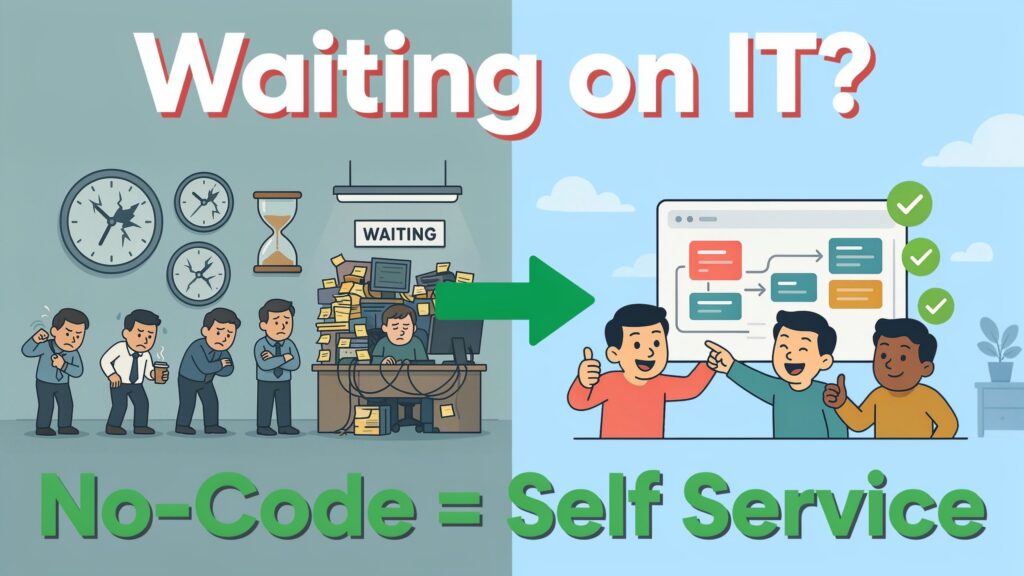
No-code workflow automation lets your business teams build and run workflows themselves instead of waiting on IT, so you cut delays, lower costs, and move faster in 2026. It doesn’t replace IT, but it changes their role from “ticket taker” to “strategic partner,” while you and your colleagues get control of day‑to‑day processes.
Picture this: your sales team needs a simple approval flow for discounts. They log a ticket with IT. Two weeks later, the ticket is “in progress.” A month later, they’re still using email and spreadsheets because the developer is busy with a bigger project.
Now imagine the same team opening a no‑code workflow tool, dragging a few blocks on a screen — “form submitted,” “manager approves,” “finance checks,” “email confirmation” — and shipping a working flow in a couple of days, with only a light review from IT.
Across many companies, IT teams are flooded with requests while most of their budget goes to keeping old systems alive, not building new ones. That creates bottlenecks, slow projects, and frustrated business teams who know what needs to change but can’t touch the systems themselves.
By 2026, analysts expect around 80% of technology products to be created by non‑IT professionals — “citizen developers” using no‑code tools. In this guide, you’ll see how no‑code workflow automation works, how it reduces your dependence on IT, what ROI you can expect, and a step‑by‑step path you can follow in your own company this year.
Why businesses are overly dependent on IT
For years, building even a simple workflow meant real programming: writing code, setting up servers, handling security, and wiring systems together through APIs. That required specialist skills, so every new idea — a new form, a small approval flow, a simple integration — went into the IT queue.
At the same time, demand for internal apps exploded. A Gartner study found that demand for enterprise mobile apps alone was growing at a rate about five times IT’s capacity to deliver. When most of your IT budget is tied up in maintaining legacy systems, there’s very little left for building the fresh workflows your teams need.
The result is a long backlog: HR wants automated onboarding, Finance wants smarter approvals, Operations wants better tracking, Sales wants a cleaner handoff process — and all of it sits in tickets, spreadsheets, or email threads. Projects take months instead of weeks, opportunities slip, and people quietly build “shadow workflows” in spreadsheets to survive.
This heavy dependence on IT creates real costs: slower project delivery, missed automation opportunities, higher development and maintenance spend, and low morale among business teams who feel stuck waiting for technical help. No‑code workflow automation exists to break this pattern by moving many of those workflows out of the ticket queue and into the hands of the teams who use them every day.
What is no-code workflow automation?
No‑code workflow automation is software that lets you design and run business workflows using a visual interface — often drag‑and‑drop — instead of writing code. You connect triggers (“a form is submitted,” “an email arrives,” “a record is created”), actions (“create a task,” “send a message,” “update a spreadsheet”), and conditions (“if amount > X, send to manager”) on a canvas until the flow matches how you want work to move.
It helps to place it next to other options:
-
Traditional development: Developers write code, deploy apps, and maintain them. Powerful, but slow and expensive for everyday workflows.
-
Low‑code: Developers and power users use visual tools plus small amounts of code. Faster than full coding but still needs technical skills.
-
No‑code: Business users use visual tools only — no scripts, no APIs directly — and still get robust workflows and integrations.
Modern no‑code platforms offer drag‑and‑drop builders, prebuilt templates, large integration libraries (Google Workspace, Slack, Salesforce, etc.), conditional logic, and dashboards to track how each workflow is performing. Because they’re built for non‑technical users, people like business analysts, operations managers, HR leaders, finance controllers, and marketing teams can build and adjust workflows themselves, often with IT only setting guardrails and reviewing security.
7 major ways no-code automation reduces IT dependency
1. Empowers citizen developers
Analysts and product teams increasingly talk about “citizen developers” — people in business roles who can build solutions without writing code. Gartner expects non‑IT professionals to create the majority of new tech products by 2026, driven largely by no‑code platforms.
When you give these tools to your business teams, the same HR manager who used to send IT a requirement document can now build an onboarding workflow herself and ask IT only to validate access rules and data handling. This shifts hundreds of small, everyday workflows out of the IT backlog and into the business, while staying under proper governance.
2. Dramatically faster implementation
Traditional automation projects can take months: requirements, design, development, testing, deployment. Several studies on low‑code and no‑code show development time reductions of up to 70–90% because teams can prototype, test, and publish directly from visual builders.
In practice, that means your team can move from “idea” to “live workflow” in days or weeks instead of quarters. A Forrester analysis cited in one no‑code guide found companies reducing development and maintenance costs by 30–50% on average thanks to these shorter cycles and simpler tools. For you, this is the difference between “maybe next year” and “let’s launch this month.”
3. Lower development costs
Hiring developers or external vendors to build custom workflows is expensive — especially for smaller processes that don’t justify a big project. No‑code tools cut costs in two ways: they remove much of the need for custom coding, and they let existing staff design and maintain workflows as part of their regular role.
One case study from a U.S. government department shows this very clearly: they needed an application to rank municipalities by financial distress. Vendor quotes came in well above their 250,000 budget, so they turned to a no‑code platform and delivered the system for under 50,000 — less than one fifth of the original estimates. If your teams can build workflows themselves, you spend far less on external development while still getting solid systems.
4. Reduced IT backlog
Every workflow your teams build themselves is one less item in the IT ticket queue. No‑code platforms let business users design processes, adjust forms, and tweak routing rules without waiting for IT to change code.i
IT still plays a key role — they define standards, secure data, and handle complex integrations — but they no longer need to spend time on things like prototyping user interfaces, hard‑coding simple approvals, or maintaining small apps that only one department uses. As more workflows move to no‑code, IT can focus on backbone systems, security, and the high‑impact projects that really need their expertise.
5. Greater business agility
Because workflows live in tools your teams can actually edit, you can respond quickly when something in the business changes. If your approval thresholds need to change, a policy is updated, or a new product line needs a slightly different process, your team can adjust the flow directly in the builder and push the new version live.
This real‑time control makes you more agile. Instead of waiting weeks for developers to “slot in” small changes, you get same‑week or even same‑day updates to the way work moves across departments. For fast‑moving companies — start‑ups, scaling SMBs, or global teams reacting to market shifts — this agility is often more valuable than any single feature.
6. Easier maintenance and updates
Automations break from time to time: apps change their APIs, authentication tokens expire, or a field name changes in an external system. In traditional setups, you’d need a developer to debug the integration and patch the code. In no‑code tools, business owners can often see where the flow failed, fix the mapping or connector visually, and get the workflow back online without deep technical work.
Because these platforms include built‑in logs, error notifications, and dashboards, it becomes much simpler for your team to keep workflows healthy. IT still supervises the overall environment, but day‑to‑day upkeep can move closer to the people who actually use the process, cutting response time when something goes wrong.
7. Improved collaboration between business and IT
No‑code doesn’t remove IT; it changes the way you work with them. In most successful setups, IT sets the guardrails — picking platforms, defining access, integrating core systems, and approving high‑risk workflows — while business teams take the lead on process design.
This creates a “win‑win” situation described in several enterprise case studies: business users feel empowered and accountable, and IT teams can focus on their strengths instead of being pulled into every minor change. Collaboration becomes less about handing over requirements and more about co‑designing workflows, with business owning the logic and IT owning the infrastructure and safety.
Quantifiable benefits and ROI
Research and case studies around no‑code workflow automation show three clear clusters of benefits: faster time‑to‑value, lower costs, and higher productivity.
On speed, multiple reports on low‑code and no‑code platforms note development cycle time shrinking by up to 70–90% compared with traditional coding. If a typical approval or onboarding workflow once took three months to design, develop, and roll out, these platforms bring that down to a few weeks — sometimes days — because you skip most of the coding and deployment overhead.
On cost, a Forrester study cited in an Oct 2025 article found that companies using no‑code tools reduced development and maintenance costs by around 30–50% on average. The Pennsylvania case we saw earlier shows a real project delivered at under one fifth of vendor quotes using a no‑code approach. For you, this usually appears as fewer external development bills, smaller internal dev headcount for routine work, and less money spent keeping small custom tools running.
On productivity, a McKinsey report highlighted that workers spend up to 60% of their time on repeated administrative tasks, and roughly half of that can be automated with current tools. If you automate even half of those tasks, you free about 30% of people’s time for higher‑value work — strategy, creative problem‑solving, customer conversations — which is a huge lift in output without hiring more staff.
Before vs after metrics (index view)
You can think of the impact in relative terms, using 100 as your “before” baseline:
Even if your numbers don’t match these exactly, they give you a realistic range to aim for when you start measuring ROI in your own environment.
Real-world success stories
No‑code workflow automation is already being used across industries and company sizes, not just by tech firms.
In government, the Pennsylvania Department of Community and Economic Development built an “Early Warning System” to rank municipalities by financial distress using a no‑code platform after vendor quotes overshot their budget by a wide margin. They went from manual ranking in spreadsheets to an automated, rule‑based system that fits their budget and can be updated as financial criteria change.
In healthcare, clinics and hospitals use no‑code tools to streamline patient intake, appointment scheduling, and basic records routing, reducing paperwork errors and freeing staff from manual data entry. Finance teams automate invoice approvals and audit trails, cutting both cycle time and risk of mistakes in compliance workflows.
Retail and e‑commerce businesses connect sales data, inventory systems, and marketing tools so that low stock can automatically trigger supplier orders or campaign pauses. HR departments use no‑code platforms to automate candidate screening, onboarding communication, and employee status changes, building flows they control themselves while IT ensures safe connections into core systems.
These stories show a clear pattern: when you move from email‑and‑spreadsheet workflows to no‑code automation, you get more speed, fewer errors, and a better experience for both staff and customers, without waiting for a full software project every time you want to improve a process.
Step-by-step guide: getting started with no-code workflow automation
Here’s a simple path you can follow to bring no‑code workflow automation into your own organization in 2026.
Step 1: Identify suitable processes
Start by listing processes that are: repetitive, rules‑based, cross‑department, and currently handled through email, spreadsheets, or manual handoffs. Good candidates include employee requests (leave, equipment), approvals (discounts, expenses, invoices), onboarding and offboarding, and simple data sync between tools.
You can prioritize by asking three questions for each process:
-
How often does this happen? (Volume)
-
How many people or teams touch it? (Complexity)
-
What is the impact of delays or errors? (Risk/value)
Pick 3–5 workflows that score high on volume and impact but are still relatively simple — they’re your best starting points.
Step 2: Choose the right no-code platform
Different tools fit different stacks and comfort levels. Guides comparing 2026 tools note that:
-
Zapier is often the easiest starting point, cloud‑based with huge integration coverage.
-
Make (formerly Integromat) offers stronger branching logic and cheaper high‑volume pricing.
-
n8n is open‑source and self‑hosted, ideal when you care about keeping data on your own infrastructure.
-
Power Automate fits best if your world revolves around Microsoft 365.
-
Enterprise platforms like Kissflow add more governance and process management features for larger organizations.
Shortlist 2–3 tools based on your stack (Google/Microsoft/other), data sensitivity (cloud vs self‑hosted), and the skills in your team (totally non‑technical vs some power users).
Step 3: Build your first workflow
Take one high‑value, low‑complexity process and design it end‑to‑end in your chosen tool. Use built‑in templates when available — many platforms ship ready‑made flows for approvals, onboarding, and simple request management.
Keep your first version simple: a clear trigger (form submission or ticket creation), straightforward steps, and a clean path for exceptions (for example, “if amount > X, send to director”). Your goal is not to automate every edge case on day one, but to replace the messy manual version with a clearer, trackable flow that you can improve later.
Step 4: Test, deploy, and monitor
Before rolling out to everyone, test the workflow with a small group — maybe one team or region. Ask them to use it for real work and gather feedback: Were any steps unclear? Did any emails or notifications feel noisy? Did the workflow miss important conditions?
Use the platform’s logs and dashboards to watch for failures and bottlenecks. Fix issues quickly, then expand the workflow to more users once it feels stable. Make a habit of checking metrics weekly — number of runs, average completion time, error rates — so you see exactly how it’s performing.
Step 5: Scale across departments
Once you have one or two strong workflows running, share the results. Show before‑and‑after numbers for cycle time, error rate, or effort saved, and invite other teams to nominate processes for automation.
You can create a simple intake form: “Process name, owner, current pain points, expected impact if automated.” Use it to build a pipeline of workflows, and encourage teams to learn the builder so they can co‑design their own flows with light IT support.
Step 6: Establish governance and best practices
To keep things safe and sustainable, you’ll need some basic rules. Many enterprise guides recommend that IT and business leaders agree on:
-
Which tools are approved (and for what data).
-
Who can publish workflows to production.
-
How access and approvals are managed.
-
How to handle sensitive data and compliance requirements.
Common mistakes to avoid include: giving every user full admin access, allowing separate teams to integrate the same systems in conflicting ways, ignoring logs and alerts, and treating no‑code as “set and forget” instead of something to review regularly. If you set governance early, you can let people build freely without losing control.
Checklist you can use:
-
Pick 3–5 high‑impact processes.
-
Shortlist 2–3 platforms and test with a pilot.
-
Build one simple workflow end‑to‑end.
-
Run a small user test and refine.
-
Define access, data rules, and publishing rights.
-
Roll out and review metrics monthly.
Best no-code workflow tools in 2026
Different guides in 2026 broadly agree on a core group of no‑code automation tools worth considering, each with its own strengths.
Here’s a simplified comparison:
Data drawn from multiple 2026 comparison guides that tested these tools on real workflows, pricing, and AI features.
When you choose your tool, start from your stack (Google vs Microsoft vs mixed), your data sensitivity (cloud vs self‑host), and whether your workflows mostly need simple routing or deeper AI‑powered reasoning.
Addressing concerns and challenges
It’s natural to worry about security, governance, scalability, and skills when you let non‑technical users build workflows. Cloud tools route data through their own servers, which is fine for many use cases but requires more care for financial, legal, or medical data. In those cases, self‑hosted tools like n8n or stricter enterprise platforms with strong access controls can be a better fit.
Governance is another common concern: if every team can publish workflows, how do you avoid chaos? Most experts recommend central standards — approved tools, naming conventions, data handling rules — combined with a review process for high‑risk workflows. Scalability and integration limits depend on the platform, but 2026 guides show that tools like Make, Power Automate, and enterprise no‑code suites handle high‑volume and complex integrations well when designed carefully. Skill gaps are usually solved with short training and internal “champions” who help colleagues design flows — you don’t need everyone to become an engineer, just a few confident builders in each area.
Future outlook
The future of workflow automation is a blend of no‑code and AI. Several 2025–2026 reports show platforms adding AI steps inside workflows: summarizing emails, classifying documents, drafting responses, and even suggesting new flows based on observed patterns.
No‑code builders already let you describe “what happens when X occurs”; AI layers are starting to help with interpreting messy inputs and making smarter suggestions while keeping humans in the loop. As this convergence continues, teams that adopt no‑code now will be in a strong position to plug AI into their existing workflows instead of starting from scratch later.
Conclusion & action plan
If your teams are stuck waiting on IT for every small workflow, no‑code automation is one of the most practical ways to break that pattern in 2026. It puts everyday process design in your hands, cuts development time and costs, and frees IT to focus on the strategic work only they can do.
Here’s a simple action plan you can start this month:
-
Pick one painful, repetitive workflow that lives in email or spreadsheets.
-
Shortlist 2–3 no‑code tools that fit your stack and data needs.
-
Build and test a basic version with a small group.
-
Measure the difference in time, effort, and error rate.
-
Use that success to expand to more workflows and formalize governance.
If you do this step by step, you won’t just “try a new tool.” You’ll change how your organization builds and improves workflows — moving from slow, IT‑heavy projects to a faster, more collaborative way of working that fits the reality of 2026 and beyond.