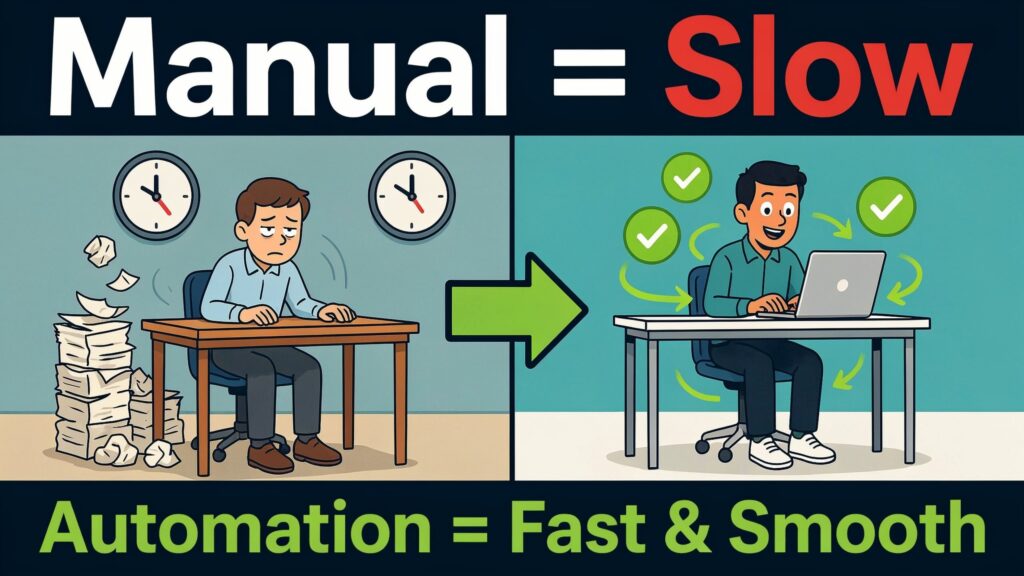
Picture this.
A new hire joins your company, full of energy. But on day one, they sit in a corner filling forms, waiting for IT to “set things up,” and asking their manager what to do next. Their email is created on day two. Access to core tools arrives on day four. Important documents show up in random emails and shared drives. By the time everything works, a week is gone.
Now imagine a different start. Before day one, the employee completes all key forms online. They get a clear welcome email, a guided onboarding portal, and on the morning of their first day, every system account is already active. Their manager knows exactly what to cover. HR tracks progress from a single dashboard.
Most companies are still closer to the first story. Manual onboarding and offboarding are slow, error-prone, and expensive—especially in growing or high-turnover organizations. Manual checklists, email chains, and scattered spreadsheets make it easy to miss steps, ignore security risks, or deliver a poor first impression.
Workflow automation flips this script. When you connect your HR system, IT tools, and collaboration apps with automated workflows, you speed up onboarding, tighten offboarding, cut risk, and give people a smoother experience from start to finish. In this guide, you’ll see the benefits, steps, tools, and best practices you can use right now in 2026.
The Current State of Manual Onboarding and Offboarding
Let’s be honest: in many companies, onboarding is still “a bunch of emails and a spreadsheet.”
HR enters the new hire into the HR system, sends IT an email for accounts, emails finance for payroll, and chases managers for training plans. The new hire fills tax forms, banking details, and personal data multiple times because systems don’t talk to each other. If IT is busy or details are incomplete, accounts are created late and access to tools can take several days
Why is this still normal? One reason is history. Processes usually evolved piece by piece, layered on top of legacy HR or payroll systems that were never designed to integrate with modern SaaS tools. Another reason is fear of complexity: leaders know things are messy, but replacing core systems feels risky and expensive, so they keep “patching” manual steps instead of redesigning the flow.
Meanwhile, industry benchmarks show how high the stakes are. Companies typically have about forty-four days to influence whether a new hire decides to stay long term. The full cultural and performance ramp-up often follows a ninety-day structure, but technical onboarding—accounts, devices, and tools—should effectively be at zero days. When technical onboarding drags, new hires lose momentum and confidence.
Poor onboarding also hits your bottom line. Studies and HR benchmarks suggest that early turnover linked to bad onboarding can cost thousands to tens of thousands per failed hire once you add hiring costs, training time, and lost productivity. On top of that, HR teams lose hours every week to avoidable coordination work that could be automated.
Offboarding is often even less structured, which introduces serious security and compliance headaches.
Key Challenges in Traditional Onboarding & Offboarding
Onboarding: what goes wrong
When you rely on manual onboarding, the same problems keep showing up.
First, delayed access. If IT only receives a request once HR finishes paperwork—or when a manager remembers to send details—your new hire can spend days waiting for email, chat, and line-of-business systems. They cannot do real work, and they start questioning how organized the company really is.
Second, paperwork overload. New employees are often asked to enter the same data into tax forms, payroll forms, policy acknowledgements, and internal systems because these are not integrated. HR then spends time manually tracking who has submitted what, which increases the risk of missing legal requirements like I-9 verification or mandatory policy sign-offs.
Third, inconsistent experiences. One team might give a structured welcome plan, while another just sends a quick “Welcome!” email and leaves the rest to chance. Without standardized checklists, managers may forget to schedule intros, align expectations, or share early goals, so the quality of onboarding depends purely on individual effort. Yet we know that around seventy percent of new hires decide whether a job feels right in the first month, with nearly a third deciding within the first week.
Offboarding: hidden risks
Offboarding is usually even more fragile. HR records the exit, then someone is supposed to notify IT, collect equipment, remove access, and trigger final payroll. In reality, these steps are frequently delayed or half-complete.
Research shows that a very high share of former employees still have access to corporate email, SaaS tools, or social media accounts after they leave, including access to financial information in some cases. This creates obvious security risks: stolen data, website defacement, impersonation, and long-lived “backdoor” accounts that attackers can exploit. Shadow IT—tools teams adopted informally and never connected to central identity—makes the picture even worse.
Knowledge transfer is another gap. If you don’t have structured handovers, critical client insights, process know-how, and internal shortcuts leave with the employee.
Overall impact
All of this hurts your HR team, managers, new hires, departing employees, and the organization as a whole. HR and IT waste time on repetitive coordination instead of higher-value work. New hires feel lost and under-served; departing employees leave with a poor last impression. The company absorbs avoidable costs in slower ramp-up, higher early turnover, and security incidents caused by sloppy offboarding. And as hiring volume grows, these manual processes simply don’t scale.
How Workflow Automation Transforms Onboarding and Offboarding
Workflow automation takes all those manual steps—emails, spreadsheets, reminders—and turns them into connected, rule-based flows that run automatically in the background.
Instead of HR manually emailing IT and managers, you define a trigger (for example, “new employee created” in your HR system or “employee terminated”). From that trigger, the workflow creates tasks, provisions accounts, sends emails, and updates records across systems without someone shepherding each step.
Core capabilities you can use
Modern HR automation usually includes:
-
Automated task sequencing: When a new hire is added to the HRIS, the workflow automatically kicks off pre-boarding, IT setup, introductions, and training tasks in the right order.
-
Conditional workflows: Rules change the flow based on role, location, and employment type—so engineers get one toolset, sales another, and contractors get time-limited access.
-
Integrations with HRIS and IT: The platform connects to tools like BambooHR or Workday, identity providers like Azure AD or Okta, collaboration apps like Teams or Slack, and ticketing/asset systems.
-
Notifications and reminders: Automated nudges tell managers, IT, and employees when something is due or overdue, instead of HR chasing by email.partners.
Onboarding benefits
When you apply these capabilities, onboarding changes in very practical ways:
-
Faster ramp-up time: One 45-person services firm cut onboarding time from three weeks to three days and reduced HR admin time per hire by around eighty percent after automating the steps. System access moved from five–seven business days to day one or two.
-
Better first-day experience: With pre-boarding, new hires can fill forms and read key documents before day one, while tools like BambooHR and Workday provide guided onboarding dashboards in one place. IT provisioning is tied to the hire event, so accounts are ready when the employee arrives.
-
Lower admin load: HR and IT stop copying data between systems or chasing signatures individually, because data flows from the HRIS into downstream tools automatically. This frees you to focus on human aspects like mentoring or culture.
-
Improved compliance: Automation can enforce mandatory steps—like identity verification, policy acknowledgements, and required training—and keeps an audit trail showing who did what and when.atp.
Offboarding benefits
The same logic, applied to exits, fixes many of the most dangerous gaps:
-
Instant access revocation: The moment HR marks someone as terminated, workflows can disable accounts in identity systems, email, SaaS apps, and VPNs.
-
Automated asset recovery: Tasks for laptop returns, access card collection, and subscription clean-up are created automatically, with due dates and reminders.
-
Structured knowledge transfer: Offboarding workflows can trigger handover templates, reassign document ownership, and prompt managers to schedule wrap-up sessions.
-
Reduced security risk: By closing off forgotten accounts and enforcing a consistent offboarding sequence, you reduce insider risk and the chance of dormant accounts being exploited
Manual vs automated at a glance
Real Results: Quantifiable Benefits and Case Studies
You don’t just want a “nice” process—you want numbers that justify investing time and budget. The good news is that onboarding and offboarding automation delivers visible ROI when you measure it properly.
Case studies and HR benchmarks show that structured, well-executed onboarding improves new hire retention and productivity, while poor onboarding drives expensive early turnover. Some analyses estimate that replacing a failed hire due to bad onboarding can cost from thousands up to tens of thousands when you add direct hiring cost, lost productivity, and the cost of doing it all again.
On the positive side, automation-focused projects show big efficiency gains. A 45-person professional services firm cut new-hire onboarding time from three weeks to three days, with HR admin hours per hire dropping from six–ten hours to one–two hours. Time to full system access fell from five–seven business days to day one–two, and ninety-day retention improved by twenty-five percent. A regional healthcare organization mapped nineteen deterministic onboarding steps and automated them without changing its HRIS, achieving a sixty percent reduction in onboarding cycle time and reclaiming about six hours of HR time each week.
Three quick case snapshots
-
Small tech startup (under 50 people): The team connected BambooHR with an automation tool so that a new-hire record automatically triggered Slack welcomes, email onboarding kits, and basic account setup. Result: new hires felt informed from day one and IT stopped handling one-off requests for every hire.
-
Professional services firm (45 employees): After process mapping and automation, onboarding time shrank from three weeks to three days, HR admin time per hire dropped by roughly eighty percent, and early retention improved.
-
Regional healthcare organization: By automating nineteen fixed steps in its onboarding workflow, the HR director cut cycle time by sixty percent and reclaimed six hours per week previously spent on manual coordination.
When you frame automation in terms of saved hours, faster ramp-up, and reduced turnover, it becomes easy to justify the investment.
Step-by-Step Implementation Guide
Let’s get practical. Here’s a clear roadmap you can follow to bring workflow automation into your onboarding and offboarding.
Phase 1: Audit your current processes
Start by mapping reality, not policy.
Talk to HR, IT, hiring managers, and a few recent hires and leavers. Ask them exactly what happens today: who does what, in what order, and using which tools. Note every handoff (email, message, ticket), every form, and every system (HRIS, payroll, identity provider, email, chat, asset tracking).
Mark the pain points:
-
Where does information get stuck?
-
Where do you repeat data entry?
-
Where are there “informal” steps (for example, “I ping IT on chat when someone joins”)?
This will reveal which tasks are deterministic and perfect for automation, and which genuinely need a human decision.
Phase 2: Map your ideal automated workflows
Now design how you want things to work.
Define clear triggers:
-
“When a new hire is marked as hired in the HRIS, start the onboarding workflow.”
-
“When an employee is marked as terminated, start the offboarding workflow.”
For each trigger, list the tasks for:
-
HR (forms, documents, policy acknowledgements)
-
IT (accounts, devices, access)
-
Managers (welcome, expectations, 30–60–90-day plan)
-
The employee (self-service tasks, training)
Add branches based on role, location, or employment type. For example, engineers might need Git, VPN, and special hardware; sales might need CRM, dialer, and specific training
Set clear SLAs—like “all tools ready by start of day one”—and work backwards to design when each step must happen.
Phase 3: Choose your automation platform
With your desired flow in mind, pick tools that fit your stack.
-
HRIS with built-in onboarding: Platforms like BambooHR and Workday offer onboarding checklists, new-hire packets, dashboards, and automated reminders out of the box.partners.
-
Automation connectors: Tools like Zapier, Make, or Power Automate connect your HRIS to identity, chat, email, and more, often without code.
-
Self-hosted options: For strict data control, self-hosted platforms like n8n let you automate while keeping employee data on your own infrastructure
Think about:
-
Your current tools (Microsoft 365, Google Workspace, etc.)
-
Security and data residency needs
-
Who will build and maintain the workflows (HR, IT, an ops team)
Often, the best combo is: HRIS as the system of record, plus an automation tool that orchestrates everything else
Phase 4: Build and test your workflows
Start small and focused.
For onboarding, a first automated flow might include:
-
Trigger: new hire added in HRIS
-
Create IT account and assign licenses
-
Send welcome email with key links
-
Assign manager checklist (introductions, expectations, 30–60–90 plan)
-
Share required training list with the employee
For offboarding, a first flow might include:
-
Trigger: termination recorded in HRIS
-
Immediate account disable in identity provider and core tools
-
Tasks for laptop and badge return
-
Notifications to payroll and facilities
Pilot these workflows with one department or a small group of hires. Run the automated flow alongside your old process until you’re confident nothing critical is missed. Collect feedback and refine conditions, deadlines, and messaging.
Phase 5: Integrate deeper with your stack
Once your basic flows are stable, connect more dots.
-
Tie your HRIS more tightly into identity tools (Azure AD, Okta) so that changes in HR status automatically update access across systems.
-
Integrate with ticketing or project tools so tasks land right where teams already work (Teams, Slack, Planner, Jira, etc.).
-
Use digital forms and e-signatures to collect all onboarding documents digitally and pull data directly into HR and payroll.
-
Implement role-based access templates so that onboarding and offboarding steps map to roles instead of one-off permissions
Phase 6: Launch, train, and measure
Now you roll it out more widely.
Explain to HR, IT, and managers:
-
What triggers the workflows
-
What they will see and where
-
How to handle exceptions or special
Define a small KPI set and track it:
-
Time to full system access
-
HR and IT hours per hire
-
On-time completion of onboarding milestones
-
Early turnover rates
-
Percentage of leavers whose access is fully revoked by their last
Review these regularly and tweak your workflows as your company grows.
Use templates wherever you can. Your HRIS and automation tools likely include ready-made onboarding/offboarding checklists you can adapt. The main pitfalls to avoid are: automating a broken process, forgetting edge cases (contractors, interns, seasonal staff), and ignoring security/privacy requirements when wiring systems together.
Best Tools for HR Workflow Automation in 2026
You don’t need a perfect “all-in-one” tool. In 2026, most HR teams mix a strong HRIS with one or more automation platforms.
-
BambooHR: Great for small and mid-sized companies. It includes onboarding checklists, new-hire packets, self-service forms, e-signatures, and simple offboarding workflows.
-
Workday: A better fit for larger organizations. It offers centralized HR data, onboarding dashboards, and new AI agents that help optimize HR workflows end to end.
-
Zapier and Make: Ideal when you want to connect your HRIS to many tools quickly. Zapier is strong on breadth of integrations; Make is powerful for complex, branching scenarios and visual workflow building.
-
Power Automate: Best when you live in the Microsoft world. It connects deeply with SharePoint, Teams, Outlook, Azure AD, and Forms, making it ideal for onboarding flows tied to Microsoft 365.
-
n8n / self-hosted: Useful if you need strong control over HR data. You self-host the automation engine so sensitive employee data never leaves your environment.
Simple comparison
Advanced Tips and Best Practices
Personalize with AI
AI is starting to sit on top of your workflows, not replace them. Tools like Workday’s AI agents can detect bottlenecks in onboarding, recommend changes, and even help personalize content or training paths based on role and employee data. You can also use AI to generate tailored welcome messages, curated reading lists, or suggested introductions.
Keep compliance and security front and center
Automation doesn’t remove your responsibility for data protection. Design workflows so that:
-
Sensitive data only flows through secure systems
-
Every access change is tracked
-
Identity and access management follows role-based access control and multi-factor authentications
Use automated offboarding to ensure you deactivate accounts quickly and collect devices, especially for remote staff.
Measure the right KPIs
To prove impact, track a few clear numbers:
-
Time to full system access
-
Time to complete paperwork
-
HR/IT hours per hire
-
New hire satisfaction scores
-
Early turnover rates
-
Percentage of leavers fully offboarded on time
Compare “before automation” vs “after automation” to build your internal case.
Support remote and hybrid employees
For remote and hybrid teams, automation is almost non-negotiable. You can’t rely on hallway conversations or ad hoc in-person check-ins. Automated workflows help you ship equipment on time, schedule virtual introductions, and give remote hires a structured path into the company. For offboarding, they help ensure remote employees return devices, remove local data, and lose access according to policy.
Future Trends
The next big shift is predictive onboarding and intelligent offboarding.
Instead of just running static workflows, AI will use data from hiring, performance, engagement, and exits to suggest the right onboarding path for each role and person, and to flag new hires who may be at risk of leaving early. You’ll see systems that automatically adjust onboarding content and check-ins based on signals like survey responses or early performance.
On the offboarding side, analytics will help you spot patterns in why and where people leave, so you can fix deeper issues in roles, managers, or processes. Meanwhile, automation platforms will continue to tighten integrations across HR, IT, and finance, making it easier to orchestrate the entire employee journey—from candidate to alumni—through a single, adaptable set of workflows.
Final Words
Manual onboarding and offboarding slow your company down, frustrate people, and quietly increase your security and compliance risk. Workflow automation gives you a way out: you standardize the steps, connect your systems, and let software handle the repetitive coordination so humans can focus on people.
You don’t need to automate everything at once. This quarter, pick one process—either onboarding or offboarding—and treat it like a product. Map how it works today, design your ideal flow, choose a tool that fits your stack, and pilot it with one team. Measure time to access, admin hours per hire, and feedback from employees. Once you see the gains, expand to more roles and locations.
If you commit to improving just one workflow every quarter, you’ll quickly build a modern, automated employee lifecycle that feels faster, safer, and far more human for everyone involved.
