Your business runs on data. Customer records, app data, videos, logs, analytics, AI models, emails – everything you do leaves a trail of bits and bytes. How and where you store that data now matters more than at any point in the past.
A few big shifts are driving this:
-
Data is exploding. Cloud storage alone is projected to grow from about 132 billion USD in 2024 to around 665 billion USD by 2032, driven by more apps, more users, and more analytics.
-
Remote work is normal. Your teams expect to access files and systems from anywhere, on any device.
-
AI and analytics are hungry. Training models, running dashboards, and processing logs all need fast, reliable storage.
-
Compliance is tightening. Laws like GDPR in Europe and HIPAA for healthcare in the US demand stronger control over how and where you store personal or sensitive data.
Choosing the wrong storage solution can quietly drain money and time for years:
-
Slow storage steals minutes from your team every day, which adds up to real salary cost and lost productivity.
-
Poor backup and disaster recovery planning can turn a short outage into a full-blown crisis.
-
A bad pricing model or hidden cloud fees can cost you hundreds of thousands over a few years for large data sets.
-
Weak security or non‑compliance can lead to fines and legal trouble.
This guide is for you if:
-
You own or run a business and need to modernize how you store data.
-
You’re an IT manager or technical lead comparing storage options.
-
You’re in a startup that is growing fast and wants to avoid painful storage mistakes later.
-
You work in a larger enterprise and need a clear, plain‑language way to think about on‑prem vs cloud vs hybrid.
By the end of this article, you’ll be able to:
-
Understand your own storage needs clearly before looking at tools or vendors.
-
Compare on‑premises, cloud, and hybrid storage models with your reality in mind.
-
Judge performance, security, backup, and compliance trade‑offs.
-
Avoid common mistakes and use a practical checklist to make a confident choice.
Understand Your Storage Needs First (Before Comparing Tools)
Before you look at vendors, dashboards, or price pages, pause and ask: What exactly are you storing, and how is it used?
If you skip this step, you’re basically buying a warehouse without knowing what you plan to keep in it.
Type of Data You’re Storing
Not all data is equal. The type of data you store drives everything else: speed, cost, security, and even legal rules.
Think in three simple buckets:
-
Structured data
This is data that fits neatly into tables and rows, like:-
Databases (CRM, ERP, financial systems)
-
Transaction records
-
Inventory and order tables
Structured data usually powers core business apps. It often needs fast, consistent access and strong integrity.
-
-
Unstructured data
This is “everything else”:-
Documents, PDFs, presentations
-
Images, design files
-
Videos, call recordings, training content
-
Emails, chat logs
Unstructured data grows very fast and can be hard to manage. It may not need extreme speed, but it does need good search, access control, and often cheaper, scalable storage.
-
-
Special categories
Some data types deserve special treatment:-
Backups and archives – usually large, rarely used, but critical when you need them.
-
Logs and monitoring data – machine data that can grow huge, often used for troubleshooting and security.
-
AI/analytics data – used for training models or dashboards; needs high throughput and enough capacity.
-
Hot, warm, and cold data (simple view)
A useful mental model is:
-
Hot data: Used all the time – active databases, frequently accessed files, current project data. Needs fast storage.
-
Warm data: Used sometimes – reports, older but still relevant files, last year’s projects. Can be on mid‑range storage.
-
Cold data: Rarely used – old backups, archives, legal records you keep “just in case.” Can live on slow, cheap storage.
If you mix all three on the same expensive, fast system, you overpay. If you put hot data on slow storage, you frustrate your users.
Volume and Growth Rate
You also need a rough handle on how much data you have now and how fast it’s growing.
-
How many terabytes (TB) or petabytes (PB) do you store today across databases, file shares, and backups?
-
How much did that grow in the last 12–24 months?
-
Are there new projects (AI, analytics, video, IoT, logs) that will push growth sharply up?
Studies on enterprise storage show that many organizations underestimate growth and end up paying more later because they must add capacity in a rush, often at higher cost or with disruption.
Ask yourself:
-
What is a realistic worst case for 3–5 years of growth?
-
Are there regulatory rules requiring you to keep data for 5, 7, or 10+ years?
-
Could mergers, new product lines, or entering new regions multiply your data?
Plan for at least the next 3 years. If you under‑size now, you may:
-
Hit capacity limits and face downtime to upgrade.
-
Pay premium emergency costs (rush hardware, urgent cloud expansion).
-
Make risky short‑term decisions (delete useful data, delay backups).
Access Frequency and Performance Needs
Next, think about how often and how quickly people and systems need to reach the data.
Key questions:
-
Are your workloads read‑heavy (lots of lookups, searches, reports) or write‑heavy (lots of new data constantly arriving)?
-
Do you have real‑time apps (trading, payments, live dashboards) that need instant responses?
-
Do large files (video, CAD, images) need to open smoothly even for remote teams?
Latency vs throughput
Two simple ideas help here:
-
Latency = “How long until the first byte shows up?”
-
Low latency is important for real‑time apps, databases, and anything where delays are noticeable to users.
-
-
Throughput = “How much data per second can we push?”
-
Important for backups, video streaming, analytics jobs, or copying big files.
-
As a rough rule:
-
If you care about snappy apps and fast page loads, latency matters.
-
If you care about moving big chunks of data quickly, throughput matters.
On‑Premises vs Cloud vs Hybrid Storage
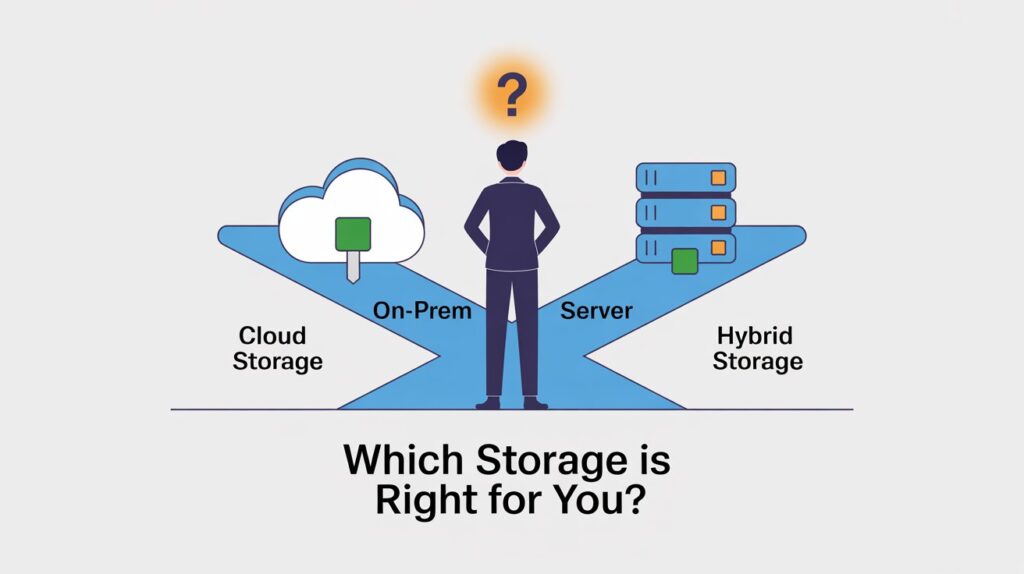
Once you understand your own data, you can look at where to keep it: in your own data center, in the cloud, or a mix of the two.
On‑Premises Storage
On‑premises means you own and run the hardware in your own server room or data center.
When on‑prem still makes sense
On‑prem can be a good fit when:
-
You have strict compliance or data residency rules that require data to stay within a country, building, or private network.
-
You need very low latency for local apps, such as industrial control systems or trading platforms.
-
You already have a strong internal IT team and existing data center investments.
-
Your data volumes are huge and stable, so large cloud bills are a concern.
Control, compliance, and performance benefits
With on‑prem:
-
You control hardware, network, and physical access completely.
-
You can design storage exactly for your workloads (disk types, caching, network).
-
You’re not directly exposed to public‑cloud data residency shifts or provider policy changes.
Performance‑wise, local storage usually gives:
-
Lower latency for local users and apps (no internet in the middle).
-
Predictable performance, if your internal network is well designed.
Cost and maintenance realities
The trade‑offs:
-
High upfront cost (CapEx) for servers, storage arrays, networking, power, cooling, and space.
-
Ongoing operational cost (OpEx) for electricity, maintenance, upgrades, and staff.
-
Capacity upgrades often come in big jumps (entire new arrays or racks).
-
You must handle hardware failures, security patches, and lifecycle management.
Over 3–5 years, on‑prem can become cheaper than cloud at very large, steady scale (for example 1 petabyte over 5 years), but it needs capital and in‑house skills.
Cloud Storage
Cloud storage means renting storage from a provider and paying monthly, usually by the GB and by usage.
Scalability and flexibility
Cloud shines when:
-
You want to start small and grow fast without buying hardware upfront.
-
You have spiky workloads (like campaigns, seasonal spikes, or experiments).
-
You need global access for remote teams and customers.
With a few clicks or API calls, you can:
-
Increase capacity
-
Add regions
-
Turn on extra redundancy or advanced security features
This flexibility is a big reason most enterprises now run more than half their workloads in the cloud.
Subscription costs vs long‑term expenses
But cloud has its own cost traps:
-
You pay monthly forever, often for:
-
Storage used
-
Read/write requests
-
Data transfer out (egress)
-
API calls or special features
-
-
For very large, long‑lived datasets (multi‑hundred‑TB or PB), multi‑year cloud costs can exceed a well‑planned on‑prem solution.
This doesn’t mean cloud is bad – it means you should:
-
Model 3–5 years of TCO (Total Cost of Ownership), not just year 1.
-
Pay attention to data egress fees, especially if you move lots of data out of the cloud or between regions.
Vendor lock‑in concerns
If you lean heavily on one provider’s storage APIs, formats, and tools, moving later can be hard and expensive:
-
Rewriting apps to support a different provider
-
Paying egress to move data out
-
Learning new tools and security models
You can reduce lock‑in by:
-
Preferring open formats (like Parquet, CSV, standard database engines).
-
Using abstraction layers or data platforms that can talk to multiple backends.
-
Keeping a strategy and budget line for future migration if needed.
Hybrid Storage
Hybrid means mixing on‑prem and cloud: some data and workloads stay on your own hardware, some live in the cloud, and often they are connected.
Best of both worlds (when it works)
Hybrid can be powerful when:
-
You need low‑latency local storage for critical systems but want cloud for:
-
Backups and disaster recovery
-
Bursting (temporary spikes)
-
Archiving cold data
-
-
You have strong on‑prem investments but want to use new cloud services (analytics, AI, serverless functions).
You can:
-
Keep sensitive or regulated data on‑prem.
-
Push non‑sensitive or bursty workloads to the cloud.
-
Use cloud object storage as a cheap archive or backup layer.
Common use cases
Typical hybrid uses include:
-
Critical apps on‑prem + backups in cloud for DR.
-
File servers on‑prem + cloud tiering for old files.
-
Local processing + cloud analytics (log shipping, data lakes).
-
Branch offices with local caches syncing back to a central cloud or data center.
Complexity trade‑offs
Hybrid is not “free upside”:
-
You manage two worlds: on‑prem infrastructure and cloud services.
-
Network design, identity, security, and monitoring get more complex.
-
Misconfigurations in cross‑environment setups can open security gaps.
Still, for many mid‑size and large companies, hybrid ends up being the most realistic balance of cost, control, and flexibility.
Scalability and Future‑Readiness
Your storage decision should work not only for today, but also for the next 3–5 years.
Ask:
-
Can you add capacity without major downtime?
-
Do you have a clear path to support 2x, 5x, or 10x more data?
-
What happens when you add new business lines, apps, or maybe even another company (through a merger)?
Vertical vs horizontal scaling
Two broad ways to grow:
-
Vertical scaling: Make a single system bigger.
-
Example: add more disks, add larger SSDs, or move to a faster storage array.
-
Simpler at first, but there’s always a ceiling (max slots, controller limits).
-
-
Horizontal scaling: Add more nodes or systems.
-
Example: scale‑out storage clusters or object storage where you keep adding nodes.
-
More flexible long term, but needs good design from day one.
-
Cloud object storage and many modern storage platforms are built for horizontal scaling, which is why they handle massive growth more gracefully.
Plan for growth, mergers, and new apps
Think ahead about:
-
New regulatory rules requiring longer data retention.
-
New products that store large media, IoT, or AI data sets.
-
Possible acquisitions that bring in another company’s data.
A storage choice that’s cheap today but painful to extend later will cost more in the long run.
Performance and Speed Considerations
Fast storage isn’t just a “nice to have.” It affects how your team feels about your systems every single day. Slow drives and poorly matched storage can lead to employees literally waiting hours per month for things to load, which converts directly into salary and lost output.
Storage Media Types: HDD vs SSD vs NVMe
At the physical level, most storage today runs on one or more of these:
-
HDD (Hard Disk Drive)
-
Spinning disks, mechanical parts.
-
Slowest in terms of latency and IOPS (number of operations per second).
-
Cheapest per TB, great for cold storage, backups, and archives.
-
-
SATA SSD
-
No moving parts, uses flash memory.
-
Much faster than HDD for both reads and writes.
-
More expensive per TB, but a good middle ground for many business workloads.
-
-
NVMe SSD
-
Uses a faster interface (PCIe) designed for flash.
-
Highest performance: much lower latency and far more IOPS and throughput than SATA SSD in typical server setups.
-
Best suited for heavy workloads like databases, analytics, or high‑end video editing.
-
Real‑world numbers from modern systems:
-
HDDs have latency in the milliseconds, SSDs in tenths of a millisecond, and NVMe in hundredths of a millisecond.
-
NVMe can deliver hundreds of thousands to over a million IOPS, far above typical HDDs.
In practice:
-
Use HDDs for backups, archives, and cold data where speed doesn’t matter much.
-
Use SATA SSDs for general business workloads where you want a good balance of speed and price.
-
Use NVMe where performance is critical (databases, high‑traffic websites, analytics, video editing).
Also remember: SSDs and NVMe drives are generally more energy efficient and take less space than HDDs, which can lower power and cooling costs at scale.
IOPS, Latency, and Throughput (What Actually Matters)
You’ll see three terms often in storage specs:
-
IOPS (Input/Output Operations Per Second)
-
How many read/write operations the storage can handle per second.
-
Matters a lot for databases and virtual machines where many small operations happen constantly.
-
-
Latency
-
How long it takes to respond to a single operation.
-
Lower latency means apps feel more “instant.”
-
-
Throughput
-
How much data can move per second (e.g., MB/s or GB/s).
-
Important for backups, huge file transfers, streaming, and analytics.
-
For daily operations, ask:
-
Do users complain “this system is slow” when saving or opening records? That may be latency or IOPS.
-
Do backups or big file transfers take all night? That’s often a throughput issue.
-
Do you have many virtual machines or microservices hitting the same storage? Then IOPS and latency are critical.
You don’t need to become an expert in these numbers, but you do need to ensure your storage choice lines up with your core workloads.
Security and Data Protection
If your storage is fast and cheap but not secure, you’re sitting on a time bomb. Compliance frameworks like SOC 2, ISO 27001, GDPR, and HIPAA all expect strong technical controls on stored data.
Data Encryption
Two key points:
-
Encryption at rest: Data is stored on disk in encrypted form. If someone steals a disk, they can’t read the data without keys.
-
Encryption in transit: Data is encrypted while moving across networks (for example, using HTTPS/TLS), so it can’t be easily intercepted.
Most serious storage providers now support both, but you still must check who controls the keys:
-
Provider‑managed keys: Easier to set up, less admin work.
-
Customer‑managed keys: More control; often preferred for strict compliance, as you decide when keys rotate and who has access.
Access Controls and Permissions
Good storage setups don’t just protect data at the disk level; they also control who can see and change what.
Look for:
-
Role‑based access control (RBAC): You grant access by roles (HR, Finance, DevOps) instead of one‑off permissions everywhere.
-
Least privilege: Users get only the access they genuinely need.
-
Multi‑factor authentication (MFA): Users need something beyond just a password to access critical systems.
-
Audit logs: The system records who accessed or changed what and when.
These controls are often required or strongly encouraged in compliance standards such as SOC 2, ISO 27001, and HIPAA.
Compliance and Regulations
Depending on your industry and region, you may need to comply with:
-
GDPR (EU data protection) – strict rules on personal data of EU residents, including how it’s stored, where it’s located, and how long you keep it.
-
HIPAA (US healthcare) – protection for health data (PHI), with clear rules on encryption, access control, logging, and breach response.
-
SOC 2 – widely used for service providers; focuses on security, availability, confidentiality, privacy.
-
ISO 27001 – international standard for information security management.
-
Industry‑specific standards like PCI DSS for payment cards, or country‑specific data laws.
Why this matters early:
-
Some storage options make it easier to prove compliance (built‑in logs, encryption, certifications).
-
Some may not be suitable at all for certain data types or regions.
-
Migrating later because of compliance can be complex and expensive.
When you evaluate a storage provider or architecture, ask:
“Can this setup help me pass the audits I’m likely to face in the next 3–5 years?”
Backup, Recovery, and Business Continuity
Storage is not just about where data lives day‑to‑day. You must also plan for when things go wrong: hardware failures, ransomware, accidental deletion, natural disasters, or even simple human mistakes.
Backup Strategies
You generally combine three types:
-
Full backups: A complete copy of your data at a point in time.
-
Incremental backups: Only changes since the last backup are stored.
-
Snapshots: Very fast, point‑in‑time “pictures” of a system or volume, often used by modern storage arrays and cloud services.
Best practices include:
-
Automated backups – never depend on manual clicks.
-
Keeping multiple copies in different locations (including offsite or in another region).
-
Regularly testing restores so you know backups actually work.
More frequent backups give you shorter data‑loss windows but cost more in storage and bandwidth. You must balance this cost against the impact of losing hours or days of changes.
Disaster Recovery (DR): RPO and RTO Explained Simply
Two key terms in DR:
-
RTO (Recovery Time Objective):
How long can a system be down before it causes serious damage to the business?
Example: “Our CRM must be back within 4 hours.” -
RPO (Recovery Point Objective):
How much data (in time) can you afford to lose?
Example: “We can lose at most 1 hour of recent data.”
If your RPO is 1 hour, you need backups or replication at least every hour.
If your RTO is 4 hours, your backup and restore process must be able to bring things back within 4 hours.
Different systems in your business might have different RPO/RTO targets based on their importance.
For DR, also think about:
-
Cross‑region or offsite backups: If one region or data center is down, you can fail over to another.
-
Immutable backups: Copies that cannot be changed or deleted for a certain period, to defend against ransomware.
-
DR drills: Practicing failover and recovery, not just trusting documentation.
Downtime Risks
When storage fails or becomes unavailable, what really happens?
-
Your apps go down or slow to a crawl.
-
Your staff may sit idle or switch to manual processes.
-
Customers may be unable to buy, log in, or use your product.
-
Data may be lost permanently if backups or DR weren’t set up right.
The real cost of downtime is not just IT repair time. It includes:
-
Lost revenue (customers who couldn’t transact)
-
Lost productivity (staff waiting)
-
Damage to brand and trust
-
Potential regulatory issues if data loss affects regulated data
Even a modest RTO/RPO plan can significantly reduce these losses.
Cost Structure and Total Cost of Ownership (TCO)
Storage pricing can be tricky. You want to avoid choosing something that seems cheap at first but turns into a money drain over a few years.
Upfront vs Ongoing Costs
Think in two layers:
-
Upfront (CapEx) for on‑prem:
-
Hardware (servers, disks, arrays)
-
Networking gear
-
Rack space, power, cooling setup
-
Installation and initial licenses
-
-
Ongoing (OpEx) for both on‑prem and cloud:
-
Power and cooling (on‑prem)
-
Support contracts and hardware replacement
-
Staff time and training
-
Monthly storage fees and I/O/egress fees (cloud)
-
Real‑world TCO analyses have shown examples where storing 1 PB in a traditional cloud for 5 years can cost over a million dollars, while a carefully planned on‑prem cluster could cost less than half that, even including power and cooling.
Hidden costs many buyers miss:
-
Data egress and inter‑region transfer fees in the cloud.
-
Over‑provisioned capacity you never use.
-
Downtime costs (lost business) from underpowered or unstable storage.
-
Developer and admin time spent fighting performance or reliability issues.
Storage Pricing Models
Common models you’ll see:
-
Pay‑as‑you‑go (cloud)
-
You pay for what you use, plus operations and transfers.
-
Great for variable workloads, but can be unpredictable at scale.
-
-
Tiered pricing
-
Different prices for hot, warm, and cold storage tiers.
-
Cheaper per TB as data becomes colder, but retrieval may be slower or more expensive.
-
-
Reserved or committed plans
-
You commit to usage over 1–3 years in exchange for lower rates.
-
Good match for predictable workloads.
-
Pay special attention to data egress fees, which are often the “big cloud surprise.” Moving data out of a provider or between regions can cost real money if you do it often.
ROI Considerations
Storage is not just a cost center. The right solution can pay for itself over time through:
-
Productivity gains: Faster systems mean less time waiting for apps or files.
-
Reduced downtime: Fewer and shorter outages save real revenue.
-
Lower operational burden: Easier management frees your IT team to focus on higher‑value work.
-
Better data usage: When data is well‑organized and accessible, your teams can build better reports, products, and AI models.
When you compare options, ask not just “What does this cost?” but also “What business outcomes does this make easier or cheaper?”
Integration with Existing Systems
Your storage solution does not live alone. It must play nicely with everything else you use.
Questions to check:
-
Does it work with your current apps and databases without heavy changes?
-
Are standard protocols and formats supported (NFS, SMB, S3‑compatible APIs, standard SQL engines)?
-
Can you integrate it with your identity system (such as Active Directory, SSO providers) for unified access control?
-
Are there APIs and SDKs so your developers can automate tasks, lifecycle policies, and data pipelines?
Poor integration can lead to:
-
Manual, error‑prone processes (copying data around).
-
Multiple overlapping storage silos.
-
Extra tools and scripts just to keep systems in sync.
Good integration should make storage feel invisible to end users and as simple as possible for your IT and development teams.
Ease of Management and Administration
Even the “perfect” technical solution can fail if you need a huge team or rare skills to run it.
Look at:
-
User interface and dashboards
-
Is it clear and easy to read?
-
Can you see capacity, performance, errors, and security posture quickly?
-
-
Monitoring, alerts, and reporting
-
Are there built‑in alerts for failures, capacity thresholds, unusual activity?
-
Can it integrate with your existing monitoring tools (like Prometheus, Grafana, or commercial suites)?
-
-
Automation support
-
Can backups, tiering, and lifecycle policies be automated?
-
Are APIs available for scripting and integration?
-
-
Skill level required
-
Do you need specialized storage admins, or can a small IT team handle it with some training?
-
Does the vendor provide good documentation and training material?
-
The easier it is to manage, the lower your long‑term staffing and risk costs.
Vendor Reliability and Support
You’re not just buying storage space; you’re relying on a partner to help you keep your business running.
Vendor Track Record
Things to check:
-
Reputation and reviews: What do other customers say, especially in your size range and industry?
-
Market presence: Is this a solid, established player or a very young company?
-
Financial stability: Are they likely to be around in 5–7 years? This matters for long‑term data and archives.
You don’t want to bet your core data on a vendor that may vanish or pivot away from your use case.
Support and SLAs
Support quality often matters more than raw performance.
Ask:
-
What is the SLA (Service Level Agreement) for uptime?
-
What are the response times for critical issues?
-
Do they offer 24/7 support or only business hours in one region?
-
Are there premium support tiers and what do they include?
-
How good is their documentation, knowledge base, and training content?
Strong support and clear SLAs can be worth paying extra for, especially when your business is heavily dependent on the storage platform.
Data Portability and Vendor Lock‑In
Once your data is inside a system, getting it out can be painful if you didn’t plan for it.
Key questions:
-
Can you export data in open, widely used formats (CSV, Parquet, SQL dumps, standard file formats)?
-
Does the vendor provide tools for bulk export or migration?
-
Are there reasonable ways to sync data to another provider or to your own systems (for hybrid setups)?
Long‑term risks of heavy lock‑in include:
-
Price increases you can’t easily escape.
-
Limited ability to adopt better technology later.
-
Difficulty complying with new regulations that demand data residency changes.
Building some degree of portability into your design from the beginning gives you more power and flexibility over time.
Sustainability and Energy Efficiency (Optional but Growing Factor)
More companies now care how their IT choices affect the environment.
Consider:
-
Power consumption
-
HDDs typically use more power and generate more heat than SSDs and NVMe drives.
-
At scale, this impacts both electricity bills and environmental footprint.
-
-
Eco‑friendly data centers
-
Many cloud providers now publicize their renewable energy usage and efficiency.
-
Some on‑prem setups can use efficient cooling, power management, and modern equipment to reduce impact.
-
Why it matters:
-
Customers, partners, and regulators increasingly expect sustainability efforts.
-
Energy‑efficient choices often also save money over time.
If this is important for your brand or stakeholders, include it as a formal decision factor.
Common Mistakes to Avoid When Choosing a Storage Solution
Here are pitfalls you want to avoid:
-
Choosing based on price alone
-
The cheapest option now can become the most expensive later once you factor in performance, downtime, and migration.
-
-
Ignoring future growth
-
Designing only for today’s size leads to rushed expansions, poor architecture, and higher costs later.
-
-
Overengineering or underengineering
-
Overengineering: Buying extremely high‑end gear “just in case” and never fully using it.
-
Underengineering: Picking consumer‑grade or low‑end options that fail under real business load.
-
-
Not testing before committing
-
You should always pilot new storage with real workloads and measure performance, reliability, and ease of use.
-
Skipping tests often leads to nasty surprises after full rollout.
-
-
Ignoring compliance and security until later
-
Trying to “bolt on” security and compliance after deployment is painful and costly.
-
It’s much better to pick solutions that already align with the standards you need.
-
-
No clear backup and DR plan
-
Assuming “the cloud provider has it covered” is risky. You still need your own backup and RPO/RTO strategy.
-
Checklist: Questions to Ask Before Finalizing Your Choice
Use this as a simple, practical checklist. For each question, try to answer Yes before you commit.
About your needs
-
Do you have a clear list of data types (databases, files, media, logs, backups)?
-
Have you separated your data into hot, warm, and cold categories?
-
Do you have estimates of current size and 3–5 year growth?
About performance
-
Have you identified which workloads need fast storage (SSD or NVMe)?
-
Do you understand your latency and throughput needs for key systems?
-
Have you tested the storage with realistic workloads?
About architecture
-
Have you considered whether on‑prem, cloud, or hybrid is the best fit for your compliance, cost, and performance needs?
-
Can your storage scale up/down without major downtime?
-
Is there a plan for handling future apps, mergers, or data‑heavy projects?
About security and compliance
-
Is data encrypted at rest and in transit?
-
Do you have role‑based access control, MFA, and audit logs?
-
Does the solution support the compliance standards you care about (GDPR, HIPAA, SOC 2, ISO 27001, etc.)?
-
Can you easily produce evidence for audits?
About backup and recovery
-
Do you have clear RPO and RTO targets for critical systems?
-
Are backups automated, versioned, and tested?
-
Do you have offsite or cross‑region copies?
-
Is there a documented DR plan that has been rehearsed?
About cost and vendor
-
Have you compared 3–5 year TCO, not just first‑year cost?
-
Do you understand all relevant fees (capacity, I/O, egress, support)?
-
Is the vendor financially stable with a good track record and reviews?
-
Are support SLAs and response times acceptable for your business?
About integration and management
-
Does the storage integrate with your existing apps, identity, and monitoring tools?
-
Can your team manage it with their current skills, plus reasonable training?
-
Are there clear dashboards, APIs, and documentation?
About portability and sustainability
-
Can you export your data in open formats if you need to move later?
-
Are there reasonable migration paths to other vendors or on‑prem?
-
Does the solution align with your energy and sustainability goals?
If you can honestly tick “Yes” to most of these, you’re in a good position to make a solid, long‑lasting storage decision.
Conclusion: Choosing the Right Storage Is a Strategic Decision
Your storage choice is not just an IT detail. It’s a strategic decision that shapes your costs, your speed, your security, and even your reputation for years.
To choose well, you should:
-
Start with your own needs, not with vendor marketing: data types, growth, performance, and compliance.
-
Pick the right architecture mix: on‑prem, cloud, or hybrid, based on your reality.
-
Match media types and performance (HDD/SSD/NVMe) to each workload.
-
Build in security, compliance, backup, and DR from the beginning, not as an afterthought.
-
Look at total cost of ownership over several years, including hidden fees and operational effort.
-
Keep an eye on portability and future‑readiness so you’re not stuck later.
If you take a structured approach and use the checklist above, you can move from guesswork to informed choice. The end goal is simple: a storage solution that lets you store more, move faster, and sleep better, knowing your data – and your business – are on solid ground.
