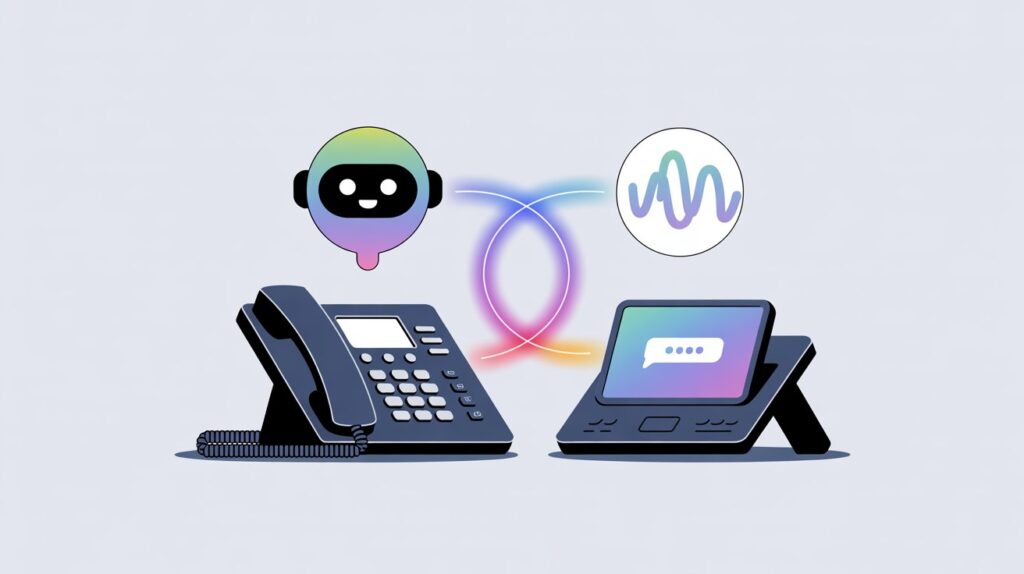
Adding an AI receptionist can feel like a big leap, especially if your phone system already works well enough. Phones ring, calls get answered, and customers know what to expect. The worry usually is not about whether AI can help. It is about what might break along the way. The good news is that blending an AI receptionist into an existing setup does not have to be a disruptive overhaul. With the right approach, it can feel more like a quiet upgrade than a sudden change.
The key is to treat the AI receptionist as a support layer, not a replacement that barges in unannounced. When introduced thoughtfully, callers barely notice the transition, while your team feels the relief almost immediately.
Understand What You Already Have
Before turning anything on, take a clear look at your current phone system. How are calls routed today? Do you use direct extensions, a simple auto attendant, or a live receptionist who screens every call? Knowing these details helps you decide where the AI receptionist fits naturally.
For example, many businesses already rely on basic menus like “Press 1 for sales, press 2 for support.” An AI receptionist can slip into that role easily, replacing rigid menus with conversational prompts. In other cases, the AI might act as a first responder during peak hours or after hours only. The point is not to reinvent your setup, but to build on it.
Start With a Narrow Role
One common mistake is giving the AI receptionist too much responsibility on day one. A softer approach works better. Start by assigning it a single, well defined task. This could be answering after hours calls, handling appointment scheduling, or capturing basic caller information before routing the call.
By limiting its scope, you reduce the risk of confusion for callers and stress for your team. It also gives you a chance to observe how callers interact with the system. Are they responding well to the prompts? Are there moments where they hesitate or repeat themselves? These early insights are incredibly useful.
Integrate Gradually, Not All at Once
A phased rollout keeps disruption to a minimum. Instead of flipping a switch company wide, introduce the AI receptionist in stages. You might begin with one department or a specific call type. Over time, you can expand its role as confidence grows.
This gradual approach allows your staff to adjust at their own pace. It also gives customers time to adapt. Most callers do not mind talking to AI when it feels helpful and familiar. What they dislike is sudden, unexplained change. Slow integration avoids that problem.
Keep the Human Escape Hatch Obvious
No matter how capable an AI receptionist becomes, callers should always know how to reach a real person. Clear options like “Would you like me to connect you with a team member?” go a long way toward building trust.
This is especially important during the early stages. Some callers may test the system or feel unsure about speaking to AI. Giving them an easy out reduces frustration and reassures them that help is close by. Over time, as the AI proves itself, fewer callers will feel the need to opt out.
Match the AI’s Voice to Your Brand
Tone matters more than many businesses expect. An AI receptionist that sounds stiff or overly formal can feel jarring, even if it works perfectly. On the other hand, one that mirrors your existing phone greeting and brand voice feels familiar.
Take time to customize how the AI speaks. Use language your team already uses. If your brand is friendly and relaxed, let the AI reflect that. If your callers expect a more professional tone, adjust accordingly. Small details like this make the transition feel intentional rather than mechanical.
Test With Real Calls, Not Just Scripts
Internal testing is useful, but nothing replaces real world calls. Once the AI receptionist is live in a limited capacity, listen to actual call recordings. Pay attention to where callers pause, interrupt, or ask unexpected questions.
These moments reveal gaps in setup that no script can predict. Maybe callers use different phrasing than you anticipated. Maybe they ask for things slightly out of order. Fine tuning based on real behavior helps the AI blend more smoothly into your existing system.
Prepare Your Team, Not Just the Technology
A smooth rollout depends as much on people as it does on software. Make sure your team understands what the AI receptionist does and what it does not do. Explain how calls will reach them and what information the AI will collect beforehand.
When staff know what to expect, they are more likely to trust the system and less likely to work around it. That trust translates into better experiences for callers. After all, the AI is there to support your team, not compete with it.
A Quiet Upgrade With Lasting Benefits
Blending an AI receptionist into your existing phone system does not require disruption, downtime, or frustrated callers. When introduced thoughtfully, it feels like a natural extension of what you already have. Calls get answered more consistently, staff interruptions decrease, and customers get faster responses.
The secret is patience. Start small, listen closely, and adjust as you go. By respecting your current setup and the people who rely on it, you can make the transition feel seamless. In the end, the best AI receptionist is the one callers barely notice, because everything just works.
