Long-form content is rich in value but not all the audiences consume every minute of the content. The contemporary feeds are quick and attention spans even quicker. Social sites are now filled with short clips as people would rather have short information rather than long sessions. This change establishes a disparity between meaningful long videos and the quick-paced consumption habits of social media. Pippit comes to fill this gap by assisting creators in repurposing podcasts, webinars, tutorials, speeches, and interviews into captivating short-form reels that spread like wildfire.
The Reason Short-Form Reels Are More Visible
The performance of short-form reels is good since they align with how mobile viewers consume content. The majority of viewers scroll and multitask, thus brief clips are simpler to watch. They are also more likely to be retained since the message gets delivered fast. Rapidly moving videos are more likely to be shared, and this will bring your content to new audiences. The format favors educational, promotional, motivational and conversational content so that every message can shine with a smaller visual format.
Short videos are also in line with new discovery trends. Social networks encourage high engagement, and reels tend to be more successful in likes, comments, and saves than long videos. Every clip is like a teaser that makes the audience want to see more of your work. This provides a sustainable visibility strategy without new filming every now and then. To reinforce this strategy, Pippit defines the critical insights of long videos and transforms them into strategic micro-stories, adjusted to every platform. The platform’s AI video editor plays a major role at this stage, because it handles complex tasks that normally demand heavy manual effort.
Difficulties Of Manually Converting Long Videos Into Reels
It is time consuming to manually cut long footage into short clips. Video review consumes creative resources and slows publication. It takes several repeatings to choose the right moments, and this slows down the momentum. Once you select the clips, you must resize, add captions, and format each platform. These measures require accuracy. Lack of time or editing bandwidth may result in less output, and the less posts you make the less chance you have to expand your reach.
There is also inconsistency among creators when they are editing everything manually. The presence of style change, mistaking subtitles, and irregular pacing can undermine the viewer experience. Social media is all about speed and slow editing processes can ensure that good content is overlooked. Automation is where the process starts to change.
Automated Content Repurposing Powered By Ai
The process of repurposing long videos is made easier with AI, which automatically identifies significant highlight moments. It detects powerful expressions, tonality variations, responses, and feelings in the video. These segments are converted into natural short clips, which seem deliberate. Mobile-first designs that fit platform rules are provided through auto-captions and resizing. Contemporary editors incorporate transitions, sound, overlays or even avatars to make it more understandable and interactive. The process aids in a scale-out distribution strategy without registering new contents each time.
Pippit provides individual flexibility in the heart of this workflow. It also takes long videos, derives insights, and turns them into social-ready clips that are optimized. The system also supports creative assets such as photo to video AI free, which helps you pair images with focal moments for dynamic reel structures. This gives a better visual blend that increases retention of attention.

Steps to Convert Long Talks Into Bite-Sized Reels using AI Video Editor
Step 1: Input Your Talk and Describe Your Short-Reel Format
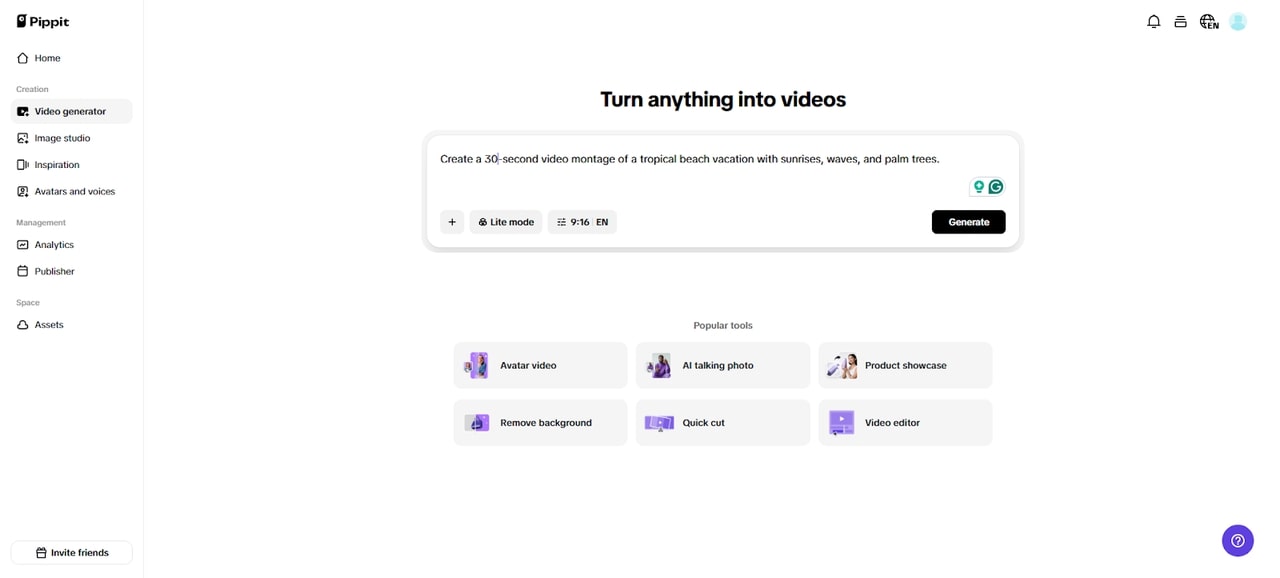
To turn long talks into quick reels, first access the platform and sign up. Then go to the “Video generator” tab and enter a text prompt explaining which parts of the talk you want as short reels. Upload your full talk footage as reference media via the “Add media” tab. You can upload from your local device, phone, Dropbox, or a link. No reference? Use assets instead. After everything is set, click “Generate”.
Step 2: Let AI Condense and Edit Your Reels
The AI video generator automatically cuts, edits, and arranges your short reels according to your prompt and reference media. It handles transitions, pacing, and video-enhancements to keep the reels engaging.
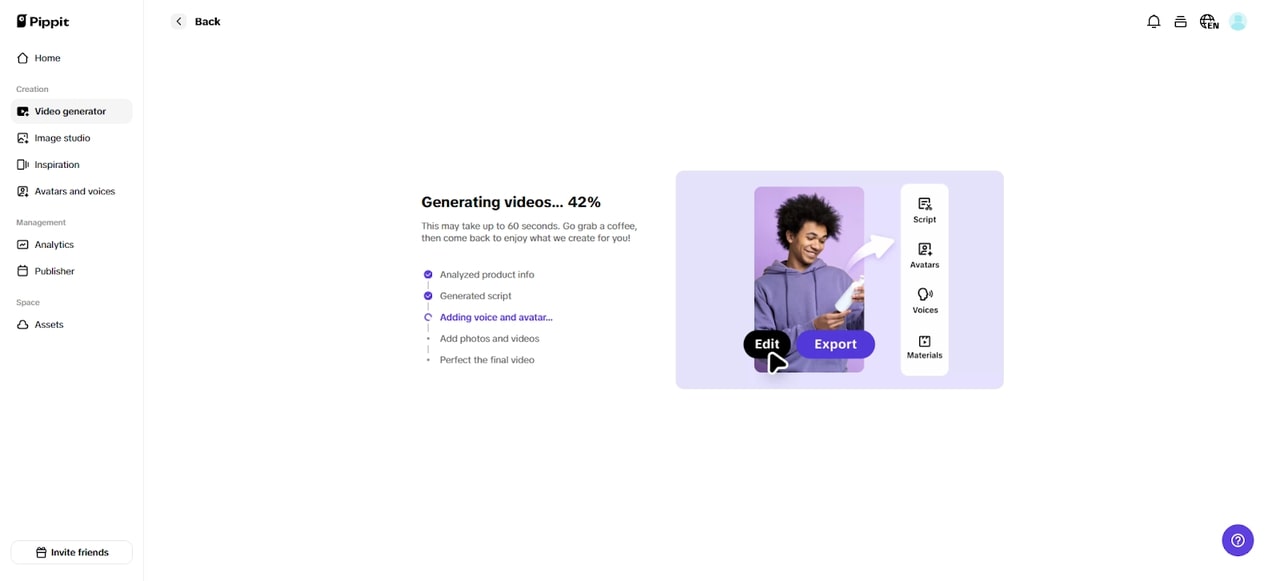
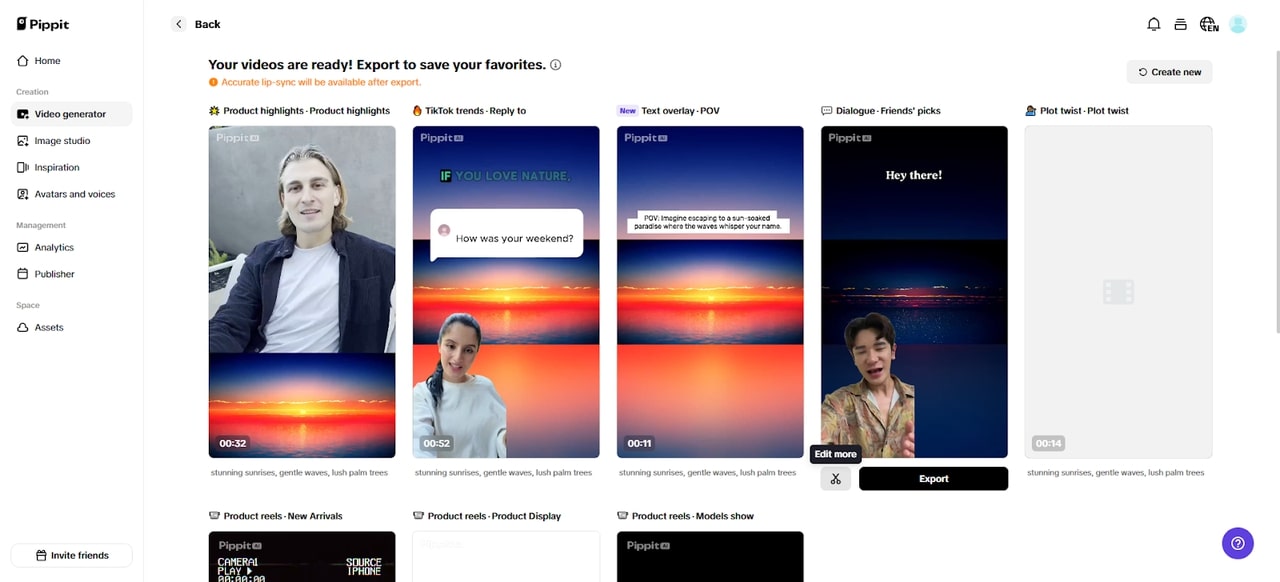
It also auto adds avatars, voice, lyrics, captions, and photos/videos for clarity. You get 4 to 5 drafts to review. Pick the one that highlights your message. If you want further refinement, hit “edit more” to continue inside the editor.
Step 3: Polish Your Reels and Share Everywhere
You can now manually edit captions, add text, and adjust size, color, and alignment to fit each message. You can switch filters, apply effects, add music, or remove backgrounds to keep the reels punchy.
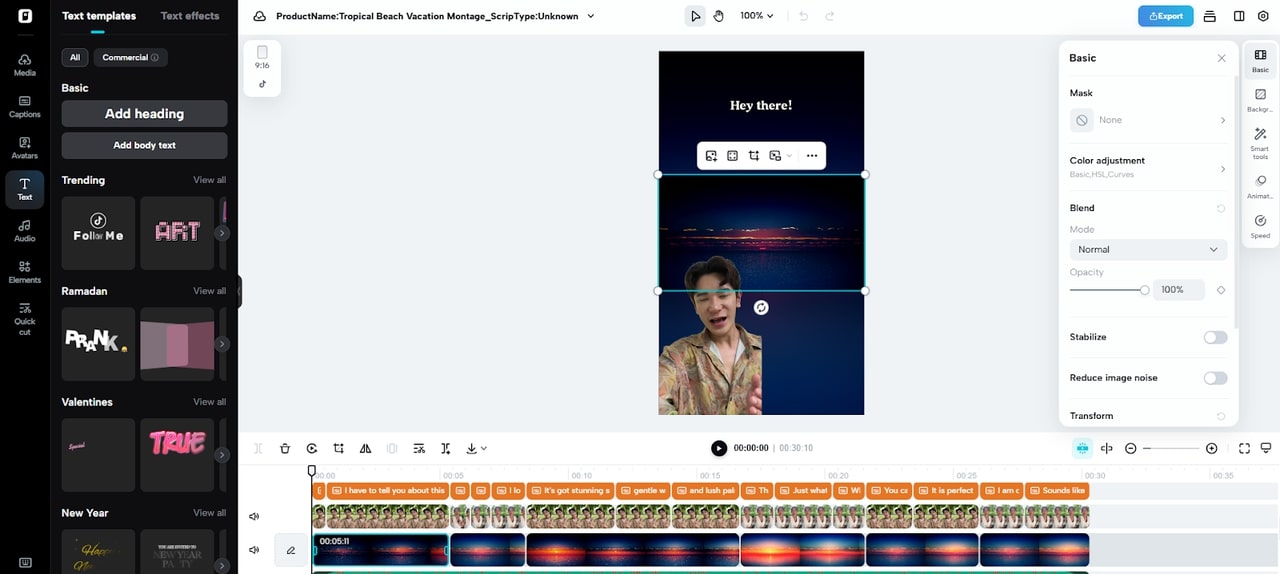
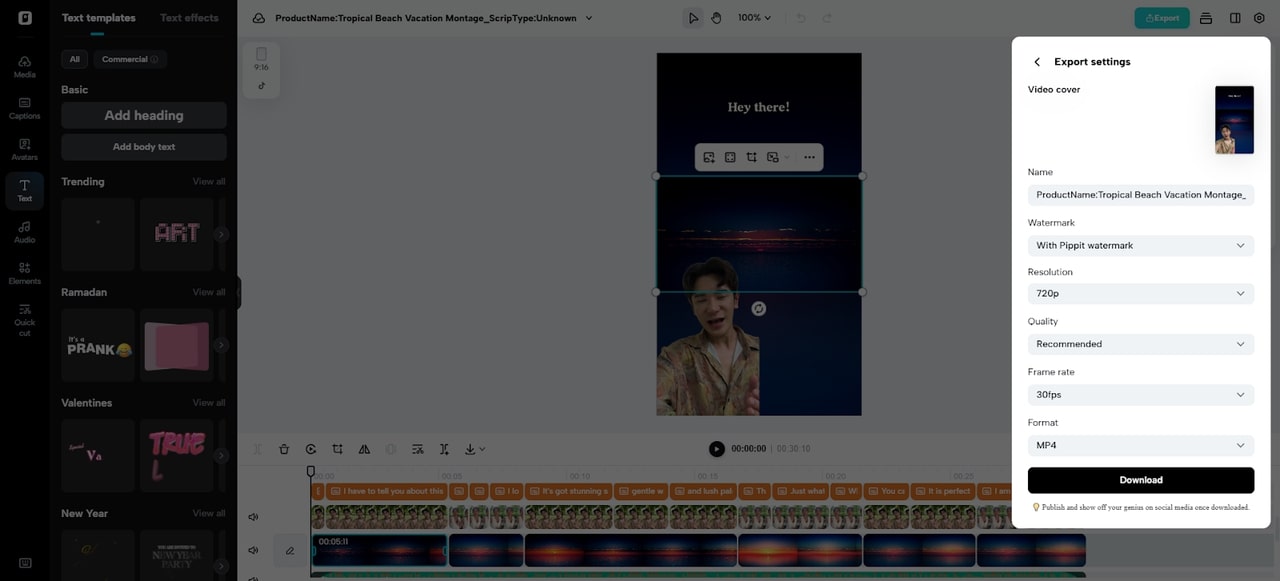
Shape each reel until it feels perfect. Then click “Export”. Use “Publish” to send your reels directly to TikTok, Instagram, or Facebook. If you want a saved copy, click “Download” and select your preferred format, frame rate, resolution, quality, and file name.
Reels Optimization To Social Platform Rules
The platforms have optimum length ranges. Tik Tok allows super-fast pacing whereas Instagram Reels emphasize quick hooks. Keep a 9:16 vertical ratio to have a mobile-first perspective. Clinging attention hooks make the viewers remain during the initial seconds. Reading captions is necessary since a good number of viewers watch in silence. Pippit helps fulfill these requirements with formatting templates that maintain uniformity of clips.
Innovative Methods Of Interacting With Bite-Sized Clips
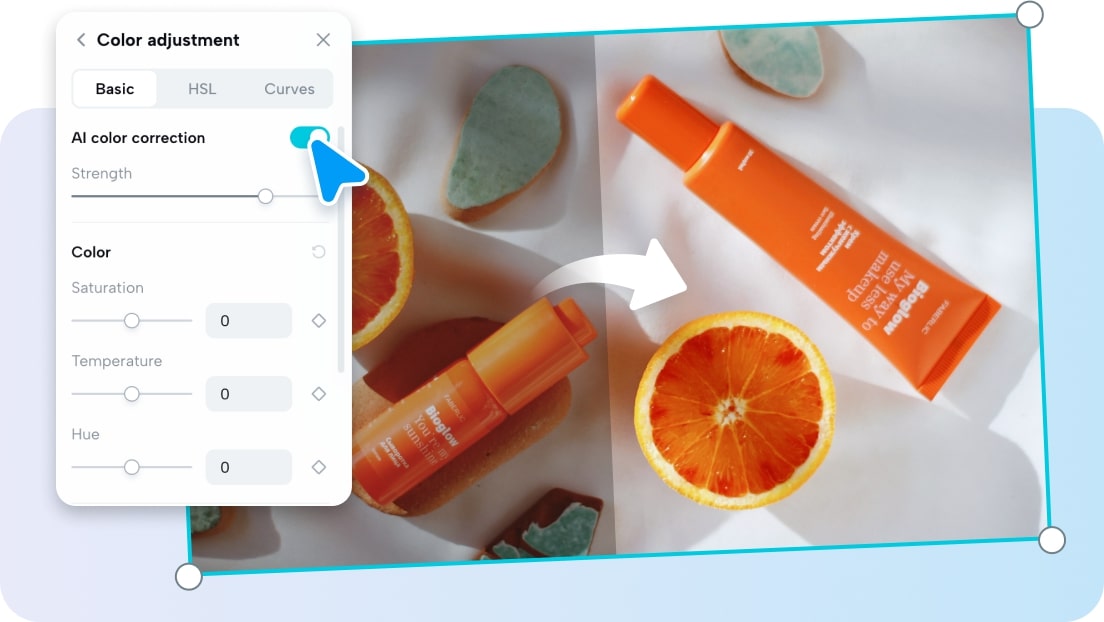
Powerful punchline beginnings create curiosity and lower the skip rates. Each sentence is further emphasized with animated captions. Rapid visual transitions are used to maintain a flowing rhythm, particularly in education or inspirational videos. Sound effects emphasize the main concepts and reinforce the emotional effects. Pippit complements these methods with templates, transitions and editing tools that make it simpler to perform creativity. After the mid-section of editing, tools such as a free video enhancer help upgrade clarity and detail, especially when source footage is older or low-resolution.
Automating Repurposed Content
Long videos can be much easier to repurpose when they are made into clips of short length. A single recording session can be months of material. Multi-format exporting enhances the speed of distribution. Templates enable branding of all clips effectively, and this enhances familiarity. Pippit justifies this gradual strategy by providing repeatable and refined outcomes that are consistent with platform requirements.
Conclusion
Long content does not necessarily have to remain long. There is more interest in shorter formats among modern audiences, and now it is easy to repurpose with the help of AI. Pippit converts long tapes into high-performing short reels without additional filming. This strategy provides creators and brands with a genuine means of channel-to-channel recycling of value and conserving time, energy and resources.
