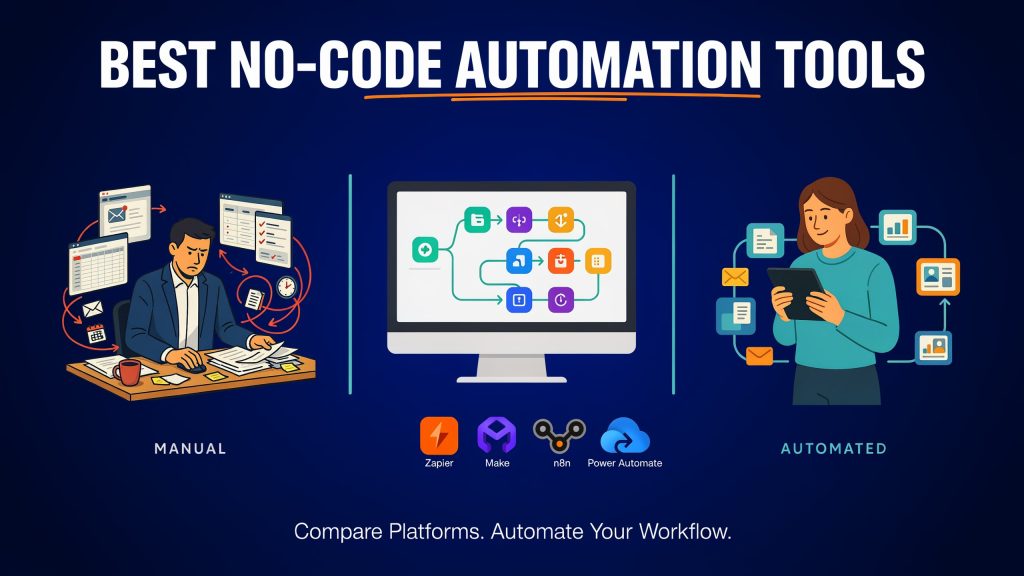
No-code automation platforms let teams connect apps and eliminate repetitive work without writing code. In 2026 the market has split into clear camps: the easiest tools for simple connections, the strongest visual builders for complex logic, self-hosted options for control, and enterprise platforms for governance.
Most teams start with the wrong one and either hit cost walls or abandon half-built workflows. A two-step Zap that moves form data into a spreadsheet is trivial. The same team then tries to add branching approval logic, multi-app lookups, error recovery, and an AI step that calls external tools, and suddenly the monthly bill or the maintenance burden becomes the real problem. Task-based pricing (Zapier), credit/operation pricing (Make and others), and execution-based pricing (n8n) all behave differently once volume and complexity rise. AI steps and agents multiply consumption in ways that were less relevant two years ago. Self-hosting is more practical than it used to be, but it still carries operational cost.
This comparison ranks the leading platforms and shows which one fits different team types and use cases. It focuses on what operators actually encounter: how far a non-technical person can go, how well the tool handles real branching and multi-step processes, what the pricing model does at scale, whether self-hosting or data control is realistic, and how AI fits in without turning every workflow into an unpredictable cost center.
What Actually Matters When Choosing
Ease of use for non-technical people remains the first filter. If the people who own the process cannot build and maintain the automation, it will either stay in the hands of one overloaded person or simply stop being used. Visual builders help, but the real test is whether a marketing or operations person can add a filter, a router, or a notification without calling engineering.
Ability to handle branching logic and multi-step workflows separates the tools that stay useful from the ones that force workarounds. Simple linear connections are easy on almost every platform. Once you need routers, parallel paths, error handlers, loops, or conditional logic that depends on data from three different systems, the interface and the pricing model both matter.
App library and integration depth still decide a large percentage of shortlists. Zapier remains the widest. Make, n8n, and Power Automate cover the majority of common business apps, but depth on specific connectors (especially around Microsoft, CRM, or custom APIs) varies. For teams already deep in one ecosystem, native depth often beats raw app count.
Pricing model and cost at scale is the most common source of regret. Task pricing charges per successful action step. Credit or operation pricing usually charges per module or action, with routers and some utility steps free or cheap. Execution pricing charges once per full workflow run regardless of step count. AI steps frequently apply multipliers or token-based charges on top. Teams that model a realistic monthly volume of multi-step processes before they commit avoid the largest surprises.
Self-hosting or data control options matter for regulated industries, high-volume workloads, or teams that want predictable infrastructure cost instead of usage-based bills. n8n and Activepieces make this practical. Most others do not.
AI capabilities now appear in three forms: individual AI steps inside a deterministic workflow, copilots that help build the workflow, and full agent platforms that attempt multi-step work with tools and memory. The first two are useful extensions of traditional automation. The third is a different category.
Governance, error handling, and team collaboration become important once more than a couple of people touch the automations. Shared credentials, version history, proper error paths, notifications, and basic admin controls separate tools that can be handed to a team from tools that remain personal scripts.
The Leading Platforms Compared
Zapier
Best starting point for non-technical teams that want the widest app library and the fastest setup for simple automations.
Strengths are the size of the app directory, the speed of connecting common tools, and a low barrier for people who have never built a workflow before. Two-step Zaps remain free within the 100-task monthly limit. Multi-step Zaps, paths, and webhooks become available on Professional plans. AI by Zapier steps exist and can call tools, but they use model-tier multipliers (Standard 1×, Advanced 3×, Premium 5× by default on new steps). Next-gen Zap billing changes that begin in December 2026 bring more of the platform onto the same task model.
Limitations appear as soon as workflows grow beyond a handful of linear steps. Branching is possible but less visual and less flexible than Make or n8n. Task consumption rises linearly with successful action steps, so a five-step process that runs a thousand times consumes five thousand tasks. Shared team features and stronger admin controls sit on higher plans.
Pricing character is task-based. Professional starts near $20 per month on annual billing for 750 tasks and scales with volume; higher tiers lower the per-task cost. Free remains 100 tasks. Overages or automatic pay-per-task billing can appear once the plan limit is hit.
Choose Zapier when the team is non-technical, the majority of work is simple app-to-app connections, the app library is the deciding factor, and expected volume stays modest. It is the wrong default once most processes need routers, significant branching, or high monthly run counts.
Make (formerly Integromat)
Best overall visual platform for complex, multi-step workflows with strong logic, routers, and better value than Zapier at volume.
Strengths are the canvas-based builder, routers that do not consume credits, error handlers, iterators, and the ability to build genuinely branched processes without immediately hitting a wall. Credits (the billing unit that replaced operations in 2025) charge one credit for most module actions and more for AI modules. A well-structured scenario with routers and parallel paths often costs less than the equivalent Zapier task count. Polling intervals and file-size limits improve on paid plans. AI modules exist inside scenarios.
Limitations include a steeper initial learning curve than Zapier for pure non-technical users and a smaller app directory. Execution-time and file-size caps still exist, though they are higher than on the free tier. Credit consumption still scales with the number of modules that run, so poorly designed scenarios can become expensive.
Pricing character is credit-based. The free plan offers 1,000 credits per month. Core starts in the $9–12 per month range (annual) for 10,000 credits with unlimited scenarios and one-minute scheduling. Pro and Teams add priority execution, custom variables, collaboration features, and higher limits while still starting from the same credit base that you can scale. Extra credits cost more once the included amount is exceeded.
Choose Make when the team can invest a short learning period, workflows need real branching or multi-step logic, volume is moderate to high, and cost efficiency matters more than the absolute widest app list. It is the practical default for most operations teams that have outgrown simple Zaps.
n8n
Best for technical teams that want self-hosting, full code access (JavaScript/Python), AI agent capabilities, and predictable costs.
Strengths are the combination of a visual builder with unrestricted code nodes, strong AI agent nodes that can call tools, and a self-hosted Community edition that is free under the Sustainable Use License for internal business use. Cloud plans bill by executions (one full workflow run regardless of step count). Self-hosting removes the execution cap and lets teams control data residency and infrastructure cost. The interface supports complex logic, and the node ecosystem covers both standard apps and custom code.
Limitations are the higher technical floor. Non-technical users can build simple flows but will struggle with advanced patterns, credential management, or troubleshooting. The Community edition lacks some enterprise collaboration features (projects, SSO, Git version control) that appear on the paid Business license. Cloud plans have concurrency and duration limits that self-hosting removes. AI model usage is billed separately via your own keys or n8n gateway credits.
Pricing character is execution-based on cloud and infrastructure-based when self-hosted. Cloud Starter is around €20 per month annual for 2,500 executions; Pro is around €50 for 10,000. Self-hosted Community is free plus server cost (often $5–25 per month for a small VPS). Business licenses for self-hosted governance features start higher and are execution-tiered.
Choose n8n when the team has at least one technical person who can maintain it, data control or high volume makes usage-based pricing unattractive, or AI agent patterns need to live inside the same workflows as deterministic steps. It is rarely the right first tool for a fully non-technical team.
Microsoft Power Automate
Best for organizations already deep in Microsoft 365, Teams, SharePoint, or Dynamics.
Strengths are native depth on Microsoft connectors, inclusion of basic cloud flows with many Microsoft 365 plans, and the ability to combine cloud flows with desktop RPA (attended or unattended). Premium and custom connectors, AI Builder features, and process mining sit on higher licenses. For teams that live in SharePoint, Outlook, Teams, and Dynamics, the integration quality and the fact that many users already have a license are decisive.
Limitations include licensing complexity and daily action limits. Standard connectors are free with qualifying Microsoft 365 plans; premium connectors, custom connectors, and most interesting cross-system work require Power Automate Premium ($15 per user per month) or Process licenses ($150 per bot per month for unattended scenarios). Daily request limits apply and can throttle high-volume flows. The visual experience is functional but less flexible for pure multi-app logic than Make or n8n. AI Builder credits are changing in late 2026.
Pricing character is license-based with action limits rather than pure task or execution metering. Many organizations already pay for the base capability through Microsoft 365. Additional cost appears when premium connectors or unattended bots are required. Pay-as-you-go options exist for occasional premium runs.
Choose Power Automate when the majority of systems and data already live inside Microsoft 365 or Dynamics and the organization prefers to stay inside that licensing and security boundary. It is usually not the best choice for a mixed SaaS stack that has no Microsoft center of gravity.
Workato
Best enterprise iPaaS for large companies that need governance, security, and complex process orchestration.
Strengths are enterprise-grade controls: environments, role-based access, audit logging, on-premise agents, data integration capabilities, and the ability to orchestrate long-running processes across many systems. Recipes (workflows) support complex logic, and the platform is built for IT and operations teams that must satisfy security and compliance requirements. AI and agent features exist at the higher tiers.
Limitations are cost and accessibility. Pricing is custom and typically runs into tens or hundreds of thousands of dollars per year for meaningful deployments. The self-service Free and Pro tiers exist but are limited; real enterprise use is sales-led. Implementation and ongoing ownership usually require dedicated resources.
Pricing character is enterprise contract, often combining a platform edition with usage credits. Public self-service entry points start lower, but production-scale usage moves quickly into custom pricing.
Choose Workato when the organization is large enough to need formal governance, security reviews, and process orchestration across many systems, and when budget and implementation capacity match that requirement. Smaller teams almost always get better results from Make, n8n, or Power Automate.
Pabbly Connect
Best budget-friendly option, especially for teams that want lower ongoing costs or lifetime deals.
Strengths are straightforward pricing and high task allowances relative to cost. Plans are task-based. The free tier includes 100 tasks per month. Paid plans offer 10,000, 20,000, or unlimited tasks at prices that are typically far below Zapier or Make for equivalent volume. Internal steps (filters, formatters, and similar utilities) are not counted as tasks on many plans. Unlimited workflows and team members are available. Lifetime deals appear periodically and can lock in high task volumes for a one-time payment. The builder is functional for multi-step flows, though less polished than Make.
Limitations include a smaller and less refined app library than Zapier or Make, fewer advanced logic and error-handling features, and less mature collaboration and monitoring tools. Complex branching and high-reliability production use cases are better served elsewhere. Support and documentation are adequate for simple use but thinner for edge cases.
Pricing character is task-based with unusually low entry points. Standard plans with 10,000 tasks have been listed in the low teens per month on annual billing; higher tiers and unlimited options remain competitive. Lifetime offers exist but vary by promotion and region.
Choose Pabbly Connect when budget is the primary constraint, workflows are relatively simple to moderate, and the team can accept a less polished interface in exchange for low or fixed cost. It is a practical choice for freelancers, small agencies, or teams testing automation before committing to higher-end platforms.
Activepieces
Strong open-source/self-hosted alternative with a modern interface for teams that want control without n8n’s learning curve.
Strengths are a clean visual builder, MIT-licensed core, and practical self-hosting via Docker or Helm. Pieces (integrations) are TypeScript-based and many are exposed as MCP servers, which makes AI agent use straightforward. AI actions (ask, summarize, extract, run agent) are available. Cloud plans bill in credits (one credit per run for most steps, more for AI). The interface feels more approachable than n8n for teams that want self-hosting without deep operational overhead.
Limitations include a smaller ecosystem than n8n or Make, fewer mature enterprise governance features on the free Community edition, and less battle-tested scale for very high-volume or highly complex scenarios. Enterprise features sit behind a commercial license. App coverage is growing but not yet as broad as the leaders.
Pricing character is free for self-hosted Community edition (server cost only) and credit-based on cloud. Cloud free tier offers around 1,000 credits; paid cloud plans start in the $20 range for higher credit volumes. Self-hosting removes the credit meter for permitted use.
Choose Activepieces when the team wants self-hosting and data control, prefers a modern interface over n8n’s density, and can accept a smaller current app library. It is a reasonable middle path for technical-leaning teams that find n8n’s full power unnecessary for their current needs.
Pipedream
Best for developers who want to mix no-code triggers with real code steps. Note the product shift: Pipedream Workflows is shutting down on 31 March 2027; existing workflows continue until then, after which data is removed. The platform’s focus has moved toward Pipedream Connect (managed authentication for embedding in other products).
Strengths (while Workflows remain available) are the ability to drop real Node.js, Python, Go, or Bash code into any step alongside pre-built actions. Triggers cover webhooks, schedules, and app events. The environment is developer-friendly with managed auth and easy deployment. For pure developer teams this reduces the friction of writing glue code while still offering visual structure.
Limitations are the impending shutdown of Workflows, the resulting migration risk, and the fact that the remaining product is less relevant for non-developer business teams. It is not a long-term no-code platform for operations or marketing users.
Pricing character (historical Workflows plans) used credits tied to compute. Current Connect pricing is usage- and user-based for production embedding. New Workflows signups are no longer accepted.
Choose Pipedream only if the team is already developer-centric, needs code steps today, and has a migration plan before March 2027. For most business automation use cases, n8n or Make are more durable choices.
Zoho Flow
Best when the company already lives inside the Zoho ecosystem.
Strengths are native depth on Zoho CRM, Desk, Books, Projects, and the rest of the Zoho suite, plus solid coverage of common external apps. Pricing is per organization rather than per user, which helps larger teams. Task-based metering with clear tiers, custom functions, and logic utilities are available. On-prem agents and auto-rerun appear on higher plans. AI utilities and plain-language workflow creation exist.
Limitations include weaker performance outside the Zoho world compared with general-purpose tools, and a visual builder that is functional rather than best-in-class for complex branching. Polling intervals and history retention improve on paid plans but remain constraints for some use cases.
Pricing character is task-based and organization-level. Free includes 5 flows and 100 tasks per month. Standard starts around the mid-$20s per month (annual) for 5,000+ tasks; Professional adds premium apps, faster polling, and higher limits. Enterprise is custom.
Choose Zoho Flow when the majority of systems and data already sit in Zoho and the team wants to stay inside that licensing and integration boundary. It is rarely the best choice for a mixed SaaS stack with no Zoho center of gravity.
AI-Native or Agent Platforms (Lindy, Relevance AI, MindStudio, and similar)
Best when the goal is AI agents that handle multi-step work rather than pure deterministic automation.
These platforms prioritize agents that can use tools, maintain context, and complete open-ended tasks (inbox triage, research, drafting, follow-ups, document processing) over traditional if-this-then-that flows. Lindy focuses on recurring office and inbox work with skills and routines. Relevance AI targets broader AI workforce deployments, often with guided setup. MindStudio offers a visual builder for agents and workflows with access to many models via a router or bring-your-own keys, plus deployment as apps or APIs. Most bill on credits, runs, or tokens rather than classic tasks or operations. Deterministic multi-step logic is possible but secondary to agent behavior.
Limitations are higher unpredictability and cost variability compared with pure workflow tools. Agents can take unexpected paths, consume tokens or credits unevenly, and require more oversight. They are not substitutes for reliable, auditable process automation. Integration depth varies; many still rely on the same underlying connectors or MCP patterns as traditional platforms. Governance and error handling are generally lighter than enterprise iPaaS tools.
Pricing character is usage-based (credits, runs, tokens, or seats). Entry points often start in the $20 range for individuals, with team and enterprise pricing rising quickly once volume or concurrency increases. Model costs are sometimes bundled and sometimes separate.
Choose an AI-native platform when the work is inherently open-ended, judgment-based, or conversational and deterministic steps alone are insufficient. Keep traditional platforms (Make, n8n, Zapier, Power Automate) for processes that must run the same way every time. Many teams end up using both: agents for research and drafting, workflows for reliable handoffs and system updates.
How to Choose by Use Case
Simple app connections and a non-technical team point to Zapier. The widest library and lowest setup friction outweigh higher per-step cost when volume stays modest and logic stays linear.
Complex visual workflows with cost sensitivity point to Make. Routers, error handlers, and credit pricing usually deliver better economics and clearer process design once branching appears.
Technical team, data control, or high volume point to n8n (self-hosted). Execution pricing on cloud or free Community edition plus code nodes and AI agents make it the strongest long-term option when someone can maintain the instance.
Microsoft 365 shop points to Power Automate. Existing licenses and native depth usually win unless the bulk of systems sit outside Microsoft.
Enterprise governance and scale point to Workato. The cost is justified only when security, environments, and formal ownership requirements are real.
Tight budget points to Pabbly Connect or self-hosted options (n8n Community or Activepieces). Lifetime deals or server-only costs remove the usage-based risk that appears on Zapier and Make at volume.
Simple recommendation matrix:
- Non-technical + simple connections → Zapier
- Non-technical or light-technical + complex flows + cost focus → Make
- Technical + control or high volume → n8n (self-hosted)
- Microsoft-centric → Power Automate
- Large enterprise with governance needs → Workato
- Lowest possible spend → Pabbly or self-hosted
- Open-ended AI work → Lindy, MindStudio, Relevance AI, or similar (often alongside a workflow tool)
Match the platform to the team’s technical level, the complexity of the actual processes, expected volume, and the systems already in place. Changing later is possible but expensive in rebuilt logic and re-authenticated connections.
Practical Tips for Successful Automation
Start with one high-volume, low-risk process. Pick something that runs often, has clear inputs and outputs, and does not touch customer-facing money or legal commitments on day one. Prove the pattern before expanding.
Document what the automation does and who owns it. A short description, the systems involved, the expected volume, and a named owner prevent orphaned workflows six months later.
Watch costs early. Task, credit, and execution pricing all escalate once multi-step processes run at real volume. Model a realistic month before you scale, and set alerts or hard limits where the platform allows.
Build error handling and notifications from day one. Routers, error paths, and simple Slack or email alerts turn silent failures into visible ones. Most platforms make this easy; few teams do it until something breaks in production.
Review unused or broken automations quarterly. Disable or delete anything that has not run successfully in 90 days or that no longer matches the process. Unused connections and forgotten Zaps accumulate cost and risk.
Decide early whether self-hosting is worth the operational overhead. A $10–20 VPS plus a few hours per month of maintenance can be cheaper and more predictable than usage-based plans, but only if someone will actually do the updates, backups, and monitoring.
Conclusion
The best no-code automation platform in 2026 depends on your team and your workflows, not a single ranking. Most non-technical teams should start with Zapier for simple connections or Make once branching and volume appear. Technical teams often get better long-term value from n8n, especially self-hosted. Microsoft-centric organizations should default to Power Automate unless a clear reason exists to leave that ecosystem. Enterprise governance requirements justify Workato; tight budgets favor Pabbly or self-hosted options. AI agents are useful for open-ended work but do not replace deterministic workflows.
Match the tool to complexity, volume, technical capacity, and existing stack, then expand carefully. Automation only pays off when people actually use and maintain it. The platforms that look cheapest on a pricing page or most powerful in a demo frequently become the most expensive once real processes, real volume, and real ownership are applied.
FAQs
What’s the best no-code automation platform in 2026?
There isn’t one. Zapier or Make for most non-technical teams, n8n for technical teams that want control or high volume, Power Automate for Microsoft shops, and Workato only when enterprise governance is required.
Zapier vs Make vs n8n — which one should we pick?
Zapier for the fastest simple connections and widest apps. Make for complex visual workflows at better cost. n8n for technical teams that want self-hosting, code, and predictable or free infrastructure cost.
Is Make better than Zapier for complex workflows?
Yes for most teams. Make’s canvas, routers (which don’t consume credits), and credit pricing handle branching and multi-step processes more cleanly and usually more cheaply than Zapier’s task model once complexity rises.
When is it worth self-hosting with n8n?
When monthly volume would push cloud execution costs high, when data must stay on your infrastructure, or when you want full code access without per-step charges. It is worth it only if someone will maintain the server.
How expensive does Zapier get at scale?
It rises quickly. Multi-step Zaps consume one task per successful action. A five-step process running 2,000 times uses 10,000 tasks. Professional plans start near $20/month for 750 tasks and climb; 10,000 tasks commonly lands in the $100–200 range depending on annual billing. AI steps multiply consumption further.
Do we need Power Automate if we’re already on Microsoft 365?
Often yes for Microsoft-centric processes. Basic cloud flows with standard connectors are frequently included. Premium connectors, custom connectors, and unattended RPA require additional licenses. Compare the cost of those licenses against the friction of moving data out of Microsoft.
What’s the easiest platform for non-technical people?
Zapier for the simplest connections. Make is still approachable once the team invests a short learning period and becomes the better long-term choice for anything beyond linear steps.
Can these tools handle AI agents, or is that separate?
Both. Zapier, Make, n8n, and Activepieces all support AI steps or agent nodes inside workflows. Dedicated platforms (Lindy, MindStudio, Relevance AI) focus on agents as the primary interface. Most teams use workflow tools for reliable processes and agent tools for open-ended work.
What’s the biggest mistake teams make with no-code automation?
Starting with the platform that is easiest for one person to try, then discovering months later that volume, branching, or ownership requirements make it expensive or unmaintainable. Model volume and complexity before you commit.
How do we avoid building a mess of unused automations?
Name an owner for every automation, document its purpose and volume, add error notifications from the start, and review the entire set quarterly. Disable or delete anything that no longer matches a real process.