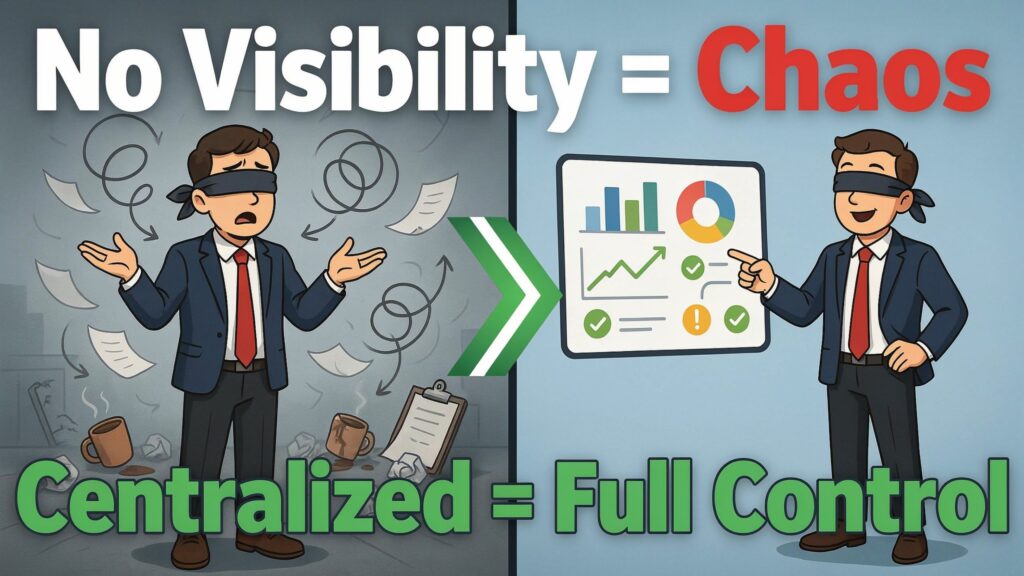
Picture this: you’re a manager, and your inbox is full of messages like “Any update on my request?” or “Has finance approved this yet?”. You open email threads, spreadsheets, and chat channels, but you still can’t answer simple questions like “Where is this approval stuck?” or “How many requests are delayed right now?”. Every update feels like manual detective work.
Without centralized workflow management, your processes live in different tools, different people’s heads, and different versions of spreadsheets. No one has a single view of what’s happening, so small delays turn into big problems: missed deadlines, frustrated customers, and teams who feel they are fighting fires all day. Leaders think they’re in control, but in reality they’re operating in the dark.
The truth is simple and painful: lack of process visibility is one of the biggest silent killers of productivity. When you can’t see the full path of work, you can’t improve it, automate it, or hold anyone accountable in a fair way. Centralized workflow management is the most effective way to fix this because it gives you one place to design, track, and analyze every step of a process in real time.
By the end of this article, you’ll have a clear picture of why invisible workflows hurt your organization, plus a practical, step-by-step guide to building centralized workflow management with modern tools. You’ll know what to measure, how to pick the right platform, and how to lead your team through the change so visibility becomes part of how you work, not just a project you start and forget.
What Process Visibility Really Means (and Why It Matters)
Process visibility is the ability to see how work moves from start to finish — who did what, when they did it, and what still needs to happen — in one place. True end‑to‑end visibility means you can trace a single request (a purchase order, a customer ticket, a new hire, a content brief) across all departments involved and know its exact status at any moment. You are not relying on memory, email searches, or “I think it’s with them now”; the system shows you the journey.business.
To turn visibility into something useful, you need to track a few key metrics across workflows. Common ones include cycle time (how long a request takes from submission to completion), bottlenecks (steps where work regularly queues up), workload distribution (who has too much or too little on their plate), and compliance status (whether required checks, approvals, and documentation are actually completed). When you measure these consistently, you can see patterns instead of guessing.
Process visibility directly shapes strategic decisions and operational control. If you know that vendor approvals take 12 days on average and 70% of that time is spent waiting for a single department, you can redesign the workflow or reassign ownership with confidence. If you see that compliance checks are frequently skipped in a rush, you can add mandatory steps, automated reminders, or stronger audit trails to avoid regulatory risks.
In short, visibility turns your processes from “black boxes” into clear maps you can inspect, question, and improve. Once you have that map, automation, better staffing, and smarter policies stop being vague ideas and become grounded in real data from your own workflows.
Why Organizations Struggle With Process Visibility
Most organizations don’t wake up and decide to make their workflows invisible — it happens slowly as tools, habits, and shortcuts pile up. If you look at your own processes honestly, you’ll probably recognize at least a few of these root causes.
Fragmented tools and systems
Requests move through email, chat, spreadsheets, project tools, ticketing systems, and departmental apps, all at once. Procurement might live in spreadsheets, HR in an HRMS, IT in a ticketing tool, and finance in its own approval system, with no central view connecting them. When information is scattered, nobody can answer basic questions without chasing multiple people.business.
Manual processes and handoffs
Many workflows still depend on someone forwarding an email, updating a spreadsheet, or remembering to “loop in” the next person. Manual handoffs are slow, error‑prone, and impossible to track at scale because the steps are not enforced by the system. When someone forgets a handoff or leaves the organization, the workflow breaks and visibility disappears.
Lack of standardized workflows
Teams often design their own way of working: different forms, different steps, different rules for similar processes. For example, marketing may have one way of requesting budget approval while sales uses another, even though finance needs the same information. Without standardization, it’s hard to compare performance or create shared dashboards because each process is a special case.
Poor integration between departments
Even when you have good tools, they rarely talk to each other out of the box. Data might flow from CRM to billing but not to operations or support, creating blind spots for teams that need the full picture. Integration gaps mean you see fragments of the truth: a ticket resolved in one system might still be blocked in another, and no one person sees both.
No real‑time tracking capabilities
Some organizations only review processes monthly or quarterly, using reports based on stale data. That means problems — delays, backlog spikes, missed approvals — are often discovered after the damage is done. Without real‑time tracking, managers can’t intervene when a process is going off track; they can only explain what went wrong later.
Inadequate reporting and analytics
Even when data is collected, it is often trapped in tools that offer limited or hard‑to‑use reporting. Teams export CSV files or copy‑paste numbers into slides, hoping to find insights manually. Without clear dashboards and drill‑down analytics, you can’t see bottlenecks, compare performance between teams, or connect workflow metrics to outcomes like revenue, cost, or customer satisfaction.
All of these factors combine into one simple outcome: you don’t truly know how your processes behave. Instead of managing by facts, you manage by anecdotes, exceptions, and whoever shouts the loudest — and that’s where the hidden costs start to pile up.
The Hidden Costs of Poor Process Visibility
When you can’t see your workflows clearly, you pay for it every day, even if those costs don’t appear on a budget line. They show up in delays, errors, stress, and missed chances to serve customers better.
Operationally, invisible processes cause bottlenecks, duplicated work, and “rework” you could have avoided. A request may get approved twice because systems are not connected, or it may sit untouched because no one realized it was waiting for action. These issues slow down everything around them, making your whole organization feel heavy and slow.business.
Financially, poor visibility leads to wasted resources and missed opportunities. You might overstaff one team while another is drowning, renew contracts you no longer need, or miss volume discounts and early‑payment benefits because approvals took too long. In regulated industries, you also risk penalties when documentation or approvals are missing or cannot be traced.
Strategically, you struggle to scale and to keep customers happy because you can’t promise reliable timelines. When processes are opaque, you can’t say with confidence, “We will deliver in X days,” which makes it hard to win large deals or hold service‑level agreements. Customer experiences become inconsistent because performance depends on individual heroics rather than a stable, visible system.
For employees, invisible workflows create constant frustration and burnout. People spend time chasing status, fixing avoidable errors, and explaining delays they don’t fully understand. High performers get pulled into manual coordination work, while others hide behind the lack of visibility to avoid accountability.
Suggested “Cost of Invisibility” table
You can summarize these impacts in a simple table that you use in leadership discussions or slide decks.
You can turn this into an infographic for your team: four quadrants showing operational, financial, strategic, and people costs, each filled with examples from your own processes. That visual makes the “invisible” visible and builds urgency for change.
How Centralized Workflow Management Delivers Complete Visibility
Centralized workflow management means you design, run, and track workflows in a single platform, rather than scattered across emails and disconnected tools. Every request enters through a defined channel (form, ticket, intake page) and follows a documented path with clear owners, deadlines, and rules. The platform becomes your “source of truth” for how work flows across the organization.business.
A good centralized workflow system gives you a dashboard where you can see the status of all key processes at a glance. You can filter by department, request type, owner, or due date to answer questions like “What’s overdue?”, “Where are we stuck?”, and “Who is overloaded right now?”. Real‑time status tracking replaces manual chasing and guessing.
Most modern platforms include built‑in bottleneck identification and performance analytics. They show steps with the longest waiting times, highlight teams with growing backlogs, and generate reports on cycle time trends and throughput. Instead of relying on intuition, you can see which part of the workflow needs redesign or additional resources.
Audit trails and compliance logs are another major benefit. The system records who approved what, when, under which conditions, and with which attached documents. This is critical in finance, HR, healthcare, and regulated industries where you must prove that checks were done and policies were followed.
Real examples from case studies and vendor reports show that centralized workflow management often leads to faster approvals, fewer errors, and better resource allocation. For instance, organizations that implemented enterprise workflow platforms report improved operational efficiency by automating handovers and removing redundant steps. Others highlight “enhanced visibility into processes” as a key outcome, since managers can see where every task stands and what comes next.business.
Cross‑department transparency may be the biggest cultural win. When everyone shares the same view of the process, blame games reduce, collaboration improves, and conversations shift from “Who messed up?” to “How can we fix this step for everyone?”. That change, supported by a central system, makes continuous improvement normal rather than a one‑time initiative.
Step‑by‑Step Guide: Implementing Centralized Workflow Management
You don’t need to transform everything overnight. You can start with a few critical workflows and expand as you build confidence. Here’s a practical roadmap you can follow in your own organization.
Step 1: Map your current workflows and visibility gaps
Start by listing your key processes: for example, purchase approvals, new employee onboarding, customer support escalation, content production, or change management. For each one, sketch the current steps, tools used, people involved, and where information lives (email, spreadsheets, ticketing systems, shared drives). Then ask: “Where do we lose visibility?” — which steps are unclear, untracked, or depend on memory.
Step 2: Define visibility KPIs and reporting needs
For every workflow, decide what “good visibility” looks like. Typical KPIs include average cycle time, number of items in each stage, on‑time completion rate, error/rework rate, and compliance completion rate. Think about the dashboards you want: for example, a manager view of all pending approvals, or an executive view of how key processes affect customer response times or project delivery.
Step 3: Select the right centralized platform
Look for workflow management or automation tools that can cover your core needs: workflow design, role‑based permissions, dashboards, analytics, and integration with your existing systems. Many platforms in 2026 focus on visual workflows, cross‑team coordination, and enterprise governance, making it easier to standardize processes while keeping flexibility. You’ll see names like monday.com, Asana, ClickUp, Wrike, Jira, Kissflow, and Pipefy in most expert lists of best workflow management tools.
Step 4: Design and migrate workflows
Choose a few high‑impact workflows as pilots and design them inside the platform. Define stages, owners, rules (for example, auto‑assign based on region or request type), and required fields so you capture all necessary data at the start. Migrate from spreadsheets and emails to structured forms and tasks; where needed, integrate with your existing systems so data flows automatically instead of being typed twice.
Step 5: Roll out dashboards and train teams
Visibility doesn’t help if people don’t know how to use it. Build simple dashboards for different roles — frontline workers, team leads, executives — and show them how to read and act on the data. Use live examples from your own workflows to demonstrate how they can spot bottlenecks, reassign tasks, and answer status questions in seconds.
Step 6: Establish monitoring and continuous improvement
Once your workflows are running centrally, schedule regular reviews where you look at metrics and feedback. Ask questions like “Which steps are consistently slow?”, “Where do errors keep happening?”, and “Which team is overloaded?”. Adjust workflows, add automation, or refine rules based on real data; this ongoing tuning is what turns a tool into a long‑term solution instead of a one‑time project.
Readiness checklist
You’re ready to centralize workflow management if:
-
You have at least three core processes that regularly cause delays or confusion.
-
Your teams rely heavily on email and spreadsheets for approvals or handoffs.
-
Leaders complain about lack of visibility or unreliable reports.business.
-
You face compliance, scaling, or customer experience risks due to inconsistent processes.business.
Tool selection framework
When evaluating platforms, compare them on:
-
Workflow design: How easily can you model your real processes (branches, conditions, approvals)?
-
Integration: Can the tool connect to your CRM, ERP, HR, support, and finance systems without heavy custom work?
-
Dashboards and analytics: Are there strong reporting and bottleneck views out of the box?
-
Security and compliance: Does it offer audit trails, role‑based access, and regional compliance support?
-
Pricing and scalability: Are there plans that fit your current size and allow you to grow?
Use this framework to avoid picking a tool that looks nice in demos but doesn’t fit your real visibility needs.
Best Centralized Workflow Management Tools
Dozens of platforms offer workflow management in 2026, but a few names consistently appear in expert reviews and comparison guides. These tools combine workflow design, collaboration, and reporting with flexible pricing so you can start small and scale with confidence.
Here’s a simplified comparison table based on 2026 rankings and reviews:
You don’t need the “best” tool overall; you need the best tool for your processes, culture, and integration needs. Use pilots with a few workflows before committing widely, so you can see how each platform supports visibility in real life.
Common Challenges and How to Overcome Them
Centralizing workflows is powerful, but it’s not painless. You’ll almost certainly face resistance, migration issues, and cultural hurdles.
Some people will fear “too much visibility” and worry it will be used to punish rather than help. Address this by framing visibility as a way to remove chaos, share workload fairly, and fix broken steps, not to blame individuals. Involve frontline teams in workflow design so they see the system as something they helped build.
Data migration can be tricky when information lives in scattered spreadsheets and shared drives. Start with high‑value fields and documents, and avoid trying to migrate every historical detail unless you truly need it. Use integrations and templates from your chosen platform to reduce manual work.
Culturally, you are moving from informal “just send me an email” habits to structured, tracked workflows. Expect a learning curve and support people with training, quick wins, and visible improvements in their day‑to‑day work (fewer status emails, clearer priorities, cleaner dashboards).
Future Trends in Workflow Visibility
Workflow visibility is evolving fast, especially with AI‑enabled tools and automation platforms. Vendors now offer anomaly detection that flags unusual delays, missing steps, or risky patterns before they turn into failures.cio.economictimes.
AI‑enhanced predictive visibility will help you forecast when backlogs will grow, which requests are likely to breach deadlines, and where capacity will run short. Instead of reacting when a process breaks, you’ll be able to see problems forming and adjust resources or rules in advance.
You can also expect smarter routing, where systems assign tasks based on skills, workload, and historical performance, not just static rules. All of this makes centralized workflow management even more valuable, because the AI needs a clear, complete view of your workflows to work well.cio.economictimes.
Conclusion & Action Plan
If you can’t answer “Where is this approval stuck?” without opening five tools and asking three people, you have a visibility problem — not just a busy day. Lack of centralized workflow management quietly drains productivity, increases costs, and makes life harder for you and your team.
Centralized workflow management fixes this by giving you one place to design, track, and improve how work flows across your organization. With clear dashboards, real‑time tracking, bottleneck analytics, and audit trails, you move from guessing to managing with facts.
Your next step is simple: conduct a visibility audit. List your top five workflows, map where they live today, and mark where you lose sight of status or ownership. Use the guide and checklists in this article to choose a platform, pilot a few workflows, and build the culture of visibility your organization needs. When you do, you won’t just know where work is — you’ll finally be able to shape how it flows.
