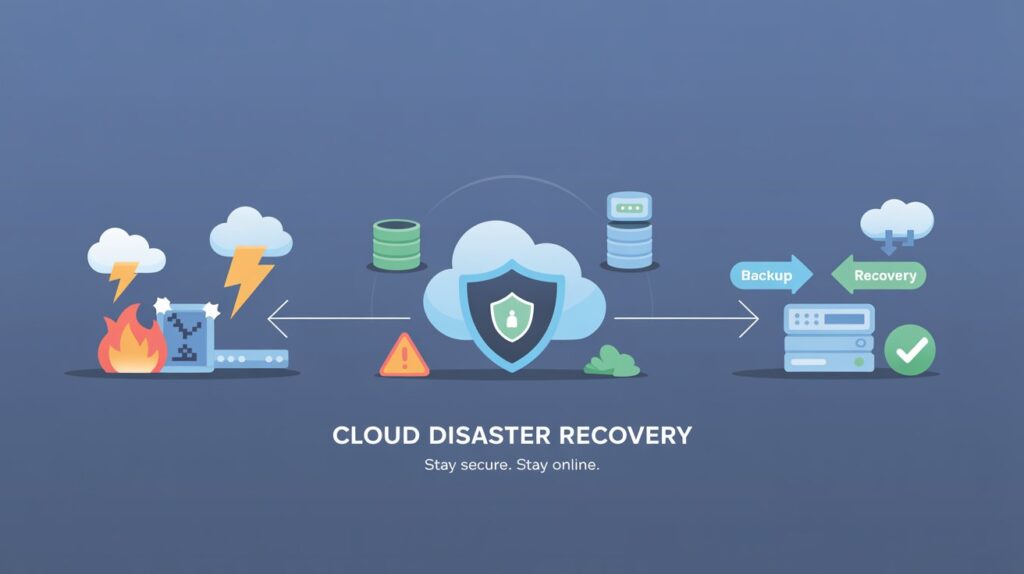
Understanding Cloud Security in Disaster Recovery
Disaster recovery is a critical part of any business continuity plan. Cloud security plays an important role in helping organizations recover quickly after unexpected events. By using the right security strategies, businesses can protect their data and maintain operations even during major disruptions.
The shift to cloud-based disaster recovery has changed how companies approach resilience. Instead of relying only on physical backups or on-premises infrastructure, organizations can use cloud services to store data and applications securely. This approach allows for faster recovery and greater flexibility. Cloud disaster recovery also provides scalability, letting businesses adjust resources as their needs change.
Cloud security involves protecting data, applications, and infrastructure from threats such as cyberattacks, accidental deletion, or natural disasters. When disaster strikes, a well-designed cloud security strategy ensures that sensitive information remains safe and available. This is especially important for organizations in regulated industries or those handling personal or financial data.
Key Principles of Cloud Security for Disaster Recovery
A strong disaster recovery plan in the cloud should address data protection, access control, and continuous monitoring. To learn more, see Cloud computing security for effective disaster recovery. Organizations must ensure that sensitive data remains safe, even if systems are compromised. Access controls limit who can view or change critical information, reducing the risk of unauthorized access.
One of the first steps in cloud security is to clearly define roles and responsibilities. By assigning specific tasks to team members, organizations can respond more quickly to incidents and ensure nothing is overlooked. It s also important to use secure authentication methods, like multi-factor authentication, to prevent unauthorized access to cloud resources.
Regular audits and reviews of user permissions help identify potential vulnerabilities. In addition, maintaining updated documentation of your security policies and procedures ensures your team is prepared to respond to disasters. For more information on best practices, the Cybersecurity & Infrastructure Security Agency (CISA) provides useful guidance on cloud security.
Risk Assessment and Planning
Before building a disaster recovery strategy, assess your risks. Identify which systems are most important and which threats are likely. This assessment helps prioritize resources and create a recovery plan tailored to your needs. The National Institute of Standards and Technology (NIST) provides guidelines on risk management for cloud environments.
Risk assessment involves evaluating both internal and external threats. Internal threats can include human error, employee misuse, or system failures. External threats may come from cybercriminals, natural disasters, or power outages. Understanding these risks helps organizations design controls that protect essential systems and data.
A thorough risk assessment also considers the impact of downtime. For example, losing access to critical customer data could damage a company’s reputation and result in financial losses. By understanding these consequences, organizations can develop strategies to minimize disruptions and speed up recovery.
Data Backup and Replication
Regular data backups are essential for disaster recovery. Cloud-based solutions allow for automated backups and easy data replication across different locations. This approach ensures that businesses can restore lost files quickly after a disaster. According to the U.S. Cybersecurity & Infrastructure Security Agency (CISA), organizations should test their backup and recovery processes regularly to ensure data integrity.
Automated backups reduce the risk of human error and ensure that data is consistently protected. Many cloud providers offer versioning, which allows organizations to restore previous versions of files in case of accidental deletion or corruption. Data replication, where copies of data are stored in multiple geographic locations, adds another layer of protection. If one site is affected by a disaster, data can be restored from another location.
It is important to choose a backup schedule that matches your business needs. Some organizations may need hourly backups, while others may need daily or weekly backups. Testing your backup and recovery processes is critical to confirm that data can be restored quickly and accurately after an incident. For more details, the Federal Emergency Management Agency (FEMA) offers resources on data backup for disaster recovery.
Access Management and Identity Protection
Managing user access is a key part of cloud security. Use multi-factor authentication and strict permissions to control who can access sensitive data. This reduces the risk of breaches during a disaster recovery event. The Cloud Security Alliance (CSA) recommends implementing strong identity and access management policies to prevent unauthorized access.
Role-based access control (RBAC) is a common method for managing permissions. With RBAC, users are assigned roles based on their job responsibilities. This limits access to only the data and systems required for their work. Regularly reviewing and updating user roles helps avoid privilege creep, where users accumulate unnecessary permissions over time.
Identity protection also involves monitoring for suspicious login attempts and enforcing password policies. Requiring strong, unique passwords and frequent password changes adds another layer of security. Training employees on safe password practices and how to recognize phishing attempts can further reduce risks.
Encryption and Data Security
Encryption protects data both at rest and in transit. By encrypting files and communications, businesses can keep information safe from attackers. Make sure your cloud provider supports robust encryption methods for all stored and transmitted data.
Data at rest refers to information stored on cloud servers. Encrypting this data ensures that even if storage media are lost or stolen, the information remains unreadable without the key. Data in transit, such as files sent between users or between data centers, should also be encrypted using secure protocols like TLS (Transport Layer Security).
Key management is another important aspect of encryption. Organizations must decide who controls the encryption keys. Some businesses prefer to manage their own keys, while others rely on their cloud provider’s key management service. Each approach has benefits and risks, so it is important to choose the option that aligns with your security requirements. The National Cyber Security Centre (NCSC) in the UK provides detailed advice on cloud encryption and key management.
Continuous Monitoring and Incident Response
Constant monitoring helps detect threats early and speeds up response times. Use cloud tools that provide real-time alerts and automated responses to suspicious activity. A clear incident response plan ensures that teams know what to do if a breach occurs during disaster recovery.
Monitoring tools can track user activity, network traffic, and system changes. If unusual behavior is detected such as a large data transfer or an unauthorized login attempt the system can alert security staff or take automated actions, like blocking the user account. These measures help stop threats before they cause serious damage.
Incident response plans should outline the steps to take when a security event is detected. This includes identifying the threat, containing it, eradicating the cause, and recovering affected systems. Regularly reviewing and updating the incident response plan ensures it remains effective as new threats emerge. The U.S. Department of Homeland Security (DHS) offers resources on building incident response capabilities.
Regulatory Compliance and Cloud Security
Compliance with regulations such as GDPR, HIPAA, or PCI DSS is important when using cloud services for disaster recovery. Make sure your policies meet industry standards and legal requirements. Regular audits and assessments help maintain compliance and reduce legal risks.
Cloud providers often offer features to help organizations meet compliance requirements, such as data residency controls, audit logs, and compliance certifications. However, it is the responsibility of each organization to understand which regulations apply to their data and operations. This includes knowing where data is stored and processed, and ensuring that privacy and security controls are in place.
Failure to comply with regulations can result in fines, legal consequences, and reputational damage. Therefore, organizations should work closely with legal and compliance teams to review their disaster recovery plans and make necessary updates. The European Union Agency for Cybersecurity (ENISA) provides guidance on regulatory compliance in cloud computing.
Testing and Improving Disaster Recovery Plans
Regular testing is crucial for a successful disaster recovery plan. Simulate different scenarios to check if your cloud security measures are effective. Update your plan based on test results and changes in technology or business needs.
Testing can take several forms, including tabletop exercises, simulated outages, and full-scale recovery drills. These tests help identify gaps in your plan and train staff on their roles during a real disaster. After each test, conduct a review to document lessons learned and areas for improvement.
Continuous improvement is key. As technology evolves and new threats emerge, organizations should revisit their disaster recovery strategies. Regularly updating documentation, policies, and technical controls ensures your plan stays relevant and effective. The SANS Institute offers resources and templates for disaster recovery planning and testing.
Conclusion
Cloud security is essential for effective disaster recovery. By following best practices such as risk assessment, data protection, and regular testing, organizations can build resilient systems that minimize downtime. A well-prepared disaster recovery plan ensures business continuity even during unexpected events. As cloud technologies continue to advance, staying informed about new security threats and solutions will help organizations adapt and maintain strong protection for their critical assets.
FAQ
What is cloud disaster recovery?
Cloud disaster recovery uses cloud-based services to back up and restore data and applications after a disruption. It helps organizations recover quickly and continue operations.
Why is encryption important for cloud disaster recovery?
Encryption protects sensitive data during storage and transmission, reducing the risk of unauthorized access during a disaster recovery event.
How often should disaster recovery plans be tested?
Disaster recovery plans should be tested at least annually. More frequent testing is recommended for critical systems or after significant changes.
What role does access management play in cloud security?
Access management controls who can view or modify data in the cloud. It reduces the risk of unauthorized access and supports secure disaster recovery.
What regulations should organizations consider for cloud disaster recovery?
Organizations should comply with regulations such as GDPR, HIPAA, or PCI DSS, depending on their industry and location. These standards help protect data and ensure legal compliance.
