Imagine you are holding 10,000 dollars worth of Bitcoin on your phone – and you lose access overnight because you skipped one simple backup step.
That sounds extreme, but it has happened to many people who treated their first crypto wallet like a casual app.
In 2025, different reports estimate that around 10 to 15 percent of the world’s population already owned some form of cryptocurrency, and adoption is still rising into 2026.
With more people joining, attacks, scams, and hacks have also grown, so your very first crypto wallet setup now matters as much as your investment choices.
The good news is that creating a crypto wallet in 2026 is much easier and safer than it was a few years ago.
You now have beginner‑friendly apps, hardware devices, and even smart wallets with AI security helping you avoid scams.
This guide walks you step by step through your first crypto wallet setup, compares the main wallet types, shows common mistakes to avoid, and gives you clear best practices so you can protect your coins like a pro.
You will learn how to pick the right wallet for your budget and skill level, follow simple checklists to set it up, and keep it safe for the long term.
What Is a Crypto Wallet? (And Why You Need One in 2026)
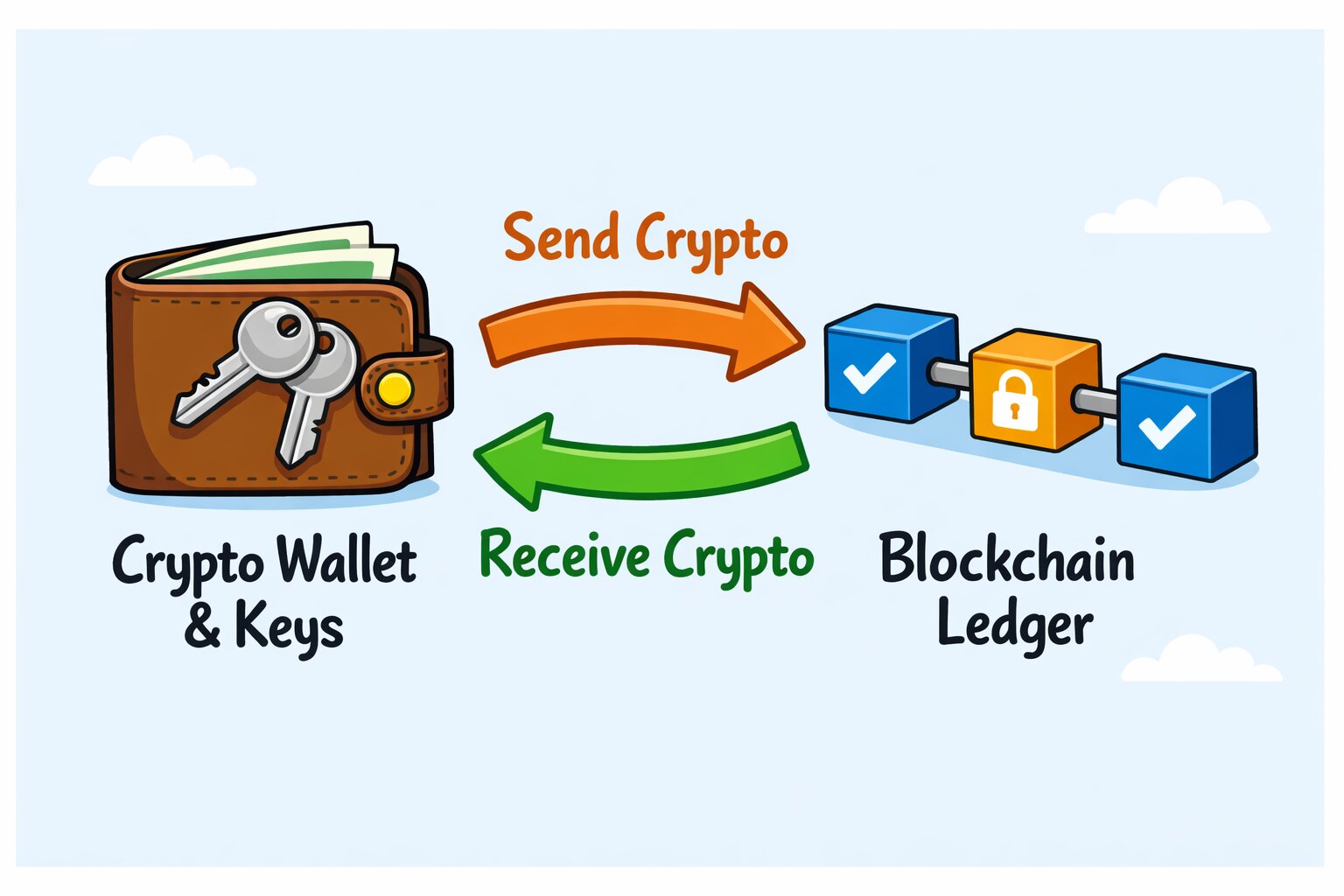
A crypto wallet is a tool – software, hardware, or even paper – that helps you control your digital money on a blockchain by managing your public and private keys.
Your coins do not sit inside the wallet itself.
They always live on the blockchain; the wallet simply proves that you are the owner and lets you send and receive funds using your keys.
-
A public key (and the wallet address derived from it) is like your bank account number – you share it so people can send you crypto.
-
A private key or seed phrase is like the master password to that account – anyone who has it can move your funds.
When you create a crypto wallet, you are really creating and securing a pair of keys.
The app or device then gives you a friendly interface to work with those keys without having to see the raw cryptography underneath.
Wallets vs. Exchanges
Many beginners first meet crypto through an exchange like Coinbase, Binance, or Kraken.
On these platforms, you see a balance and an in‑app “wallet,” but in most cases the company holds the private keys for you – this is called a custodial wallet.
You have an account, not full control of the keys.
A true self‑custody crypto wallet (also called a non‑custodial wallet) gives you the seed phrase and private keys so that only you can move your coins.
If the company behind the app disappears, you can still recover your funds with that seed phrase in another compatible wallet.
This is the main difference between holding crypto on an exchange and doing your own crypto wallet setup.
Key Benefits of Using Your Own Wallet
-
Self‑custody: You, not a company, hold the keys.
If an exchange is hacked, freezes withdrawals, or shuts down, your self‑custody funds are not trapped on that platform. -
Privacy and control: Good self‑custody wallets avoid unnecessary tracking and let you choose which networks and apps you interact with.
-
Access to DeFi and NFTs: Many modern wallets connect directly to decentralized finance apps, NFT marketplaces, and Web3 games across several blockchains, which is not always possible from a simple exchange account.
In 2025 and 2026, multi‑chain wallets that support several networks (like Bitcoin, Ethereum, Solana, Polygon, and more) in one interface have become standard, so you no longer need one app per chain.
That means one well‑chosen wallet can be your base for investing, DeFi, and NFTs.
2026 Trends You Should Know
Several big trends shape how wallets work in 2026:
-
Multi‑chain by default: Wallets like Exodus, Phantom, and Coinbase Wallet now support many blockchains in a single interface and let you swap between them inside the app.
-
AI‑powered security: A new wave of “smart” or AI‑enhanced wallets use machine learning and behavioral analytics to flag suspicious transactions, detect phishing links, and optimize fees before you sign.
-
Stronger regulation, especially in the EU and US: In Europe, the MiCA framework now covers wallet providers and other crypto‑asset service firms, phasing in stricter rules between late 2024 and mid‑2026.
In the US, the SEC and state regulators have issued new guidance on crypto custody and are rolling out detailed tax reporting via forms like 1099‑DA from 2025 onward.
For you as a user, this means safer, more polished wallets – but also more identity checks when you use custodial or regulated services.
If you prefer privacy, you can still pick self‑custody wallets that do not require ID, but you must take security seriously yourself.
How Wallets Help With Tax Reporting
The IRS treats crypto as property, so every taxable sale, swap, or spending event must be reported, usually on Form 8949 and then summarized on Schedule D of your tax return.
Self‑custody wallets themselves are not reported like bank accounts, and moving coins between your own wallets is not a taxable event, but your wallet history still feeds into your tax records.
Crypto tax tools such as Koinly, CoinTracker, and similar services can connect to many wallets and exchanges by API or public address to pull your transactions and generate filled‑in Form 8949 and TurboTax‑ready reports.
Using a clean wallet setup from day one makes it easier to track your cost basis and avoid headaches if the IRS ever asks questions.
Types of Crypto Wallets: Hot vs. Cold, Software vs. Hardware – Which Is Right for You?
When you create a crypto wallet, your main decision is how much convenience you want versus how much security you need.
Most options fall into two big groups: hot wallets and cold wallets.
Within those, you also have custodial vs. non‑custodial, mobile vs. desktop, and extras like multi‑signature.
Hot Wallets (Online / Connected)
A hot wallet is connected to the internet most of the time.
These are usually apps on your phone, browser extensions, or web wallets.
Examples include MetaMask, Phantom, Coinbase Wallet, Trust Wallet, and Exodus’s mobile or browser apps.
Pros of hot wallets:
-
Fast and convenient for daily use.
-
Usually free to download.
-
Perfect for small balances, DeFi, NFTs, and frequent trading.
-
Easy to connect to dApps, games, and Web3 services.
Cons of hot wallets:
-
Always‑online connection means more exposure to hacks and malware than fully offline storage.
-
If your device is infected or you fall for a phishing site, your keys can be stolen.
Some hot wallets now add AI‑based threat detection, scam warnings, and smart gas‑fee estimates, which make them safer and cheaper to use than old‑style wallets.
Still, you should treat them like cash in your pocket – fine for spending money, not your life savings.
Cold Wallets (Offline)
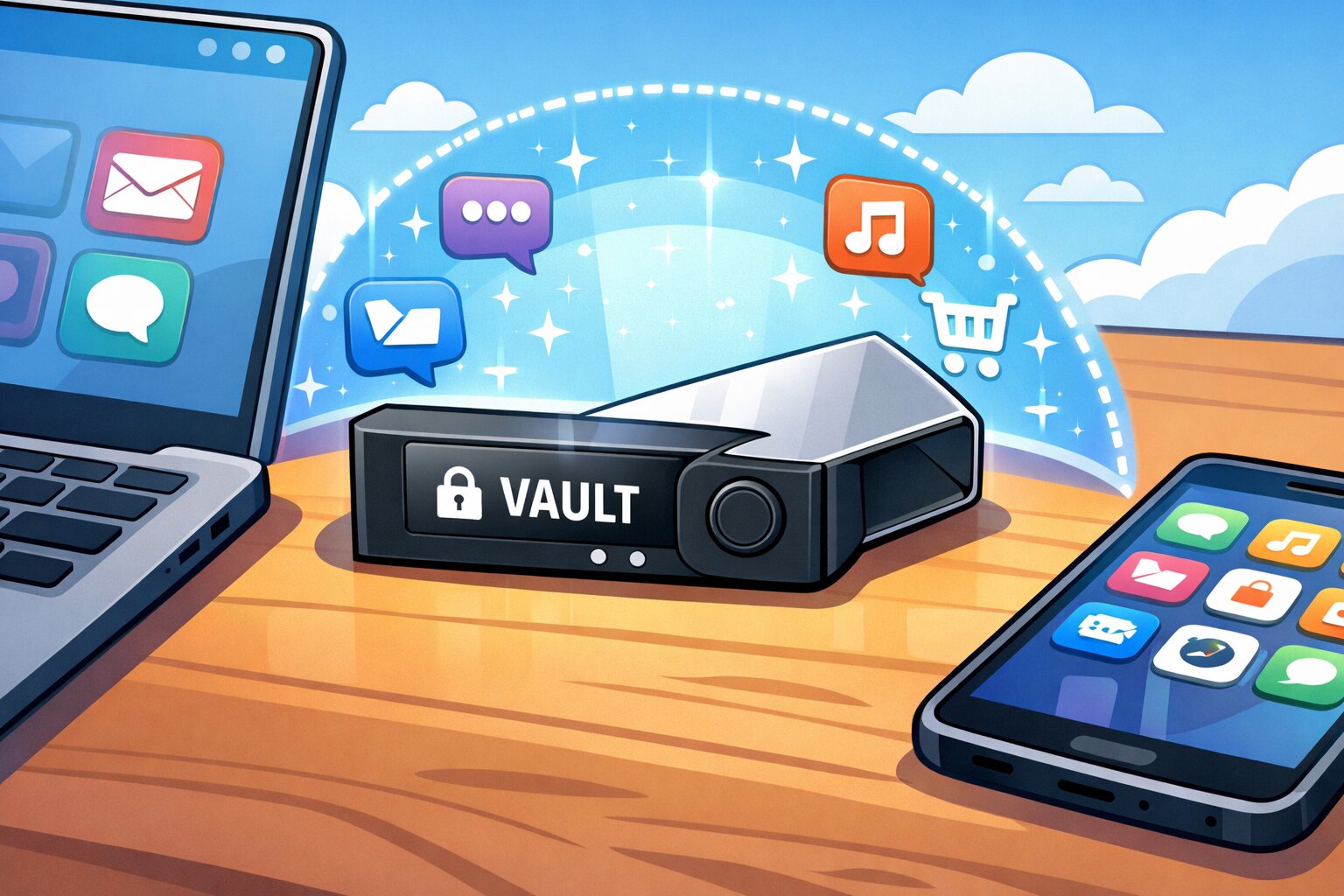
Cold wallets keep your private keys offline, away from the internet.
The most common type is a hardware wallet: a small USB‑style device such as the Ledger Nano X, Ledger Nano S Plus, Trezor Model T, or newer Trezor Safe devices.
Pros of cold wallets:
-
Keys stay on the device and never touch an internet‑connected computer.
-
Even if your PC gets malware, attackers cannot sign transactions without physically using the hardware wallet screen and buttons.
-
Ideal for long‑term “HODL” and larger balances.
Cons of cold wallets:
-
You must buy the device – expect roughly 50 to 150 dollars depending on model and region.
-
Slight learning curve: you need to install a companion app (like Ledger Live or Trezor Suite), write down a seed phrase, and confirm each transaction on the device.
-
Less handy for many small trades.
A common approach in 2026 is to use a hot wallet for everyday spending and DeFi, and a cold hardware wallet for long‑term storage.
Hardware devices such as Ledger and Trezor can also connect to software wallets like Exodus, MetaMask, and Phantom, so you get both convenience and hardware‑level security.
Other Wallet Types: Custodial, Paper, and Multi‑Signature
Beyond normal hot and cold wallets, there are a few special types you should know.
-
Custodial wallets: These live on exchanges or fintech apps, where the company controls the keys.
Think of a Coinbase, Kraken, or Binance account.
They are very easy for beginners and usually have built‑in tax reports and bank on‑ramps, but you carry platform risk if the firm goes down or gets hacked. -
Paper wallets: A seed phrase or private key written or printed on paper and stored offline.
They give strong offline security if stored well, but they are easy to damage or lose and are less common today as hardware wallets have become cheaper. -
Multi‑signature (multi‑sig) wallets: These require two or more approvals to move funds – for example, two out of three keys must sign before a transaction is valid.
They remove the “single point of failure” and are widely used by businesses, DAOs, and families managing larger treasuries.
Global vs. USA: Compliance and Reporting
If you are in the US, there are two extra things to keep in mind:
-
Regulated custodial services: US‑based exchanges and custodial wallet providers are usually registered with FinCEN as money services businesses and must follow the Travel Rule, collecting and sharing sender and recipient data for many transfers above 3,000 dollars in value.
-
Tax reporting: Major exchanges now issue Form 1099‑DA with transaction details starting for the 2025 tax year, and the IRS expects your self‑reported Form 8949 to match this data.
Self‑custody software and hardware wallets are still legal and do not require KYC to install, but once you send coins through regulated custodians or convert to fiat, those transactions enter the monitored system.
Global users outside the US face similar rules through the FATF Travel Rule and regional regulations like MiCA in Europe, which push custodial providers toward stricter KYC and data sharing.
Quick Comparison of Main Wallet Types
How to Choose the Best Crypto Wallet for Your Needs
Before you jump into any specific app or device, take a moment to think about how you plan to use crypto.
The “best” wallet is not the fanciest one; it is the one that matches your security needs, coins, budget, and comfort with technology.
Step 1: Decide Your Security Level
Ask yourself:
-
How much money are you planning to store in crypto right now?
-
Would losing it hurt badly, or is it an amount you can afford to experiment with?
-
Are you okay with a little extra setup work in exchange for much better safety?
In general:
-
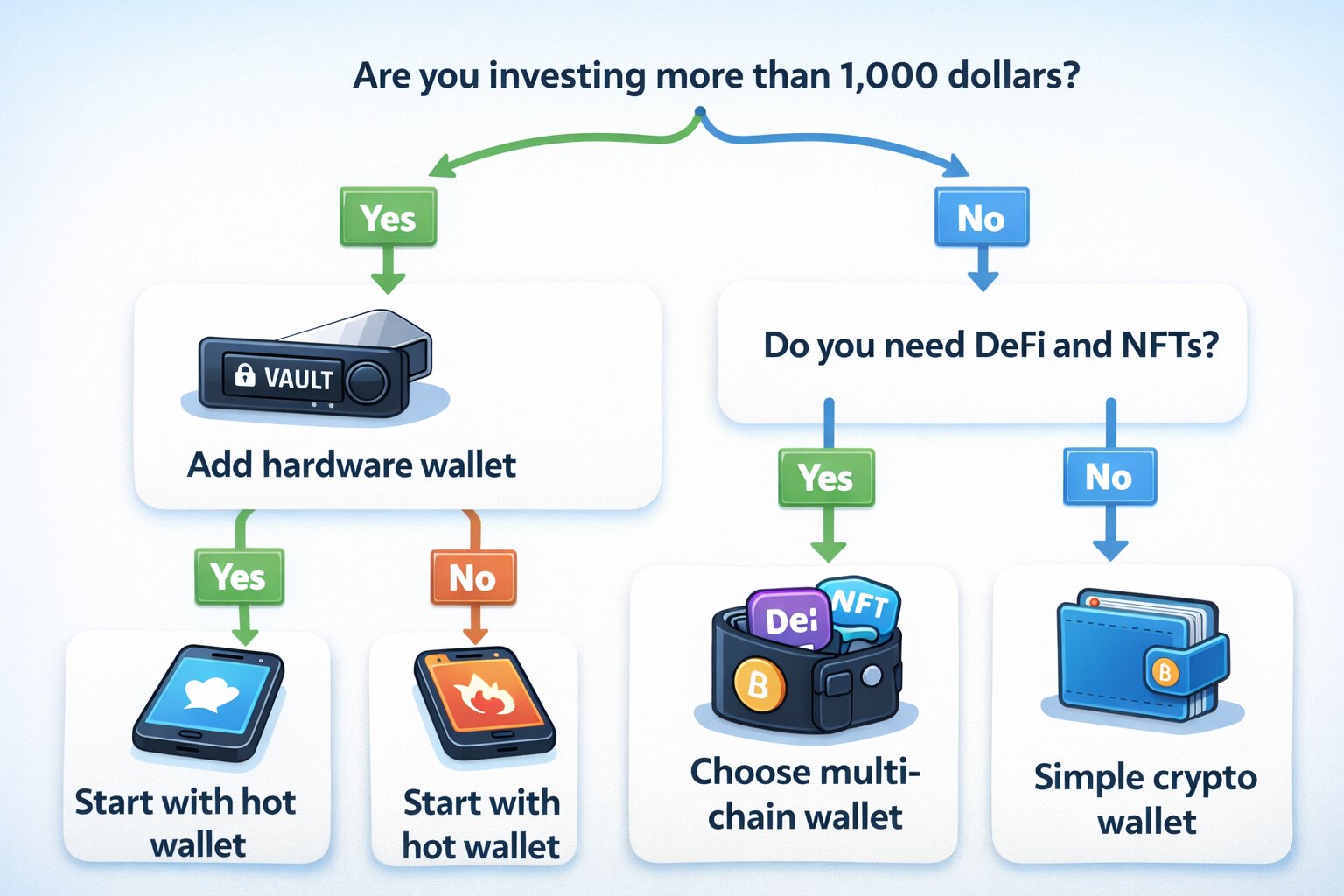
For a few hundred dollars and casual DeFi or NFT use, a good hot software wallet is fine.
-
For thousands of dollars or more that you want to hold for years, a hardware wallet or a mix of hot + hardware is a better idea.
-
For business or shared family funds, consider a multi‑signature wallet.
Step 2: Check Which Coins and Chains You Need
Not every wallet supports every coin.
In 2026 many leading wallets are multi‑chain and cover major networks like Bitcoin, Ethereum, Solana, and EVM Layer‑2 chains, but you still need to double‑check.
Examples:
-
Exodus: Great for multi‑crypto portfolios on desktop and mobile; supports hundreds of assets and integrates with Web3 and Trezor hardware.
-
Phantom: Started as a Solana wallet, now supports Solana, Ethereum, Polygon, and more, with built‑in swaps, NFTs, and staking.
-
Coinbase Wallet: Designed for Ethereum and EVM‑compatible chains, easy to link with Coinbase exchange, and works well with tax software.
-
Ledger Nano X / Trezor Model T: Hardware devices that work with many third‑party wallets and support thousands of coins and tokens.
If you plan to focus mainly on Solana, a Solana‑first wallet like Phantom or Solflare plus optional hardware support is a strong choice.
If you want a broad multi‑chain portfolio heavy on Ethereum and Layer‑2 networks, MetaMask or Exodus paired with a hardware wallet is popular among 2026 users.
Step 3: Match Your Budget and Tech Comfort
-
Budget under 100 dollars: Start with a well‑known hot wallet such as Exodus, Coinbase Wallet, MetaMask, or Phantom.
Later, you can add a hardware wallet when your holdings grow. -
Budget 100 dollars and up: Consider buying a Ledger Nano X or Trezor hardware wallet from the start for savings you plan to keep long term.
-
Not very technical: Choose beginner‑friendly wallets with simple interfaces and strong help sections; in independent 2026 roundups, Exodus and Coinbase Wallet often score highly for usability.
-
More advanced: Explore multi‑sig setups, AI‑enhanced wallets, or wallets with built‑in DeFi automation.
Wallets That Make Taxes Easier
If you are a US user, think ahead about taxes when you do your crypto wallet setup.
You will thank yourself later.
Look for:
-
Wallets and exchanges that can export full transaction histories in CSV or connect via API to tools like Koinly.
These tools then generate Form 8949 and Schedule D for you and even make TurboTax‑ready files. -
Custodial platforms that issue clear annual statements and 1099 forms once the new broker rules are fully in force.
In practice, many US investors use a mix: a regulated exchange for buying and selling, one or two self‑custody wallets for holding and DeFi, and crypto tax software that pulls everything together at the end of the year.
Step‑by‑Step Guides: How to Create and Set Up Popular Crypto Wallets
This section walks you through three kinds of crypto wallet setup, from easiest to most advanced.
You do not need to complete all of them – pick the one that fits your goal and budget.
Easy Mode – Set Up a Custodial Wallet Account (Example: Coinbase Exchange Account)
A custodial exchange account is the fastest way to start if you only want to buy a little crypto and learn the basics.
You will not control the keys yet, but you can always move to self‑custody later.
1. Go to the official website or app store.
Type the URL manually (for example, coinbase.com) or use the official app stores; avoid links from email or social media to reduce phishing risk.
2. Create your account.
Sign up with your email, create a strong password, and enable two‑factor authentication (2FA) using an authenticator app.
3. Complete KYC.
For US users this usually means sharing your name, address, and an ID document; some platforms may request your Social Security Number for tax reporting.
4. Link a payment method.
Add a bank account, card, or other local method supported in your country.
5. Buy a small amount of crypto.
Start with a test amount – for example, 20 or 50 dollars in Bitcoin or a major coin.
6. Learn how to withdraw.
Practice sending a small amount to a self‑custody wallet later; this is how you will eventually move into full control.
For US taxes, major exchanges increasingly provide end‑of‑year reports and, from the 2025 tax season onward, Form 1099‑DA with detailed trade data, which connects to tax software and helps you fill Form 8949 and Schedule D.
Intermediate – Create a Hot Software Wallet (Example: MetaMask or Phantom)
If you are ready to hold your own keys and explore DeFi or NFTs, a non‑custodial hot wallet is the next step.
The process is similar across MetaMask, Phantom, Coinbase Wallet, Exodus browser extension, and others.
1. Install the official app or browser extension.
Use links from the project’s official site or verified app store listings; double‑check the publisher name and reviews.
Wallets like MetaMask and Phantom are available on Chrome, Firefox, and mobile app stores, and support multiple chains including Ethereum, Solana, and others.
2. Click “Create Wallet” or “Get Started.”
The app will prompt you to set a password for local access.
This password protects the wallet on that device but does not replace your seed phrase.
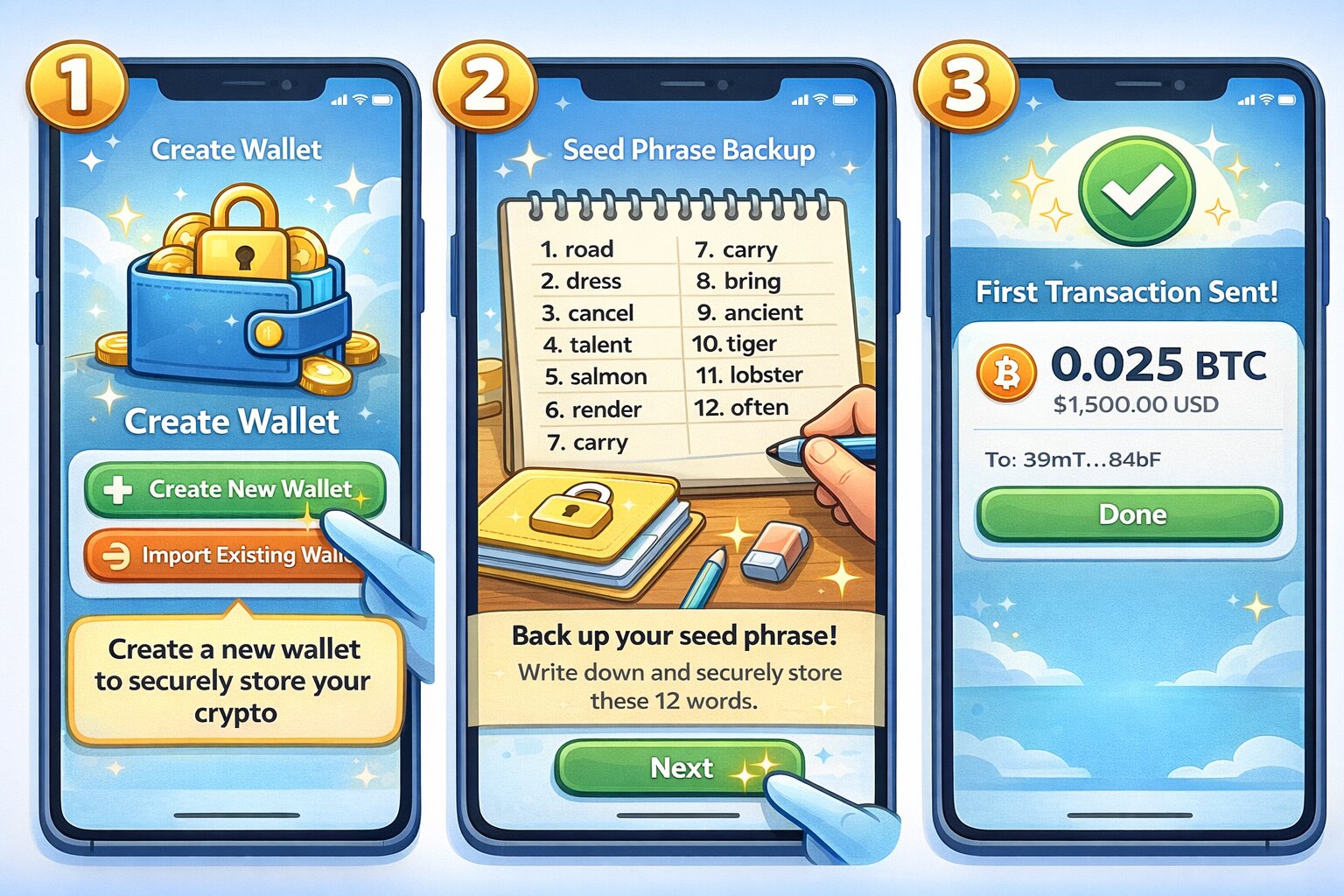
3. Back up your seed phrase offline.
The wallet now shows a list of 12 or 24 words – your secret recovery phrase.
Write it down neatly on paper, make at least two copies, and store them in separate safe places.
Do not take a screenshot, do not save it in cloud notes, and never share it with anyone.
4. Confirm your seed phrase.
The app will ask you to re‑enter some or all of the words to confirm you wrote them down correctly.
5. Add networks and tokens.
MetaMask, for example, can connect to Ethereum mainnet and many EVM networks like Polygon, Arbitrum, Optimism, and Base; Phantom connects to Solana, Ethereum, Polygon, and more.
You can usually add networks from a simple menu and see your balances per chain.
6. Enable extra security.
Turn on biometric unlock on mobile, auto‑lock after a short idle time, and phishing protection or scam alerts if the wallet offers them.
Some wallets now use AI‑assisted checks that warn you about risky dApps or suspicious token approvals.
7. Test with a small transfer.
Send a tiny amount (like 5 or 10 dollars worth) from your exchange to the new wallet address.
Confirm it arrives and that you can send it back or swap it inside the wallet.
Now you officially control your own keys.
Any time you create a crypto wallet like this on a new device, repeat the same careful backup and test process.
Advanced – Build a Cold Hardware Wallet (Example: Ledger Nano S Plus or Nano X)
A hardware wallet is your personal crypto vault.
It adds a layer of physical security on top of your software wallets.
1. Buy directly from the official store or a trusted reseller.
For security reasons, it is best to order devices like Ledger and Trezor from their own sites or from major, well‑known retailers; avoid used or unknown sources to reduce the risk of tampering.
2. Unbox and inspect.
Check the packaging for signs of damage or prior opening.
Modern devices include tamper‑evident features and on‑device checks to confirm authenticity.
3. Install the companion app (Ledger Live or Trezor Suite).
Download the software from the official site.
Ledger Live, for example, is available on Windows, macOS, Linux, iOS, and Android and supports thousands of coins and tokens.
4. Initialize the device.
Connect the hardware wallet to your computer or phone and choose “Set up as new device.”
Create a secure PIN on the device itself.
5. Generate and back up your seed phrase.
The device shows a 12–24 word recovery phrase on its small screen.
Write the words down on the provided cards or your own archival‑quality paper; some users engrave them in steel plates for fire and water resistance.
Never type these words into a computer or phone.
6. Install coin apps.
Inside Ledger Live or Trezor Suite, choose which coins you want to manage (for example, Bitcoin, Ethereum, Solana) and install their apps on the device.
7. Receive and send a test transaction.
Create a receive address for Bitcoin or another coin and send a small amount from your exchange or hot wallet.
When you later send funds out, confirm the destination address and amount on the device screen before you approve.
From now on, you can pair this hardware wallet with software wallets like MetaMask, Exodus, or Phantom so that your keys stay on the hardware device but you still enjoy a nice interface and DeFi access.
This is one of the safest ways to handle large balances in 2026.
Essential Security Best Practices: Protect Your Crypto Wallet Like a Vault
Once you create a crypto wallet, your biggest job is keeping it safe.
Most losses do not happen because blockchains are broken; they happen because someone tricks or hacks the user.
Backup and Recovery: Treat Your Seed Phrase Like Gold
-
Write your seed phrase by hand on paper or metal and store it somewhere only you and trusted people can reach.
-
Make at least two copies and keep them in different locations to protect against fire, flood, or theft.
-
Never store seed phrases or private keys in cloud storage, email, password managers that you do not fully trust, or chat apps – many past hacks came from exactly this mistake.
-
Consider a fireproof and waterproof safe at home, or a bank safety deposit box for higher amounts.
Advanced users sometimes use techniques such as Shamir’s Secret Sharing or multi‑signature wallets to split recovery information so that no single piece on its own can unlock funds, which reduces the impact if one location is compromised.
Phishing Prevention: Always Verify Before You Click or Sign
Phishing – fake websites, apps, or support agents – is still one of the biggest threats.
In 2025 and 2026, many wallets and exchanges report lower fraud where users follow simple URL‑checking and signing rules, especially when combined with AI‑enabled threat detection inside the wallet.
Good habits include:
-
Always typing the exchange or wallet URL yourself instead of clicking random links.
-
Bookmarking official sites and only using those bookmarks.
-
Ignoring direct messages that ask for your seed phrase or passwords – no real support team will ever ask for these.
-
Reading the transaction details inside your wallet carefully before clicking “Confirm,” especially when connecting to new dApps.
Many 2026 wallets now simulate transactions in a safe environment first and show you what will really happen – for example, whether a smart contract is trying to drain your entire balance.
If a wallet warns you that a transaction is risky, pause and investigate.
Advanced Tips: Multi‑Sig, Firmware Updates, and Air‑Gapped Transfers
Once your holdings grow, you can add extra layers:
-
Multi‑sig wallets: Require 2‑of‑3 or 3‑of‑5 approvals so that no single lost or stolen key can drain funds.
This is common practice for DAOs and companies and is increasingly supported by enterprise custody providers in 2025–2026. -
Regular firmware updates: Hardware and software wallets release security updates to fix bugs and improve protection.
Keep your device firmware and wallet apps up to date, but only download from official sites. -
Air‑gapped workflows: For very large holdings, some users keep a dedicated offline computer or use QR‑based signing so that private keys never touch an online machine.
2026 Threats: AI Deepfakes and Quantum Risks
Two newer threats you will hear about in 2026 are AI‑powered scams and long‑term quantum computing risks.
-
AI deepfakes and social engineering: Attackers now use realistic fake voices and videos to impersonate support staff, influencers, or even friends.
This makes “verify out of band” more important than ever – do not trust voice or video alone; always confirm via known channels.
Wallet providers answer by adding behavioral biometrics, intent‑based confirmations, and real‑time risk scoring to flag unusual behavior. -
Quantum computing: Research papers and central bank studies warn that future quantum computers could one day break current cryptographic schemes used in many wallets and blockchains, although most experts see this as a medium‑ to long‑term risk rather than an immediate one.
Developers in major ecosystems like Bitcoin and Ethereum are already studying post‑quantum signature schemes and planning upgrade paths so that users can move funds to quantum‑resistant wallets when needed.
For now, the best you can do as a normal user is to stay informed, avoid exposing unused public keys more than necessary, and be ready to follow official guidance if and when a migration to post‑quantum wallets becomes available.
Ten Quick Security Tips
- Never share your seed phrase or private key with anyone, under any circumstance.
- Use hardware wallets for savings and software wallets for spending.
- Turn on 2FA everywhere you can, especially on exchanges and email.
- Keep your computer and phone updated and use reputable antivirus where appropriate.
- Double‑check every address – use QR codes where possible and verify the first and last few characters.
- Beware of “too good to be true” investment offers and airdrops.
- Test new dApps with small amounts first before committing larger sums.
- Revoke old token allowances in your DeFi wallets periodically.
- Teach close family members the basics so they can help if something happens to you.
Keep a simple, up‑to‑date list (stored safely) of where your wallets are, what chains you use, and where the backups lie, so recovery is possible.
Common Threats vs. Countermeasures
Common Mistakes to Avoid When Creating a Crypto Wallet
New users tend to make the same avoidable mistakes again and again.
Learning from others’ pain is much cheaper than learning from your own.
Here are some classic errors, framed as short “what went wrong” stories:
- Screenshot seed phrase:
Alex set up a new wallet and took a screenshot of the seed phrase “just for now.”
Months later, their cloud storage account was breached and attackers drained the wallet.
Never store seed phrases or private keys in screenshots or cloud backups.
- Skipping backups entirely:
Priya created a hot wallet on her phone, skipped the backup step, and then lost the phone.
Because she never wrote down the recovery phrase, her funds were gone forever.
Always back up your seed phrase before depositing real money.
- Using weak passwords and reusing them:
Jamal used the same simple password for his email, exchange, and wallet login.
When one site was hacked, attackers reset his other accounts.
Use unique, strong passwords and a reputable password manager.
- Falling for “support” scams:
After posting a question on social media, Mei received a direct message from someone pretending to be wallet support.
They asked for her seed phrase “to restore her account,” then emptied it.
Real support will never ask for your seed phrase or private key.
- Sending on the wrong chain:
Diego tried to send Bitcoin from an exchange to an Ethereum‑only wallet address that just happened to look similar.
The funds never arrived and could not be recovered.
Always check that you are sending each coin to a wallet that supports that exact chain.
- Keeping everything on an exchange:
Sara left all her holdings on a custodial platform.
When the exchange suspended withdrawals during a regulatory investigation, she could not access her coins for months.
Use exchanges for trading, not storage – move long‑term holdings to self‑custody.
- Ignoring taxes until it is too late (USA):
Chris treated every swap and NFT flip as “play money” and never tracked cost basis.
When Form 1099‑DA and exchange statements arrived, he spent weeks reconstructing trades for Form 8949.
Connecting wallets and exchanges to crypto tax software early would have saved time and reduced the risk of errors.
- Sending large amounts without testing:
Lena tried to move her entire stack in one big transfer to a new wallet.
She copied the address incorrectly and lost everything.
Always send a small test transaction first, then the larger amount.
If you avoid these mistakes from day one, your crypto journey will be much smoother.
Crypto Wallets and Regulations: What US Users Need to Know
Crypto wallets themselves are usually not regulated like banks, but the way you use them connects you to a web of tax, anti‑money‑laundering, and reporting rules.
Understanding the basics will help you stay on the right side of the law while still enjoying self‑custody.
IRS Rules: Forms 8949, Schedule D, and 1099‑DA
In the US, the IRS classifies cryptocurrencies and many other digital assets as property.
That means any time you sell, trade, or spend crypto, you may trigger a capital gain or loss that must be reported.
Key points:
-
You usually report each taxable disposal (sale, swap, or spending) on Form 8949, including acquisition date, disposal date, proceeds, and cost basis.
-
You then summarize totals on Schedule D of your Form 1040 tax return.
-
Moving crypto between your own wallets is generally not taxable as long as you do not change ownership – but you must still track cost basis for when you eventually sell.
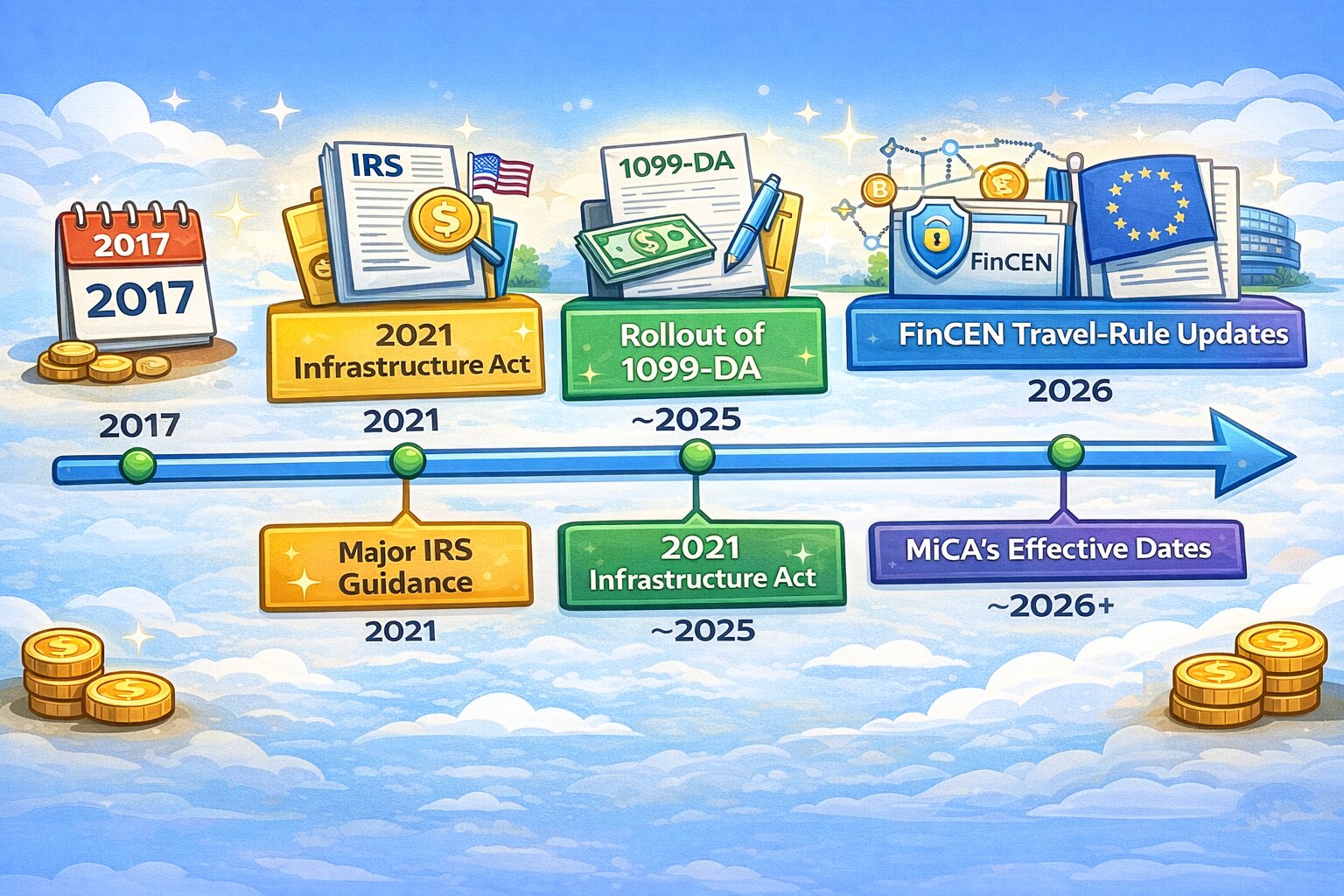
Starting with the 2025 tax season, brokers and certain digital asset platforms must issue Form 1099‑DA with detailed transaction data, and over time these forms will include cost basis information as well, making it easier for the IRS to cross‑check your Form 8949 entries.
This shift makes careful record‑keeping and good wallet organization more important than ever.
Crypto tax software like Koinly can pull in data from exchanges, self‑custody wallets, and even 1099‑DA files, then produce ready‑to‑file Form 8949, Schedule D, and TurboTax reports.
Many US users in 2026 rely on this approach instead of trying to build spreadsheets by hand.
$10,000 Reporting Rules and Form 8300
There has been a lot of attention on new rules that extend existing cash reporting laws to large digital asset payments.
Under long‑standing law, businesses that receive more than 10,000 dollars in cash in a single or related set of transactions must file Form 8300 within 15 days, reporting details about the payer.
The 2021 Infrastructure Act extended these requirements to certain digital asset transactions, with an initial effective date in 2024, but the IRS has since announced transitional relief: as of early 2026, businesses do not yet have to file Form 8300 for digital assets until new regulations and updated forms are finalized.
This area is still evolving, so if you receive large crypto payments as part of a business, it is wise to talk with a tax professional and stay tuned for updated IRS guidance.
AML Rules, Travel Rule, and Global Standards
On the anti‑money‑laundering side, regulators apply the Travel Rule and similar standards to exchanges, custodial wallets, and other virtual asset service providers.
In the US, FinCEN requires these firms to collect and transmit sender and recipient information for transfers of 3,000 dollars or more in value, with records kept for several years.
Globally, the Financial Action Task Force (FATF) has pushed countries to apply similar rules, leading to tighter data sharing and due‑diligence requirements.
The EU’s MiCA framework and related Transfer of Funds Regulation also require crypto‑asset service providers – including many custodial wallet operators – to apply strict KYC, record‑keeping, and travel‑rule‑style data collection between 2024 and 2026.
But these rules mainly hit intermediaries, not pure self‑custody wallets where you hold the keys on your own device.
Looking Ahead to 2027 and Beyond
Several trends suggest that by 2027 the US might see even clearer rules around wallet providers and custodians:
-
The SEC and New York regulators have already issued updated crypto custody guidance, emphasizing segregation of customer assets and strict controls when third‑party sub‑custodians are used.
-
FinCEN continues to refine Travel Rule enforcement, and there have been proposals to lower thresholds for certain cross‑border transactions, which would increase the number of transfers subject to full information sharing.
For now, ordinary users can safely use self‑custody wallets, but should expect more identity checks and reporting when moving funds through regulated ramps into or out of the fiat system.
Comparing Top Crypto Wallets in 2026: Quick Buyer’s Guide
There is no single “best” wallet for everyone, but by 2026 certain names appear again and again in independent reviews.
Here is a quick side‑by‑side look at some popular options.
If you are unsure where to start, a very common and safe pattern is:
-
Use a reputable exchange and a simple hot wallet (like Coinbase Wallet or Exodus) for learning and small amounts.
-
Add a hardware wallet such as Ledger Nano X or Trezor once your holdings exceed an amount you would be upset to lose.
-
Connect everything to a tax tool early if you are a US user.
Conclusion: Start Your Crypto Journey Safely Today
Creating a crypto wallet in 2026 is no longer a mystery reserved for tech experts.
With modern apps, clear regulation, and better security tools, you can get from zero to a secure crypto wallet setup in under ten minutes if you follow the steps in this guide.
The key idea is simple: start small, choose a wallet that fits your needs, and treat your seed phrase like the keys to a safe – because that is exactly what it is.
As your holdings grow, upgrade your setup with a hardware wallet, multi‑sig, and AI‑assisted security instead of keeping everything on a single exchange.
If you are ready, pick one of the wallets from the quick buyer’s guide above, follow the step‑by‑step wallet creation walkthrough that matches your skill level, and send your first tiny test transaction.
Once you have done that successfully, you have taken the hardest step.
The rest is refining, learning, and staying disciplined about security.
Frequently Asked Questions (FAQs)
1. How long does it take to create a crypto wallet?
Most hot wallets can be created in 5–10 minutes: install the app, generate a wallet, back up the seed phrase, and you are done.
Hardware wallets add a few extra steps for setting up the device and installing apps but are still usually finished within 20–30 minutes.
2. Is a crypto wallet the same as an exchange account?
No.
An exchange account is usually custodial – the company holds your keys and you log in with a username and password.
A true crypto wallet gives you a seed phrase and private keys so that only you can move your funds, even if a company disappears.
3. Can I create a wallet without ID in the USA?
Yes.
You can download and create many self‑custody software and hardware wallets without showing ID because they live on your own devices.
But when you want to move fiat money in or out through regulated US exchanges and payment platforms, you will normally have to complete KYC checks under SEC, FinCEN, and other rules.
4. What happens if I lose my seed phrase?
If you lose your seed phrase but still have access to the wallet app and device, back up a new wallet immediately and move your funds there.
If you lose both the device and the only copy of the seed phrase, your funds cannot be recovered – there is no “forgot password” button for seed phrases.
This is why multiple offline backups are so important.
5. What is the best free crypto wallet for beginners?
For software only, beginner‑friendly options that often appear in 2025–2026 reviews include Exodus, Phantom, Coinbase Wallet, and similar multi‑chain wallets, thanks to their simple interfaces and strong help resources.
If you are planning to invest serious money, pairing one of these with a hardware wallet later is a smarter long‑term plan than staying software‑only.
6. How do I transfer crypto to a new wallet?
Create the new wallet, back up its seed phrase, and then find the “Receive” address for the coin you want to move.
From the old wallet or exchange, send a small test amount to that address; once it arrives, send the rest.
Always verify that both wallets support the same chain – for example, sending ETH on Ethereum to an Ethereum‑compatible address.
7. Are hardware wallets really worth the cost?
For small balances, a free hot wallet can be enough.
But if you hold four or even three figures in crypto that you plan to keep for years, a hardware wallet is usually worth it.
It keeps your keys offline and offers much stronger protection against malware and many common attacks compared with software‑only wallets.
8. How do crypto wallet taxes work in the US?
You do not pay tax just for creating a wallet or moving coins between your own wallets.
You may owe tax when you sell, swap, or spend crypto, or when you earn it through staking, mining, or payments.
These disposals and income events are reported via Form 8949, Schedule D, and, from 2025 onward, broker‑filed 1099‑DA forms that outline your digital asset transactions.
