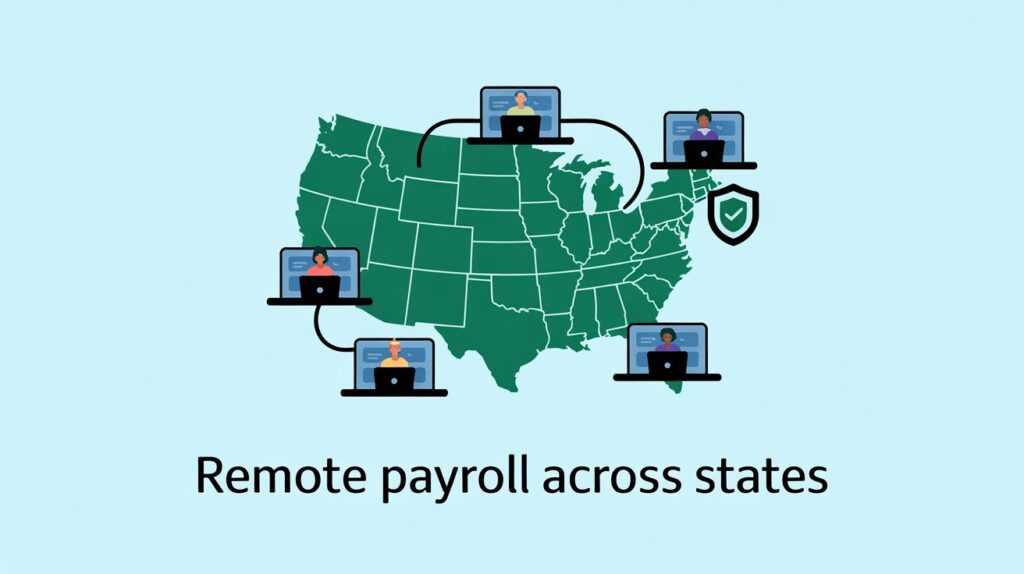
Remote hiring feels simple: you find the right person, send an offer, and they start work from wherever they live.
Payroll is where it stops being simple.
The moment you have people in different states, every paycheck can touch:
-
Different state income tax rules
-
Different unemployment tax rules
-
Different wage, overtime, and leave laws
-
Sometimes even city or county taxes
In many states, just one remote employee is enough to create a tax and payroll “footprint” that forces you to register and follow that state’s rules.
If you ignore this and just keep paying everyone as if they work at HQ, you can run into:
-
Surprise tax bills and penalties from states
-
Payroll tax audits that eat months of your time
-
Angry employees who get double-taxed or can’t claim benefits
-
Problems in due diligence if you want to raise funding or sell the company
This guide is for you if you:
-
Run HR or payroll for a small or mid‑size company
-
Are a founder who just hired (or wants to hire) in another state
-
Work in finance and need to clean up multi‑state payroll
-
Are moving from “everyone in one office” to a remote or hybrid team
You’ll walk through each step in so you can pay your people correctly and sleep at night.
What Happens When an Employee Works in Another State?
Work Location vs Company Location
Here’s the first mental shift you need to make:
For payroll, where your employee actually works usually matters more than where your company is based.
Most states say you must:
-
Withhold state income tax based on the state where the employee physically performs work
-
Pay state unemployment tax in the state where the employee works (with special rules for people working in more than one state)
So if your company is in New York and you hire someone who lives and works full‑time in Colorado, Colorado’s rules generally control their payroll taxes and many of their labor protections.
State Tax Basics (Explained Simply)
When you pay an employee, you usually deal with three main layers:
-
Federal taxes
-
Same rules for everyone in the US (income tax, Social Security, Medicare).
-
-
State taxes
-
State income tax (if the state has one).
-
State unemployment tax, paid by you as the employer.
-
-
Local taxes
-
Some cities and counties charge extra taxes on top of the state tax.
-
Most states expect you to:
-
Register as an employer in that state
-
Withhold the right state income tax from paychecks
-
File tax returns and send in the money on a fixed schedule
When Payroll Obligations Begin
In many states, your obligations start as soon as you hire your first employee there. That can mean:
-
Registering before the very first paycheck in that state
-
Getting a state employer ID and unemployment account number
-
Setting up workers’ compensation insurance if required
Some states have small exceptions (for example, workers’ comp only after a certain number of employees), but many treat one employee as enough to trigger several rules.
Practical tip:
As soon as you decide to hire in a new state—or an existing employee moves—start the registration process right away. Some state approvals take weeks.
Step 1: Register in the Employee’s Work State
Once you confirm that an employee will regularly work from another state, your first job is to register there.
You’re usually looking at three main registrations:
-
State income tax withholding
-
State unemployment insurance (SUI)
-
Workers’ compensation
State Income Tax Withholding Registration
When is this required?
Most states with an income tax require you to:
-
Register for an employer withholding account, and
-
Withhold state income tax once an employee performs work in that state.
You generally cannot just withhold tax for your HQ state and ignore the employee’s state. That’s one of the most common multi‑state mistakes.
States without income tax
A handful of states do not tax wage income at the state level, including:
-
Alaska
-
Florida
-
Nevada
-
South Dakota
-
Tennessee (on wages)
-
Texas
-
Washington
-
Wyoming
-
New Hampshire (mostly for interest/dividends)
If your remote employee works only in one of these states, you don’t withhold state income tax for that state—but you may still need:
-
State unemployment registration
-
Workers’ comp coverage
-
Local tax handling (for example, certain local payroll taxes in parts of Washington or Oregon)
State Unemployment Insurance (SUI)
State unemployment taxes fund unemployment benefits. Nearly all states require you to:
-
Set up a separate SUI account in each state where employees work, and
-
Report wages and pay unemployment tax to one state for each employee, based on specific rules.
Key points:
-
For a simple, single‑state remote worker, their SUI is usually owed to their work state.
-
For employees who work in more than one state, there’s a standard test (used by most states) to decide which state gets their unemployment wages.
-
SUI rates vary a lot by state and by your experience (layoffs, claims, etc.). Some states have a tax range that spans more than 10 percentage points.
Why you can’t ignore SUI
If you skip SUI registration:
-
The state can bill you for back taxes plus penalties and interest
-
Former employees may not get unemployment benefits, which can lead to complaints and further audits
-
Some states can file liens or take other enforcement actions
Workers’ Compensation Requirements
Workers’ comp covers employees who get hurt or sick because of their job. Almost every state:
-
Requires employers to carry workers’ comp once they hit a certain number of employees
-
Has its own threshold: some require coverage from the first employee, others at 2, 3, 4, or 5 employees
-
Has its own agency or board enforcing the rules
Examples:
-
California, Arizona, New York: usually require workers’ comp once you have at least one employee.
-
Alabama, Mississippi, Missouri: often require coverage only once you have five or more employees.
-
Texas: is the one major state that does not generally require private employers to buy workers’ comp, though many still do.
Penalties for not carrying required workers’ comp can include fines and, in some states, even criminal charges.
Step 2: Determine the Correct State for Tax Withholding
Now that you’re registered, you need to be sure you’re taking tax from the right state(s) for each employee.
Single‑State Remote Worker
If an employee lives and works in the same state, and only works there, things are usually straightforward:
-
You withhold income tax for that state (if it has one)
-
You pay unemployment tax for that same state
-
You follow that state’s wage, overtime, and leave laws
Example:
Your HQ is in New York, your employee lives and works fully remotely in Minnesota. You:
-
Register in Minnesota
-
Withhold Minnesota state income tax
-
Pay Minnesota unemployment tax
-
Follow Minnesota wage and leave laws
HQ location rarely decides anything by itself.
Employees Who Move Mid‑Year
Remote employees move often. When that happens, you need to:
-
Find out exactly when they moved and when they started working from the new state.
-
Stop withholding for the old state as of the move date (or the first workday in the new state).
-
Start withholding for the new state as soon as registration is active.
-
Update payroll records (address, work location, tax profiles) so year‑end reports split wages correctly.
At year‑end:
-
Their W‑2 may show income in two different states, one for each period.
-
They may have to file tax returns in two states.
Failing to update withholding after a move is one of the biggest real‑world mistakes with remote teams.
Employees Working in Multiple States
Some employees:
-
Travel regularly
-
Split time between two offices
-
Serve clients in several nearby states
For these people, you must decide which state (or states) get income tax withholding and unemployment reporting.
The “primary work location” idea
Most companies use a “primary work location” framework based on:
-
Where the employee spends most of their time
-
Where their work is mainly directed or controlled
-
State rules on how to withhold in multi‑state situations
Unemployment uses a specific test order: where work is “localized,” where their base of operations is, where direction and control happen, and, if needed, where the employee lives.
You generally report unemployment to one state only, even if they work across borders.
“Convenience of the employer” states
A handful of states have a special rule called the “convenience of the employer” rule.
In these states, if your company is based there, they may tax the employee as if they worked in the company’s state, even when the employee works from another state, if the remote work is mainly for the employee’s convenience, not a business necessity.
As of 2025, some form of this rule exists in eight states:
-
Alabama
-
Connecticut
-
Delaware
-
Nebraska
-
New Jersey
-
New York
-
Oregon (limited, usually for certain nonresident managers)
-
Pennsylvania
These rules can create double taxation risks if you don’t handle them carefully. You often need tax advice for any employee living in one state and working for a company based in one of these.
Reciprocity agreements
Some state pairs have reciprocity agreements. These agreements say:
If an employee lives in one state and works in another, they only pay income tax to their home state, not the work state—if they file the right exemption form.
This is common in parts of the Midwest and Mid‑Atlantic. Examples include:
-
Employees who live in Pennsylvania and work in New Jersey
-
Employees who live in Maryland and work in D.C. or Virginia
-
Various cross‑border pairs involving Illinois, Indiana, Kentucky, Michigan, Ohio, West Virginia, Wisconsin, and others
If reciprocity applies:
-
You withhold tax for the home state only
-
The employee must sign the relevant exemption form for the work state (for example, a state‑specific nonresident exemption form)
If there is no reciprocity, you often withhold in the work state, and the employee claims a credit on their home‑state return so the same income isn’t taxed twice.
Step 3: Understand State‑Specific Wage & Labor Laws
Getting the right tax state is only half the battle. You also have to respect the wage and hour rules where your employee works.
Minimum Wage Differences
Each state sets its own minimum wage; many cities add their own higher minimum.
If federal and state (or local) minimum wages conflict, you must pay the highest applicable rate.
Example:
-
Federal minimum: 7.25
-
State minimum: 14.00
-
City minimum: 16.00
If your employee works in that city, you must pay at least 16.00.
Multi‑state teams often have different pay floors just based on location.
Overtime Law Variations
Federal law requires you to pay overtime (1.5x) after 40 hours in a workweek for non‑exempt employees.
Some states add extra protections.
Daily overtime states
A small group of states require overtime when employees work more than a certain number of hours in a single day, not just per week.
States with daily overtime rules include at least:
-
Alaska
-
California
-
Colorado
-
Nevada
Some guidance also notes daily‑style triggers or special rules in Oregon.
In California, for example:
-
1.5x pay after 8 hours in a day
-
2x pay after 12 hours in a day
-
Extra rules for the 7th consecutive day of work
If you treat a California remote worker like a Texas worker, you’ll nearly always underpay overtime.
Pay Frequency Requirements
States can also control how often you must pay employees. Some require:
-
At least twice a month
-
Weekly for certain kinds of workers
-
Specific paydays or rules for final paydays
These rules vary heavily; you need to check the state where the employee works.
Final Paycheck Deadlines
When someone leaves, you must meet that state’s deadline for final pay.
Examples of how strict this can be:
-
Some states require immediate payment if the employee is fired; others allow a few days.
-
Some allow payment on the next regular payday if the employee resigns; others set a shorter deadline.
Missing these deadlines can lead to penalties, including “waiting time” penalties in places like California.
Because these wage rules change often, always confirm details with up‑to‑date state guidance or a trusted legal/payroll resource before you set policies.
Step 4: Handle Local and City Taxes
State rules are only part of the story. Some states also allow local income or payroll taxes at the city or county level.
States where local income‑type taxes are common include:
-
Pennsylvania – many municipalities charge an “earned income tax” that employers must withhold.
-
Ohio, Michigan, Indiana, Kentucky – lots of cities and local areas with their own income or occupational taxes.
-
Maryland – all counties plus Baltimore City have local income taxes.
-
New York – New York City and Yonkers have extra local income taxes.
-
Colorado, Kentucky, Alabama, Missouri, Oregon, New Jersey – various local or city‑level payroll or occupational taxes.
Why local taxes are often missed
Local taxes are easy to ignore because:
-
They don’t always show up clearly when you first register with the state
-
Many payroll teams assume “state registration + state income tax = done”
-
Some local taxes are based on where the employee lives, some on where they work, and some on both
Compliance risks of ignoring city taxes
If you skip local taxes where they apply:
-
The local government can bill you for back withholding, interest, and penalties
-
Your employee can be stuck with big local tax bills at filing time, which hurts trust
-
Some localities can go after your business directly for unpaid employer taxes
When you hire or move an employee, always ask:
“Does this city or county have its own income or payroll tax?”
Step 5: Manage Leave Laws for Remote Employees
Leave is another area where state and local rules differ a lot. Remote employees might have rights to paid sick time or paid family leave that people at HQ do not.
Paid Sick Leave Mandates
There is no general federal law requiring paid sick leave for private employers. Instead, states and cities set their own rules.
As of 2025–2026, around 17 states plus Washington, D.C. require employers to provide paid sick leave, including:
-
Arizona, California, Colorado, Connecticut
-
Illinois, Maine, Maryland, Massachusetts
-
Michigan, Minnesota, Nebraska, Nevada
-
New Jersey, New Mexico, New York
-
Oregon, Rhode Island, Vermont, Washington, and D.C.
Many cities and counties in these and other states have their own local sick leave rules too.
Common patterns include:
-
Minimum accrual rate (for example, 1 hour per 30 hours worked)
-
Caps on annual use or total accrual
-
Rules on carryover from year to year
-
When you can require a doctor’s note
If a remote employee works in one of these places, you must build those rules into your PTO or sick policy just for them.
Paid Family Leave Programs
Paid family and medical leave (PFML) is different from sick time. It usually gives wage replacement for:
-
Bonding with a new child
-
Caring for a seriously ill family member
-
Recovering from your own serious health condition
-
Sometimes for safety‑related reasons (domestic violence, etc.)
As of 2025, 13 states plus D.C. have mandatory, statewide paid family leave systems, funded by payroll contributions from employees, employers, or both. These include:
-
California, Connecticut, Massachusetts, New Jersey, Rhode Island, Washington
-
New York (through regulated private insurance)
-
Newer programs in Colorado, Delaware, Maine, Maryland, Minnesota, Oregon, and D.C.
These programs usually:
-
Require you to withhold a small percentage of wages for the state program (and sometimes add an employer contribution)
-
Give employees a right to paid, job‑protected leave for covered reasons
-
Have their own reporting and payment schedules
If you have a remote worker in one of these states, your payroll must:
-
Withhold the correct PFML contributions
-
Show them correctly on pay stubs and year‑end forms
-
Coordinate PFML with your own company leave policies
Updating Employee Handbooks for Remote Workers
Once you have people in more than one state, a single, simple handbook often isn’t enough.
You’ll usually need:
-
A core handbook that applies to everyone
-
State‑specific addenda covering:
-
Minimum wage and overtime differences
-
Paid sick leave and PFML rights
-
Local rules (for example, extra paid breaks or scheduling rules)
-
Your remote employees should be able to see exactly what rights they have in their state.
Step 6: Avoid Employee Classification Mistakes
Remote work makes it tempting to call people “contractors” instead of employees. That can backfire badly.
Remote Employees vs Independent Contractors
Many companies try to avoid multi‑state payroll hassle by:
-
Hiring remote workers as contractors
-
Paying them via invoice or through a marketplace
-
Treating them like full employees in daily reality
If the person is legally an employee, but you treat them as a contractor, you risk:
-
Owing back payroll taxes
-
Overtime and benefits claims
-
Penalties from both federal and state agencies
Remote work does not change the legal tests. It just makes misclassification more tempting.
States with Strict Contractor Tests
Some states use tougher tests (like “ABC tests”) that make it very hard to justify contractor status if:
-
The worker does tasks that are part of your main business
-
You control how and when they work
-
They don’t run a true independent business
States like California and others have well‑known strict rules, and more states are tightening tests over time.
Audit Triggers to Avoid
Red flags that can draw attention:
-
Lots of “contractors” doing the same work as your employees
-
Contractors who work only for you, full‑time, for months or years
-
Former employees re‑hired as contractors in the same role
-
Workers in strict states with no payroll registration, but regular payments
If in doubt, treat someone as an employee and put them on proper payroll.
Step 7: Year‑End Reporting for Multi‑State Remote Workers
Year‑end reporting gets more complex when one employee has wages in several states.
Multi‑State W‑2 Preparation
For employees who worked in more than one state during the year, their W‑2 often shows:
-
Separate lines for wages and tax withheld in each state
-
State codes that match where tax was withheld
Common multi‑state W‑2 cases:
-
Employee moved from one state to another mid‑year
-
Employee commuted across state lines (with or without reciprocity)
-
Employee worked in a convenience‑rule state and their home state
If you do not track work locations and moves carefully during the year, it’s almost impossible to cleanly fix this at year‑end.
1099 Reporting Considerations
For true independent contractors:
-
You may owe state‑level reporting in addition to the federal 1099‑NEC or 1099‑MISC
-
Some states require you to send copies of 1099s or separate reports if the contractor lives there or did work there
Again, the contractor’s location can trigger state‑level reporting.
State Reconciliation Forms
Many states require annual reconciliation of withholding:
-
You compare the total tax withheld on all W‑2s for that state with the total of all deposits you made during the year
-
You fix small differences and confirm totals match
If you’ve withheld the wrong state’s tax, these forms are where the mismatch becomes obvious to the state.
Common Payroll Mistakes with Remote Employees
Here are the most frequent—and painful—mistakes:
-
Forgetting to register before first payroll
-
Paying a new remote employee without setting up that state’s accounts first.
-
-
Not updating tax withholding after relocation
-
Employee moves states, but you keep withholding for the old state for months.
-
-
Ignoring local taxes
-
Missing city, county, or school district taxes in places like Pennsylvania, Ohio, Maryland, New York, and others.
-
-
Misclassifying contractors
-
Calling full‑time, long‑term remote workers “contractors” to avoid payroll.
-
-
Assuming payroll software handles everything automatically
-
Many systems can support multi‑state payroll, but only if you set them up correctly and register in each state first. They can’t decide where you have to register or whether a worker is really a contractor.
-
Should You Use Payroll Software for Remote Multi‑State Teams?
You can run multi‑state payroll manually, but it gets risky fast.
Manual Payroll Risks
If you try to manage everything in spreadsheets or with simple tools, you face:
-
Higher error rates when calculating state and local taxes
-
Missed registration steps in new states
-
Late filings, missed deposits, and penalties
-
Huge year‑end reconciliation headaches
What to Look for in Payroll Software
If you’re paying people in more than one state, look for payroll software that can:
-
Support all 50 states (and D.C.) with:
-
State income tax tables
-
State unemployment options
-
Local tax support where needed
-
-
Handle multi‑state withholding
-
Assign different tax profiles per employee
-
Split wages for moves or multi‑state workers
-
-
Update state tax rules automatically
-
New rates, thresholds, and local tax changes are applied without manual updates
-
-
Provide compliance alerts
-
Warnings if a new work location suggests registration needs
-
Reminders about deposit deadlines and filings
-
-
Automate year‑end forms
-
W‑2s that correctly show multiple states
-
State copies and annual reconciliations where required
-
You still need to:
-
Decide where you must register
-
Enter the correct work locations
-
Keep up with major legal changes
But good software can handle the math and daily details.
(This is a natural place to link back to your main “Payroll Software for Multi‑State Employers” pillar page.)
Payroll Software vs PEO vs EOR for Remote Workers
You don’t have to handle everything alone. Three main models exist:
-
PEO (Professional Employer Organization)
When Payroll Software Is Enough
Payroll software is usually a good fit when:
-
Your company is legally set up in the US
-
You’re comfortable registering in each state where employees live and work
-
You want to keep full control over HR policies and employment contracts
-
Your team is growing but still manageable in size
You stay the legal employer. The software just helps you do payroll and basic HR more safely.
When a PEO Makes Sense
With a PEO:
-
You and the PEO become co‑employers
-
The PEO often handles payroll, tax filings, benefits administration, and some compliance work
-
You still direct day‑to‑day work and hiring decisions
A PEO makes sense if:
-
You want group benefits and HR support without building a full in‑house HR team
-
You have employees in several states and want help managing registrations and filings
-
You still want your own US entity and control, but less admin
When an Employer of Record (EOR) Is Necessary
An EOR becomes the legal employer on paper. You direct the person’s work, but:
-
The EOR signs the local employment contract
-
The EOR handles payroll, taxes, and compliance under local law
EORs are most common for:
-
Hiring in foreign countries where you don’t have a legal entity
-
Very early stages, where you want to test a market with just one or two people
-
Companies that want almost zero admin in a given location
Inside the US, smaller companies often use payroll software or a PEO instead of an EOR, unless they have special legal or structural reasons.
Cost and Control Comparison
In general:
-
Payroll software
-
Lowest cost per employee
-
Highest control and responsibility
-
-
PEO
-
Medium cost
-
Shared control; you still own the relationship, but they handle a lot of admin
-
-
EOR
-
Highest cost per employee
-
Lowest admin for you, but also less direct control over the legal side of the employment relationship
-
Think about:
-
How quickly your team is growing across states
-
How much risk and admin you’re comfortable owning
-
Whether you need help with HR and benefits, not just payroll
Remote Payroll Checklist
You can use this as a pre‑hire and post‑hire checklist whenever you add or move a remote employee.
✔ Register in the employee’s state
-
Confirm that their work location creates a tax presence
-
Register with the state’s tax and labor agencies before the first paycheck
✔ Set up state withholding
-
Get a state withholding account
-
Add the correct state to their payroll profile
-
Collect any state forms (for example, nonresident forms for reciprocity)
✔ Confirm SUI registration
-
Open a state unemployment account where the employee works
-
For multi‑state workers, decide which state gets their unemployment wages using the official test order
✔ Verify wage law compliance
-
Check minimum wage (state + local) for their location
-
Confirm overtime rules, especially in daily overtime states like CA, AK, CO, NV
✔ Check local tax requirements
-
Look for city, county, or school district taxes
-
Add local tax codes in your payroll system if needed
✔ Review leave laws
-
Confirm whether that state or city has paid sick leave
-
Check if a statewide paid family and medical leave program applies
-
Turn on the right payroll deductions and benefits
✔ Update your handbook
-
Add or update a state‑specific addendum that covers wage, overtime, and leave rights
-
Share it with the employee and keep a record
✔ Prepare multi‑state year‑end forms
-
Track moves and multi‑state work throughout the year
-
Review W‑2s and state reconciliations for employees with more than one state on file
FAQs
1. Do I need to register in every state where employees live?
In most cases, yes, if they are working there regularly.
If an employee lives and works in a state, that state usually expects you to:
-
Register for withholding and unemployment
-
Follow its wage, overtime, and leave laws
-
File regular payroll tax returns
Occasional travel by your staff into another state is different from having a remote worker based there. For “work from anywhere” policies, you must clearly define which states employees are allowed to work in, so you don’t accidentally create obligations in dozens of places.
2. What if an employee temporarily works from another state?
It depends on:
-
How long they stay
-
How much work they do from there
-
The rules of both states involved
Many states look at regular, ongoing work from a state as the trigger for registration and withholding. Short trips (like a week‑long conference) usually don’t trigger new obligations on their own, but month‑long stays or repeated work periods might.
For longer “temporary” moves, it’s safer to:
-
Confirm state guidance
-
Consider registering if they’ll work there for a meaningful stretch
-
Update your internal policy so employees must ask approval before long out‑of‑state stays
3. Can payroll software handle remote employees automatically?
Payroll software can:
-
Calculate taxes for multiple states and many localities
-
Track different rules by location
-
Generate W‑2s with multiple states
-
Apply updated rates and thresholds each year
But it cannot automatically:
-
Decide where you have to register
-
Know when an employee secretly moves
-
Decide whether someone is a contractor or an employee
You have to:
-
Keep work locations accurate
-
Turn on new states in the system after you register
-
Update profiles as soon as employees move
4. What happens if I don’t comply?
If you ignore these rules, you risk:
-
Back taxes and penalties from states (for withholding, unemployment, local taxes)
-
Interest on late payments
-
Wage claims for underpaid overtime or missed final pay deadlines
-
Denied unemployment or leave benefits for employees, which can trigger complaints
-
Problems in investor or buyer due diligence, when someone reviews your state registrations and payroll practices
Cleaning this up later almost always costs more—in cash, time, and trust—than doing it right up front.
Final Thoughts
Remote hiring lets you tap into great talent anywhere. The catch is that every new state you hire in is like adding a small new country to your payroll map.
If you:
-
Register early in each new state
-
Withhold tax where employees actually work
-
Respect local wage, overtime, and leave laws
-
Use tools that support multi‑state compliance
-
Get advice when you’re unsure (moves, convenience‑rule states, big expansions)
…you can run payroll for a fully remote, multi‑state team without living in fear of audits.
Over time, proactive compliance actually saves you money:
-
You avoid penalties and rushed clean‑up projects
-
You sail through funding and acquisition reviews
-
You keep employees happy because their pay and taxes “just work”
As your team spreads out, it may be time to:
-
Upgrade from basic payroll to a multi‑state capable platform
-
Add a PEO or trusted advisor if you don’t want to own all the complexity
-
Set clear remote‑work location rules so you only expand into states you’re ready to handle
You don’t have to become a tax expert. But if you understand the main moving parts in this guide, you’ll ask better questions, set up your systems the right way, and run a remote payroll you can trust.
