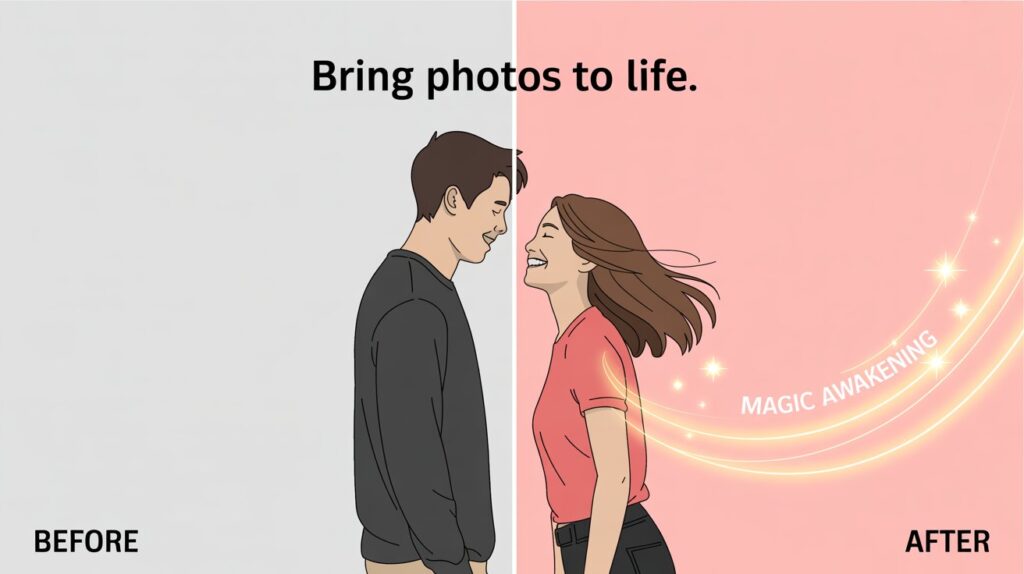
Have you ever looked at a photograph so deeply that, for a split second, you swore you saw it move? Maybe it was the wind rippling through a summer dress, or the hint of a smile about to break on a loved one’s face. We’ve all been there. We live in a world that is constantly in motion—our social feeds are dominated by Reels and TikToks—yet our most precious digital memories remain frozen in JPEGs and PNGs.
Here is the brutal truth: In the attention economy, static images are becoming invisible.
For years, if you wanted to animate a photo, you needed to be a wizard with Adobe After Effects or spend a fortune hiring a motion graphics artist. You were stuck. Your creativity was held hostage by a steep learning curve and expensive software subscriptions. I’ve been there, staring at a timeline of keyframes, frustrated that I couldn’t simply tell the computer, “Make them hug.”
But what if the barrier to entry didn’t just lower—it vanished?
I recently stumbled upon a tool that felt less like software and more like magic. It didn’t ask for my credit card, and it didn’t ask for a degree in animation. It just asked for an image. This is my deep dive into Image2Video.ai, a platform that is quietly revolutionizing how we interact with our visual history.
My Personal Experience
Let me take you back to last Tuesday. I was digging through my hard drive and found a photo of my parents from the early 90s. They were standing apart, looking at each other, caught in a candid moment of laughter. It was a beautiful shot, but it felt incomplete. It was a frozen frame of a dynamic love story.
I decided to test Image to Video with this specific image.
I wasn’t expecting much. Maybe a weird morphing effect or some glitchy artifacts. Instead, what I got back sixty seconds later gave me goosebumps. The AI didn’t just warp the pixels; it understood the context. It bridged the gap between them. In the generated video, they leaned in. The laughter became a movement. It was emotional, uncanny, and incredibly touching.
This wasn’t just “tech”; it was digital alchemy.
Under the Hood: How It Works
To understand why this platform is different, we have to stop thinking about it as a “converter” and start thinking of it as a Director.
When you upload a photo to Image2Video.ai, you aren’t just applying a filter. You are feeding a neural network that understands physics, human anatomy, and emotion.
The 3-Step Narrative Engine
- The Upload (The Anchor): You provide the source material. This is the “Before” state—static, silent, potential energy waiting to be released.
- The Prompt/Selection (The Direction): Unlike generic tools where you just hit “Go,” here you often have specific intent. Do you want a romantic embrace? A dynamic action shot? The AI needs to know the mood.
- The Generation (The Transformation): The AI predicts the frames that should exist between the pixels. It hallucinates reality based on your image, filling in the blanks with startling accuracy.
Beyond the Basics: Features That Break the Mold
Most AI video tools are boring. They make clouds move or water ripple. Image2Video.ai seems to have embraced the fun and the human side of AI.
1. The Emotional connector: AI Hug & Kiss Generator
This is the feature that hooked me. The “Make People Kiss” or hug functionality is surprisingly complex. It requires the AI to understand two separate subjects, their geometry, and how they would interact in 3D space without melting into each other.
- Use Case: Long-distance relationships, wedding photo animation, or simply creating a romantic moment from a shy candid photo.
2. The Adrenaline Shot: AI Fight Generator
On the complete opposite end of the spectrum, the platform offers an AI Fight Generator. This allows creators to take static figures and animate them into dynamic combat sequences.
- Why it matters: For storyboard artists, comic book creators, or meme makers, this is a game-changer. You can visualize choreography instantly.
3. The Viral Factor: Bigfoot & Meme Vlogs
I noticed a distinct sense of humor in the toolset, such as the Bigfoot Vlog generator. It proves the tech isn’t just for serious memories—it’s for entertainment. It takes the mythical and makes it “real” footage.
The Showdown: Image2Video.ai vs. The Old Guard
Let’s look at this analytically. If you are a content creator, you have options. But are they good options?
Here is a breakdown of how this AI solution stacks up against traditional animation methods and other generic AI tools.
| Feature / Metric | Image2Video.ai | Traditional Software (e.g., After Effects) | Generic AI Converters |
| Learning Curve | Zero. (Upload & Click) | Steep. (Months to master) | Low. (But often limited control) |
| Cost | Free / Freemium | High. ($20+/month) | Varies. (Often credit-based) |
| Speed | Seconds. | Hours to Days. | Minutes. |
| Semantic Understanding | High. (Understands “Kiss”, “Fight”, “Hug”) | Manual. (You must draw the movement) | Low. (Mostly background motion) |
| Hardware Required | Browser-based. (Works on a phone) | Heavy. (Needs a powerful PC/GPU) | Browser-based. |
| Emotional Impact | Instant Connection. | Dependent on skill. | Often feels robotic. |
The “Bridge” Effect
- Before: You have a folder full of vacation photos that no one looks at.
- After: You have a dynamic video reel that stops the scroll on Instagram and gets shared in the family group chat.
- The Bridge: Image2Video.ai is the mechanism that turns “storage” into “story.”
Why This Matters for Your Brand (and Your Heart)
We are moving away from the “Information Age” and into the “Imagination Age.”
If you are a marketer, you know that video converts higher than static images. A static ad is a billboard; a video ad is a conversation. By using Image to Video technology, you can repurpose your existing assets. That product shot? Make it spin. That testimonial photo? Make the customer nod and smile. You are effectively doubling your content library without shooting a single second of new footage.
But beyond marketing, there is the human element.
I tried one last experiment. I took a drawing my 6-year-old niece made—a stick figure superhero. I ran it through the motion generator. Seeing her drawing “fight” and move didn’t just impress her; it blew her mind. It validated her imagination.
Tips for Best Results
To get the most out of this tool, here is what I’ve learned from my trial and error:
- Clear Subjects: The AI works best when the subjects (people or animals) are clearly visible and not obscured by clutter.
- Lighting Matters: Just like a real camera, the AI prefers well-lit images to understand depth.
- Intentionality: Use the specific generators (Kiss, Fight, etc.) for their intended purpose. Don’t try to force a landscape photo into a “Fight” generator unless you want chaos (which, admittedly, can be fun).
The Verdict: A New Creative Horizon
We often fear that AI will replace creativity. After spending time with Image to Video AI, I feel the opposite. It doesn’t replace the creator; it empowers the dreamer.
It removes the technical friction that stands between a thought (“I wish this picture could move”) and reality (“Look at this!”). Whether you are a social media manager trying to hack the algorithm, a filmmaker storyboarding a fight scene, or just a son trying to see his parents laugh together one more time, this tool offers a key to a door we didn’t know we could open.
Don’t let your memories gather digital dust.
The technology is here. It is accessible. And frankly, it is incredibly fun. Go find that one photo—the one you always loved—and see what happens when you hit “Generate.” You might just be surprised by how much life was hiding inside those pixels all along.
